HolyArrs 1.3: Replace Sonarr, Radarr and Lidarr with One Self-Hosted Media App (Docker Compose Guide)
HolyArrs 1.3.5 folds Sonarr, Radarr, Lidarr, Prowlarr, Bazarr and Seerr into one small container. Here is the Docker Compose setup, what I tested on a fresh Ubuntu 24.04 VM, and where to be careful.
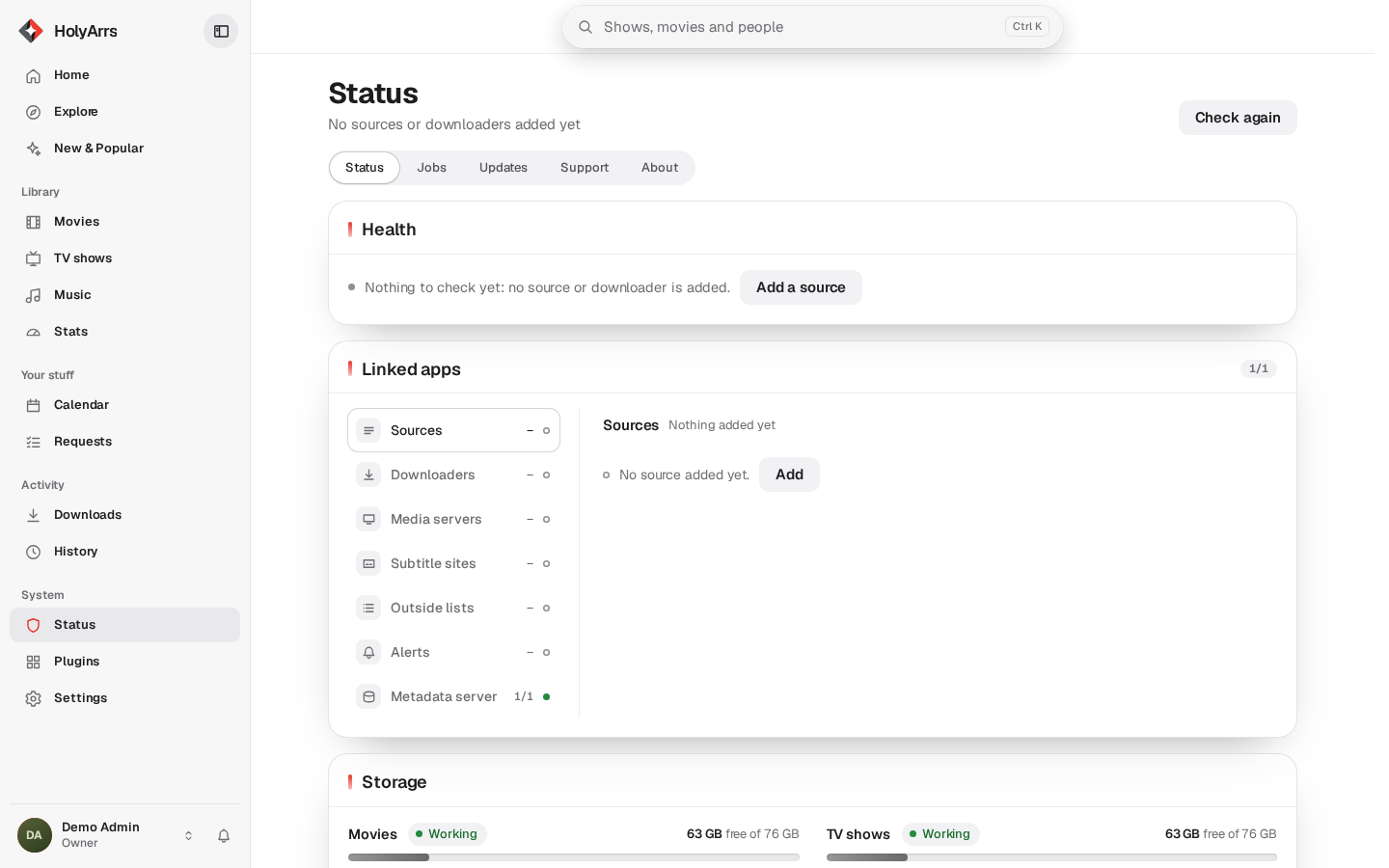
If you run a home media stack, you probably know the drill. Sonarr for shows, Radarr for movies, Lidarr for music, Prowlarr for indexers, Bazarr for subtitles, Seerr for requests. Six apps, six logins, six sets of API keys that you copy back and forth. HolyArrs is a young project that tries to fold all of that into one container with one web interface.
It only appeared on GitHub on 9 November 2026 and already has close to 3,000 stars, plus a Show HN and a spot on Trendshift. That is a lot of attention for a three week old project, so I wanted to see what it actually does after a fresh install. This guide covers the Docker Compose setup, what I clicked through on a clean Ubuntu 24.04 VM, and where I would be careful.
What HolyArrs is
HolyArrs is a self-hosted manager for movies, TV shows and music. You ask for a title (or let family members ask), it searches your configured Sources, picks a release based on your own rules, hands it to your downloader and files the result in your library. Subtitles, a calendar of upcoming episodes and alerts are part of the same app.
The project lists these building blocks in its README:
- Explore and Requests: a streaming-app style browsing view, plus a request queue where you approve what others ask for.
- Pick rules: you decide which release wins by size, quality and language.
- Sources and downloaders: any Torznab or Newznab indexer, or Prowlarr/Jackett. Supported downloaders include qBittorrent, Transmission, Deluge, rTorrent, aria2, SABnzbd and NZBGet.
- Media servers: Plex, Jellyfin and Emby.
- Alerts: Discord, email, Telegram, ntfy, Gotify, Pushover or a webhook.
- Import: it can read your existing Sonarr, Radarr, Lidarr, Prowlarr, Bazarr, Seerr, Overseerr, qBittorrent and SABnzbd setups without changing them.
The license is AGPL-3.0. The image is multi-arch (amd64, arm64 and armv7) and the README quotes about 16 MB to download, which matches the tiny footprint I saw in practice. As with any media tool, use it only for content you have the right to download and keep.
Install HolyArrs with Docker Compose
The only prerequisite is Docker with the Compose plugin. The project is moving fast: versions 1.3.1 to 1.3.5 were released within about three days. The README example uses the latest tag, but I would pin an exact version. At the time of writing that is 1.3.5, and exact tags "never move", according to the README.
1. Create the folders
HolyArrs runs as the user you set with PUID and PGID, and that user must own the config folder and your media folders. On most single-user servers that is 1000:1000. Check yours with id.
mkdir -p ~/holyarrs/data/{config,movies,tv,downloads}
cd ~/holyarrs
sudo chown -R 1000:1000 data
Keep config on a local disk. The docs are explicit that the database does not work on a network share (NFS, SMB). Media folders on a share are fine.
2. Write the compose file
Save this as docker-compose.yml in ~/holyarrs. I bind the port to localhost because the intended setup is a reverse proxy in front. If you only want to try it on your LAN, change the mapping to "6262:6262".
name: holyarrs
services:
  holyarrs:
    image: holyarrs/holyarrs:1.3.5
    container_name: holyarrs
    environment:
      - PUID=1000
      - PGID=1000
      - TZ=Europe/Berlin
    volumes:
      - ./data/config:/config
      - ./data/movies:/movies
      - ./data/tv:/tv
      - ./data/downloads:/downloads
    ports:
      - "127.0.0.1:6262:6262"
    restart: unless-stopped
The movie, TV and download mounts are optional in the README. One thing worth knowing: each mount is its own filesystem inside the container, so every import from the downloads folder becomes a full copy. If you want instant moves without extra disk space, mount one parent folder that holds both downloads and library, and give your downloader the same mount at the same path. The project has a folders guide for that.
3. Start it
docker compose up -d
docker compose ps
docker exec holyarrs /holyarrs doctor
On the test VM (2 vCPU, 1.8 GB RAM) the image pulled and the container reported healthy within seconds. Requesting the root URL answered with a redirect to /login, and that leads to the setup wizard on a fresh install. The doctor command is a nice touch: it prints OK, WARN or FAIL lines for the config folder, the master key, folders and network. On my fresh install the only warning I saw was that no library folder was set yet, which was true.
The image has no shell inside, so docker exec -it holyarrs /bin/bash will not work. HolyArrs' own commands do.
First run: the setup wizard
Open the address and create the owner account right away. There is no default password, and until the account exists, whoever opens the page first becomes the owner. So do not leave a fresh instance exposed overnight.
The wizard has eleven steps: Language, Welcome, Account, Media server, Parts, Folders, Sources, Downloads, Subtitles, Address and Done. I went through the first six. The account step asks for a username, a display name and a password, with no email address. Then you can connect Plex, Jellyfin or Emby (skippable), and choose whether to import from your old apps or start fresh. If you start fresh, you pick which parts you want: Movies, TV shows, Music, Subtitles and Requests were all switched on by default for me.
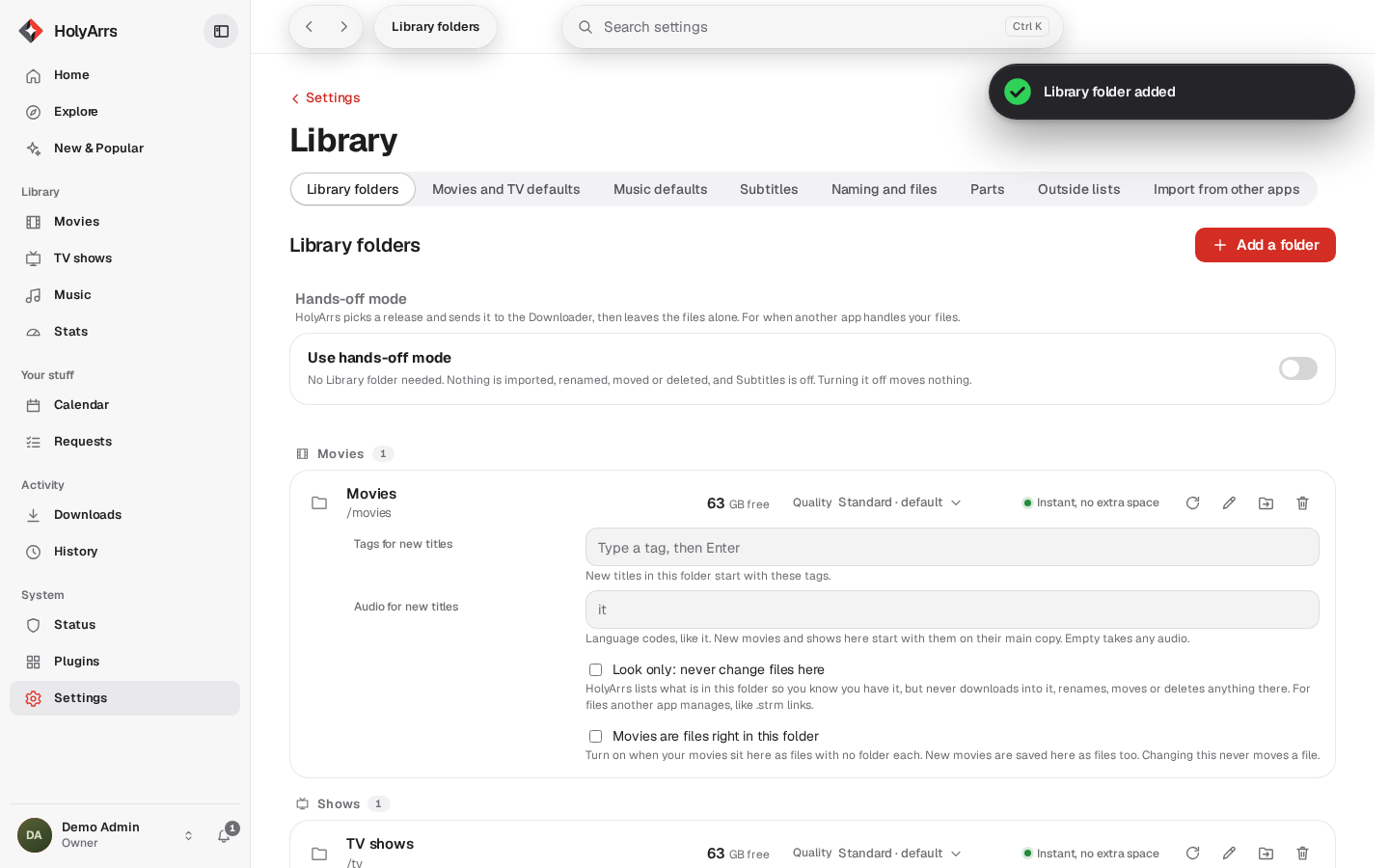
At the Folders step I chose "Skip setup for now" and added the library folders afterwards under Settings, Library, Library folders. You pick the kind (Movies, Shows or Music), the path inside the container such as /movies, a name and a default quality. There is also a "look only" option for folders that another app manages, and a hands-off mode that never imports, renames or deletes files.
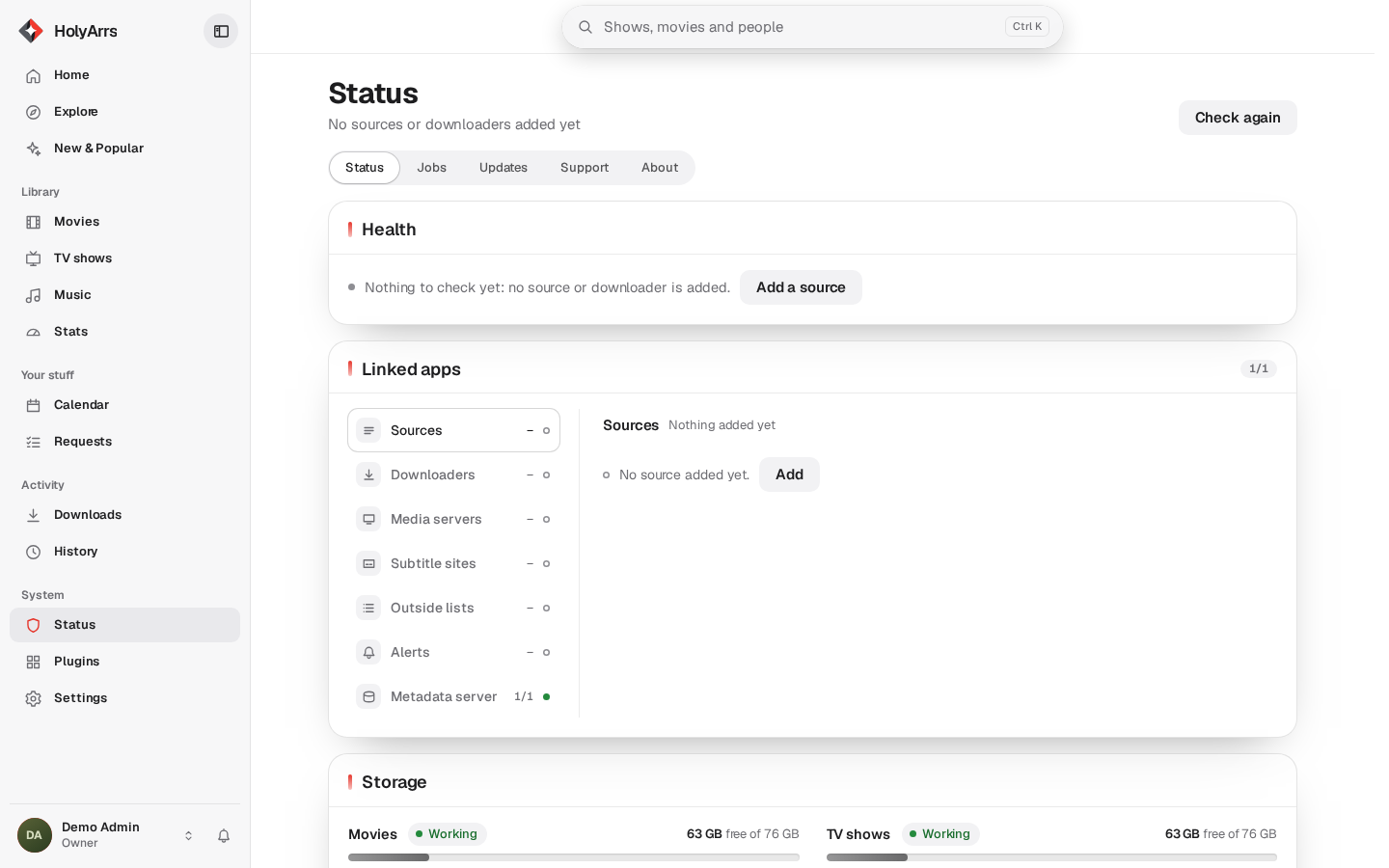
After adding /movies and /tv, the Status page showed both folders as working with the free disk space. It also listed Sources, Downloaders and Media servers as empty. I did not connect an indexer or a downloader, so I cannot tell you how well the actual search and download chain performs. That part needs your own accounts and your own downloader, and I did not test it. The same goes for the Sources, Downloads, Subtitles and Address wizard steps and for the import from Sonarr and friends.
Resource usage
Right after the start, docker stats showed about 93 MiB of RAM. After clicking through the wizard and settings it sat at about 134 MiB with almost no CPU use. That is in line with the project's own claim of roughly 95 to 140 MiB idle. On our 1.8 GB VM the log reported that low-memory mode was switched on automatically; according to the docs that happens at about 2.5 GiB of RAM or less, and you can force it with HOLYARRS_LOW_MEMORY.
Useful settings and tips
Most installs only need PUID, PGID and TZ. The environment variable reference lists the rest. The ones I would look at first:
HOLYARRS_ALLOWED_HOSTStakes the host names people use to reach the app, for exampleholyarrs.example.com. Set it when you put a reverse proxy in front.HOLYARRS_TRUSTED_PROXIESis your proxy's address or network, which HolyArrs needs to see real client addresses.HOLYARRS_URL_BASEserves the app under a path such as/holyarrs.- A
FILE__prefix on any variable reads its value from a file, which works with Docker secrets. HOLYARRS_UPDATE_CHECK=offturns off the update check, handy if Watchtower or something similar updates the image for you.
Single sign-on through OIDC and trusted forward-auth are available through HOLYARRS_OIDC_* and HOLYARRS_FORWARD_AUTH_* variables. I did not test them.
Keep your master key
On first start HolyArrs creates holyarrs.key in the config folder. It encrypts the stored passwords and API keys. Backups do not include it, so copy it somewhere else. The README says the owner can use Settings, Backups, Download key kit for this. Without the key, a restored backup cannot read your stored credentials.
Updating and rolling back
Change the tag in the compose file, then run docker compose pull and docker compose up -d. If a release changes how data is stored, HolyArrs makes a backup first. To go back, put the older tag in the compose file. If the data format changed, the old version shows a page with a one-time code from docker logs holyarrs, or you run docker exec holyarrs /holyarrs restore --pre-update followed by docker restart holyarrs. Anything you changed after the update is not part of that backup, so treat a rollback as a last resort. The details are in the updates documentation.
Limits and security
- It does not download by itself. You still need qBittorrent, SABnzbd or a similar downloader. The README lists a built-in downloader as planned.
- No phone or TV apps. The web app works on a phone. Music in Explore is still being built, according to the README.
- It phones home by default. Posters, trailers, scores and other metadata come from the project's own metadata server at
api.holyarrs.com, and the log on my install showed that the instance registered with it at first start. You can switch to your own TMDB key withHOLYARRS_METADATA_MODE=ownandHOLYARRS_TMDB_KEY, although some requests still go through the project's server. The docs have a page listing outside addresses. The update check contactsupdates.holyarrs.comand falls back to the GitHub API. - Very young, one developer. The README credits a single author. Releases arrive several times per day right now. That is fine for a hobby install, but pin the version, read the release notes before you update, and keep backups.
- Do not expose port 6262 to the internet. The README says to put it behind a VPN such as Tailscale or a reverse proxy with HTTPS.
- Migration is not lossless. The import brings over library folders, titles, quality profiles as pick rules, indexers and download clients. Keys and passwords are not imported, and custom formats, tags and history do not come over either. Your old apps are only read, never changed, so you can run both side by side.
On the plus side, the project publishes signed images from 1.0.3 on and documents how to verify them with cosign, and it has OpenSSF badges in the README. I did not run the verification myself.
How it compares
The established stack of Sonarr, Radarr, Lidarr, Prowlarr, Bazarr and Seerr is proven, has years of community knowledge behind it and a huge ecosystem of guides and scoring profiles. It is also six containers to keep alive. HolyArrs trades that maturity for simplicity: one login, one port, one update. The README's own comparison puts the six apps at about 685 MB of compressed images against 16.1 MB (measured by the author on 13 November 2026 with version 1.1.3), but note that this is a size comparison from the project itself, not an independent benchmark.
If your current setup works and you rely on custom formats or tags, I would not rush to migrate. If you are starting from zero, or you run a small server where six extra containers feel heavy, HolyArrs is worth a try next to your old setup, since the import is read only.
Conclusion
HolyArrs installs in a minute, uses well under 150 MiB of RAM, and the setup wizard is clear. The idea of one app for requests, search, downloads and subtitles is appealing. What I could not judge is the long-term reliability of the search and download chain, since that depends on your sources and downloader, and the project is only weeks old. I would run it in parallel with the existing stack for a while, pin the tag, back up the master key and decide after a few weeks.