Gitea 28: Self-Host Your Own Git Server with Docker Compose
Gitea dropped the 1. prefix and shipped 28.0 with audit logs, bot accounts and deploy tokens. We installed 28.3.0 with PostgreSQL on a small VM, found two setup traps and wrote down how to avoid them.
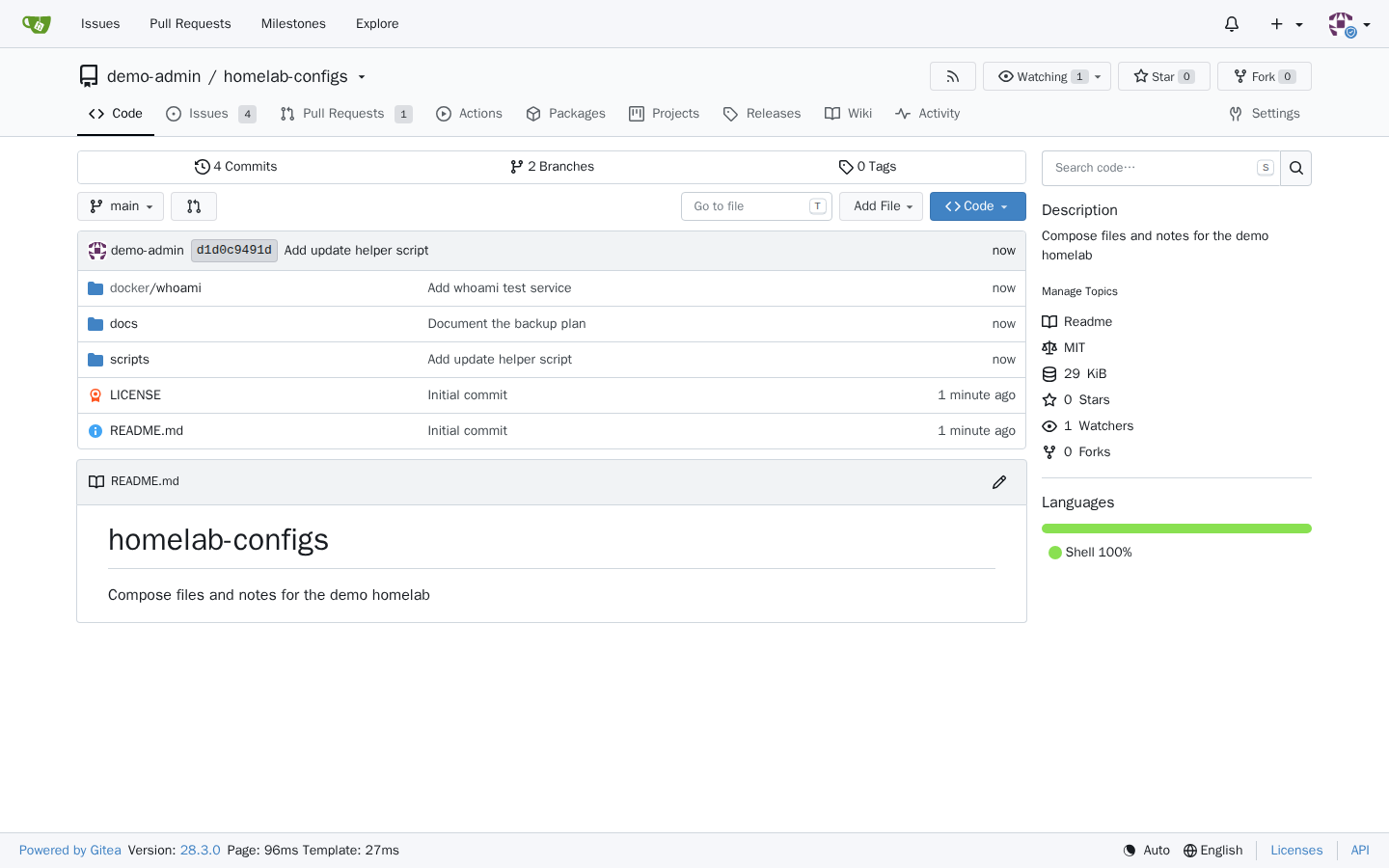
Gitea has been around since 2016, so it's fair to ask why it's showing up in a "trending" slot. The short answer: the last five weeks have been the busiest stretch the project has had in a while. On 30 September the team shipped 28.0.0 and dropped the historical 1. prefix, so what would have been 1.28 is now simply 28. Three maintenance releases followed in October and early November, plus a new major version of the Actions runner and a brand-new CLI called gt. The version jump even made it into selfh.st's weekly newsletter.
If you've been putting off running your own Git server, this is a good moment to start. Gitea is a single Go binary with a web UI that will feel familiar to anyone who has used GitHub: repositories, issues, pull requests, a wiki, a package registry and a CI system that understands most GitHub Actions workflows. It's MIT-licensed and light enough for a small VM.
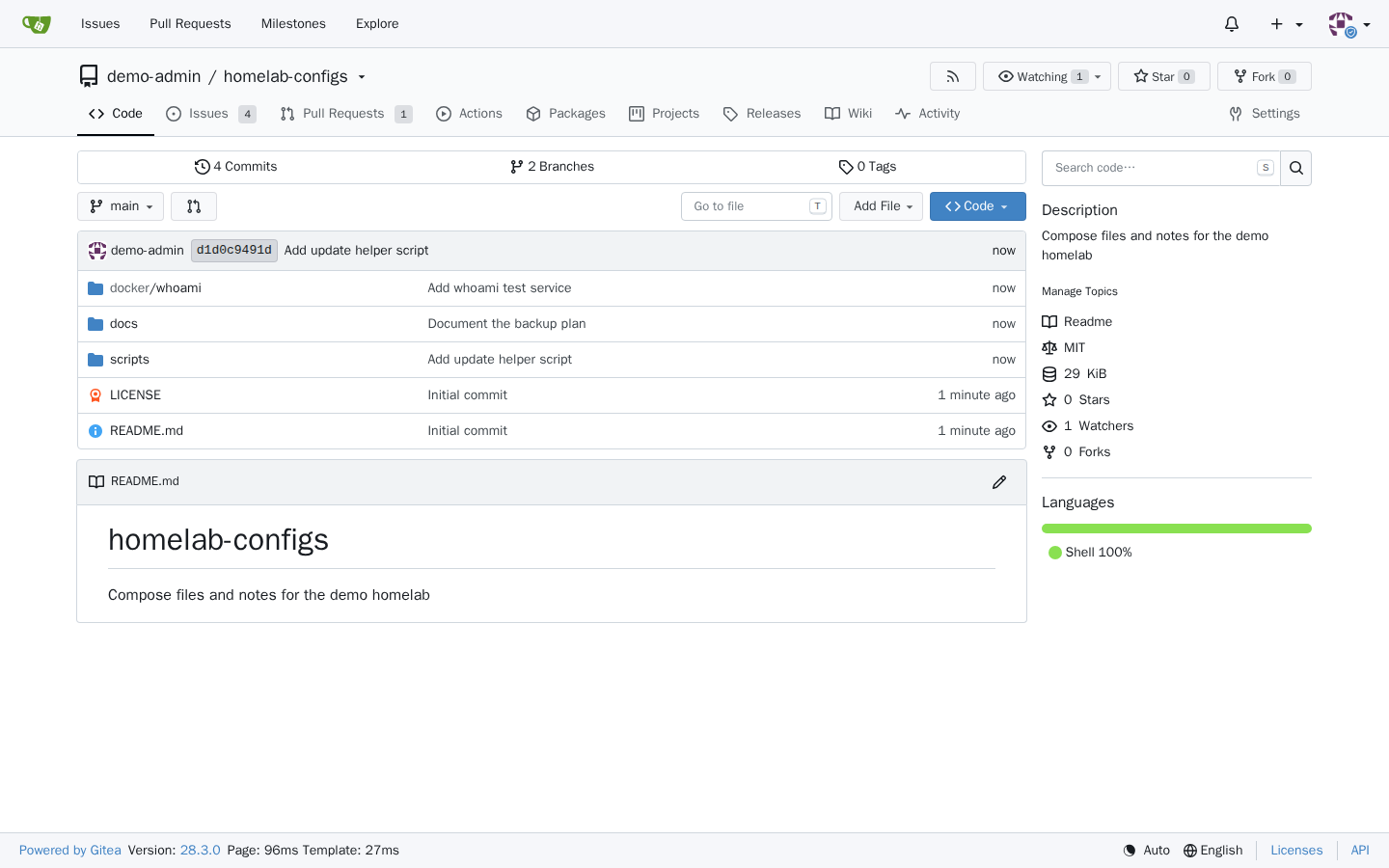
I installed Gitea 28.3.0 (released 1 November 2026) with PostgreSQL on a fresh Ubuntu 24.04 VM with 2 vCPUs and under 2 GB of RAM, went through the setup wizard, created a demo repository with issues and a pull request, and took the screenshots below. Along the way I hit two small traps that the official example doesn't warn you about. Both are covered further down.
What Gitea does
At its core Gitea hosts Git repositories over HTTPS and SSH. Around that it builds most of what a small team or a homelab needs:
- Code review: pull requests with inline comments, branch protection, required approvals and CODEOWNERS support.
- Issues and projects: labels, milestones, project boards and time tracking.
- Gitea Actions: a CI/CD system with a workflow syntax that is largely compatible with GitHub Actions. Jobs run on separate runners that you register yourself.
- Package registry: container images, npm, PyPI, Maven, Helm, Debian, Cargo and a long list of other formats.
- Mirrors and migrations: pull mirrors of repositories you care about, push mirrors to another forge, and importers for GitHub, GitLab and others.
- Auth: local accounts, LDAP, OAuth2/OIDC login, 2FA, and Gitea can act as an OAuth2 provider itself.
The license is MIT. The company behind the project also sells Gitea Cloud and an enterprise edition, but everything in this article is the open-source build.
What's new in Gitea 28
Apart from the new version number, 28.0.0 is a big feature release. The highlights that matter most for self-hosters:
- Audit logging. Security-relevant events can be recorded and browsed in the admin, organization, repository and user settings, and exported as JSONL. It's off by default; you enable it with
[audit] RECORD_OUTPUT = database. - Bot accounts. Dedicated accounts for automation that authenticate only with tokens, can't sign in interactively and don't get notifications.
- HTTPS deploy tokens. The HTTPS counterpart to SSH deploy keys, scoped to one repository. Personal access tokens can now be regenerated in place, too.
- Admin impersonation. Admins can view the instance as a specific user to debug permission problems, with a banner marking the session.
- Code-owner approvals. A branch protection option that blocks merging until matching CODEOWNERS rules are approved.
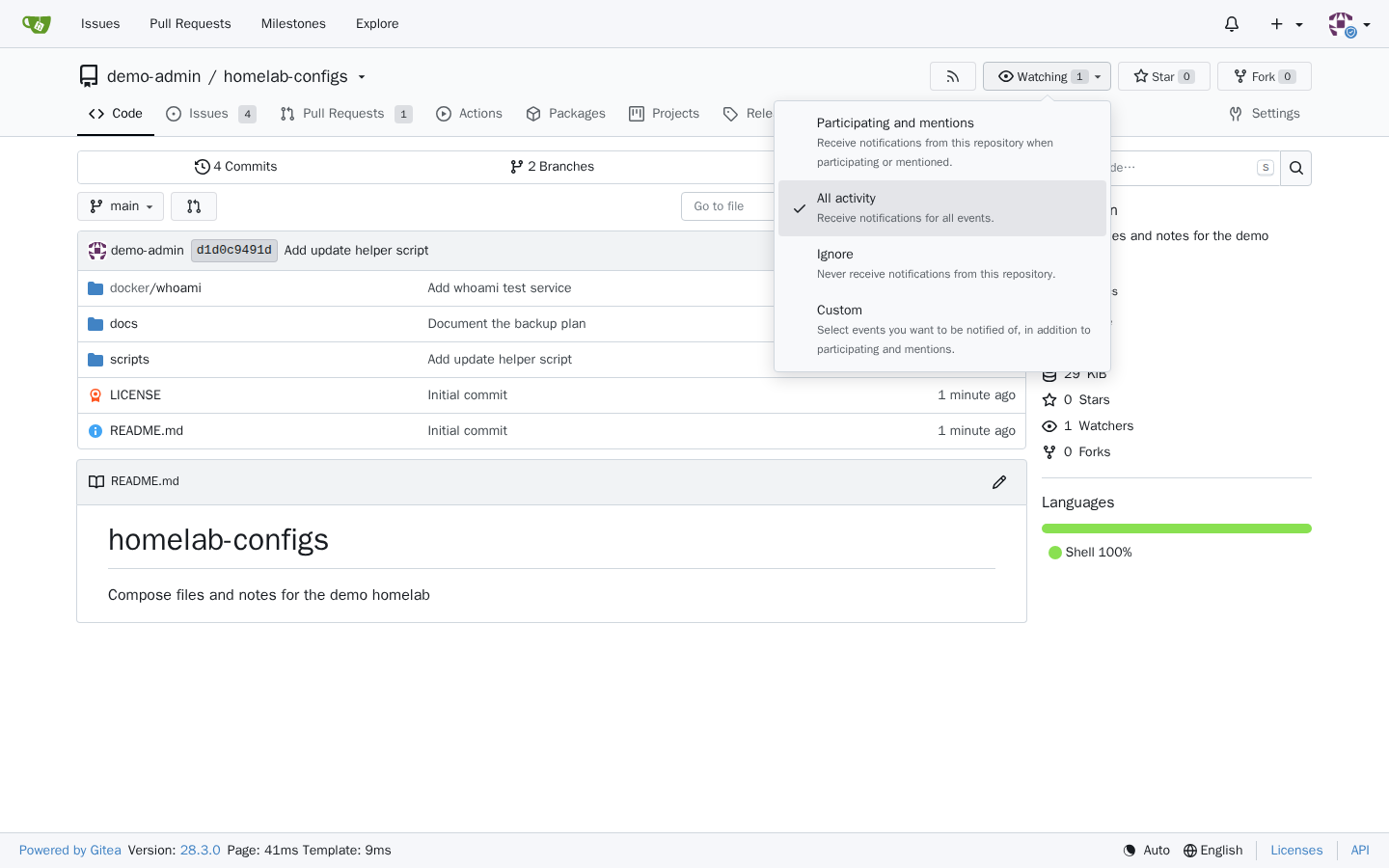
- Better watch options. The Watch button is now a menu with "Participating and mentions", "All activity", "Ignore" and "Custom".
- Actions improvements. A build queue view, artifact previews in the browser, dynamic matrices and
max-parallel.
The three point releases since then are mostly fixes. 28.3.0 in particular closes a long list of security issues, many of them around token scopes, and the Gitea team recommends upgrading as soon as possible.
What you need
- A Linux host with Docker Engine and the Compose plugin.
- A domain or subdomain for the web UI. I use
git.example.comthroughout this guide. - A reverse proxy that terminates TLS (Caddy, Traefik, Nginx Proxy Manager, plain Nginx).
- A free port for Git over SSH. Port 22 is usually taken by the host's own SSH server, so this guide uses 2222.
Resource-wise Gitea is modest. On the test VM, after setup and with a small demo repository, docker stats showed about 140 MiB for Gitea and between 44 and 53 MiB for PostgreSQL. The two images took roughly 260 MB (Gitea) and 650 MB (PostgreSQL) on disk.
Installing Gitea 28 with Docker Compose
The official documentation offers SQLite, MySQL and PostgreSQL setups. I went with PostgreSQL, which is the safer choice if more than one or two people will use the instance. The file below is based on the official PostgreSQL example with a few changes: the password lives in an .env file instead of being hard-coded, the web port is bound to localhost for a reverse proxy, there are health checks, and two settings for the public URLs that I'll explain in a moment.
1. Create the project folder
The docs point out that the data folder has to belong to the UID and GID that Gitea runs as inside the container (1000:1000 here). Creating it up front avoids permission errors:
mkdir -p ~/gitea && cd ~/gitea
mkdir gitea && sudo chown 1000:1000 gitea
2. Generate a database password
echo "POSTGRES_PASSWORD=$(openssl rand -hex 24)" > .env
chmod 600 .env
3. Write the compose file
Save this as compose.yaml and replace git.example.com with your own domain in both places:
services:
  server:
    image: docker.gitea.com/gitea:28.3.0
    container_name: gitea
    restart: always
    environment:
      - USER_UID=1000
      - USER_GID=1000
      - GITEA__database__DB_TYPE=postgres
      - GITEA__database__HOST=db:5432
      - GITEA__database__NAME=gitea
      - GITEA__database__USER=gitea
      - GITEA__database__PASSWD=${POSTGRES_PASSWORD:?set POSTGRES_PASSWORD in .env}
      - GITEA__server__ROOT_URL=https://git.example.com/
      - GITEA__server__SSH_DOMAIN=git.example.com
      - GITEA__server__SSH_PORT=2222
    volumes:
      - ./gitea:/data
    ports:
      - "127.0.0.1:3000:3000"
      - "2222:22"
    depends_on:
      db:
        condition: service_healthy
    healthcheck:
      test: ["CMD", "curl", "-fsS", "http://localhost:3000/api/healthz"]
      interval: 30s
      timeout: 5s
      retries: 3
      start_period: 30s

  db:
    image: docker.io/library/postgres:18
    restart: always
    environment:
      - POSTGRES_USER=gitea
      - POSTGRES_PASSWORD=${POSTGRES_PASSWORD:?set POSTGRES_PASSWORD in .env}
      - POSTGRES_DB=gitea
    volumes:
      - ./postgres:/var/lib/postgresql
    healthcheck:
      test: ["CMD-SHELL", "pg_isready -U gitea -d gitea"]
      interval: 10s
      timeout: 5s
      retries: 5
A few notes on what's going on here:
- Any
app.inisetting can be set asGITEA__section__KEY. The container writes these into/data/gitea/conf/app.inievery time it starts, so the compose file stays the source of truth. ROOT_URLis now essential. Gitea 28 no longer reads[server] DOMAINand takes the instance domain fromROOT_URLinstead.SSH_DOMAINandSSH_PORTonly control what Gitea shows in SSH clone URLs. In my first test run I leftSSH_DOMAINout, and the generatedapp.iniended up withSSH_DOMAIN = localhost, so clone URLs readssh://git@localhost:2222/…. Setting it explicitly fixed that.- PostgreSQL is pinned to major version 18 on purpose, as in the official example. Postgres doesn't upgrade its data directory by itself, so jumping to a newer major later needs
pg_upgradeor a dump and restore. - The health check uses Gitea's
/api/healthzendpoint. It already answers while the setup wizard is still open, so the container reports healthy before you've installed anything. - The official example also mounts
/etc/timezoneand/etc/localtimeread-only. I didn't use those mounts in the test; add them if you want the container to follow the host's time zone.
4. Start the stack
docker compose up -d
docker compose ps
On the test VM both containers were healthy about half a minute after the first up, image pulls included. Later fresh starts with cached images took around 15 to 20 seconds.
5. Put it behind your reverse proxy
Point https://git.example.com at 127.0.0.1:3000. Two things to get right:
- Forward the Host header and X-Forwarded-Proto. By default (
PUBLIC_URL_DETECTION = auto) Gitea builds links from the request's Host header. I saw this in the test: when I called the API directly over a local port, the HTTP clone URL came back with that local address and port instead ofgit.example.com. Behind a proxy that passes the original Host and scheme, links come out right. - Allow WebSockets. Since 28.0.0 live notifications use a WebSocket at
/-/ws. Without the upgrade headers, notification counts fall back to polling.
If you want to run the setup wizard before the proxy is ready, an SSH tunnel works fine: ssh -L 3000:127.0.0.1:3000 you@your-server, then open http://localhost:3000. That's essentially how I accessed it during the test.
6. Run the setup wizard, and tick one box
The first visit shows "Initial Configuration". Thanks to the environment variables, the database settings, SSH port and site URL are already filled in, and the bottom of the page lists which variables will be written to app.ini. You mostly scroll and click, with one exception.
The Gitea 28 release notes say self-registration is now disabled by default. That's true for the config file default, but the setup wizard doesn't follow it. In my test the checkbox "Only administrators can create user accounts (no self-registration)" was unticked, and installing with the defaults wrote DISABLE_REGISTRATION = false to app.ini. The sign-up page was open to everyone. If your instance is reachable from the internet, that's an invitation to spam accounts.
So before you click install:
- Tick Only administrators can create user accounts.
- Consider Require sign-in to view pages for a private instance.
- Open Administrator Account Settings and create your admin user. If you skip this, the first user who registers becomes administrator, which you don't want on a public URL.
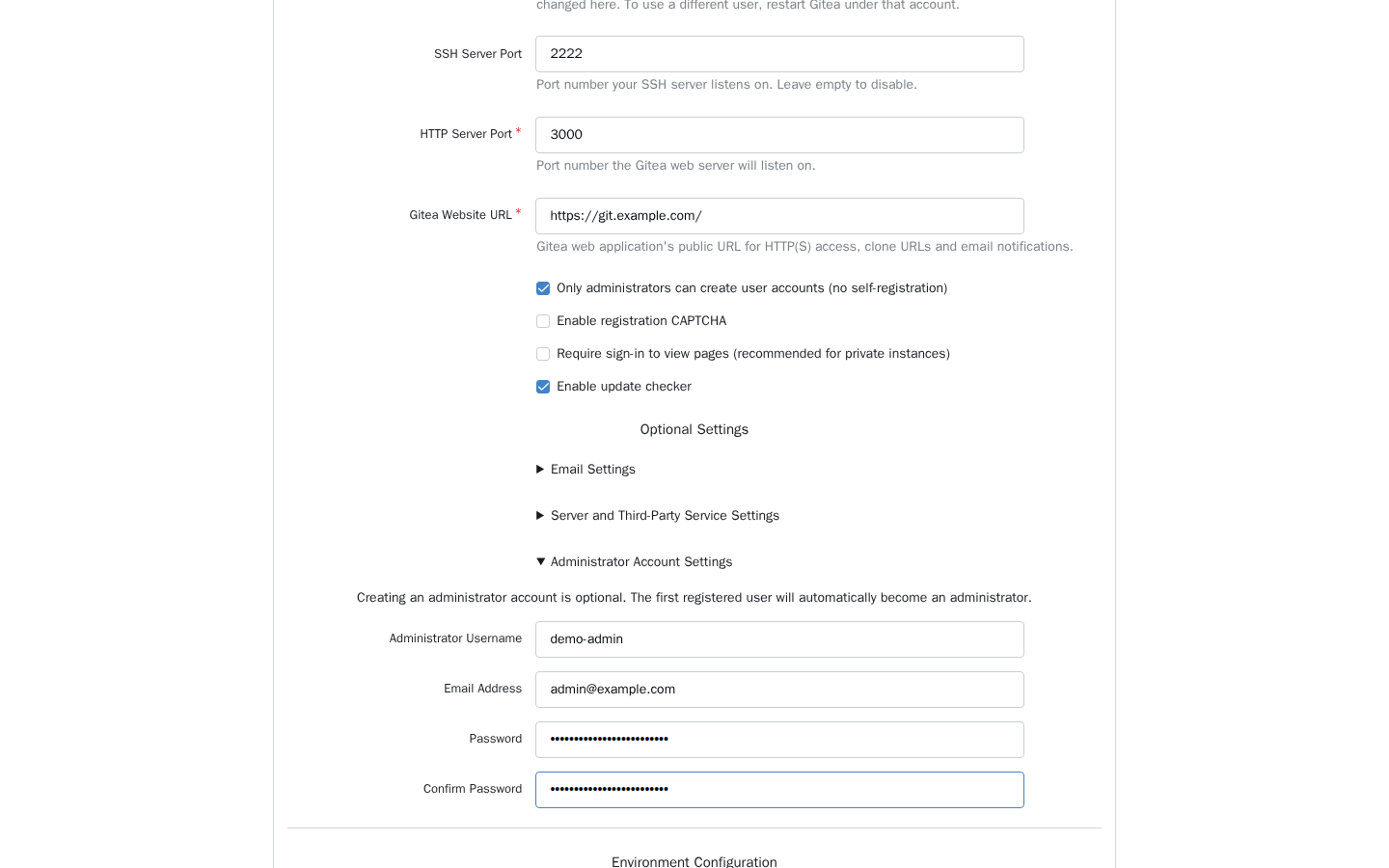
After clicking Install Gitea it took about ten seconds until I landed on the dashboard, already logged in as the new admin. With the box ticked, /user/sign_up showed "Registration is disabled. Please contact your site administrator." Exactly what you want.
First steps after the install
Create a repository with + → New Repository, or import one from GitHub or GitLab with New Migration. Then add your SSH key under Settings → SSH / GPG Keys; clone URLs will look like ssh://git@git.example.com:2222/user/repo.git. In the test I also cloned the demo repository over HTTP with plain git clone, which worked without any extra configuration.
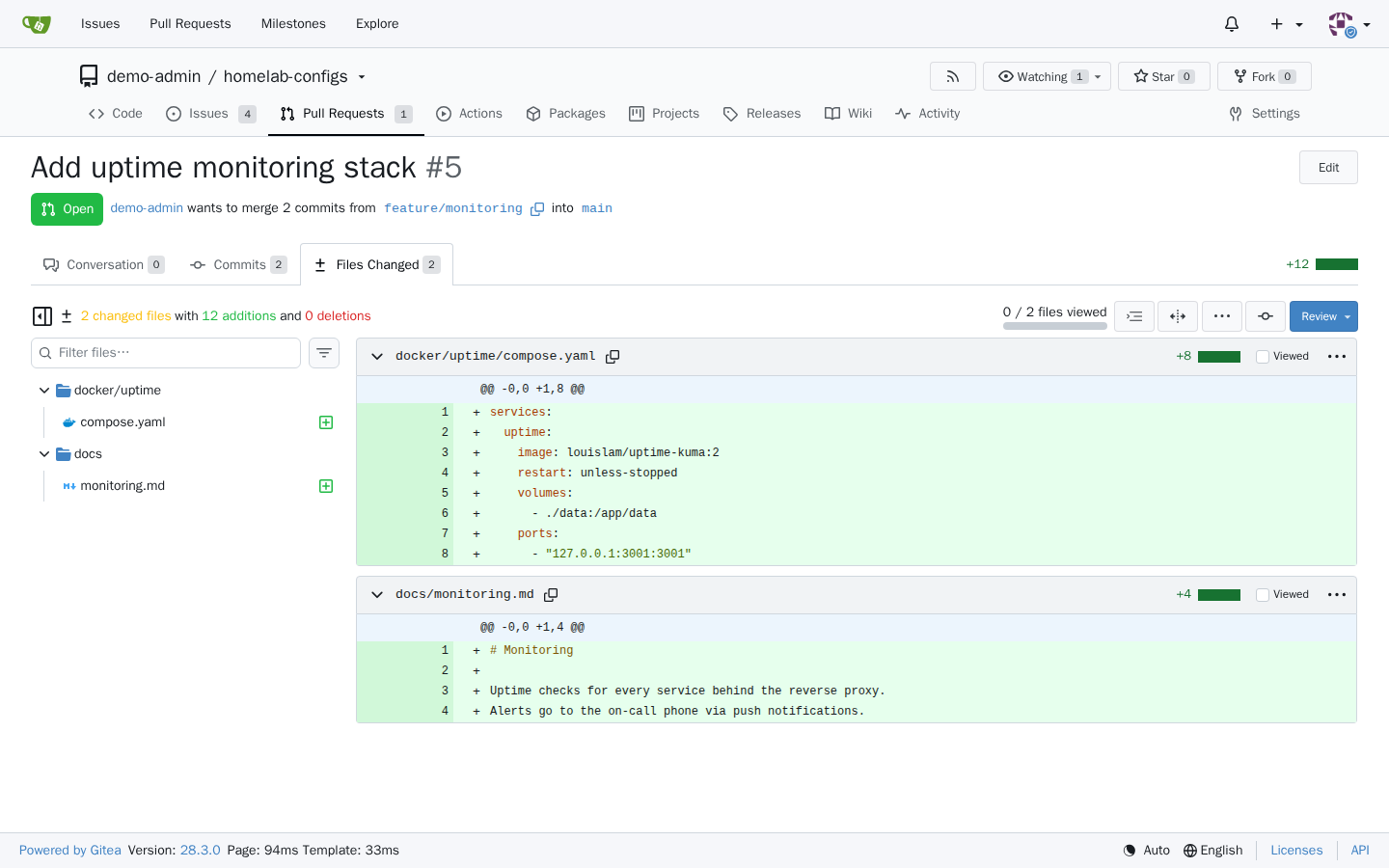
Pull requests are where Gitea 28 shows some of its polish. The diff view has a file tree with a search box and an extension filter, and the filter is kept in the URL, so you can send someone a link to "only the YAML files in this PR".
Tips from the test run
Upgrading
Change the image tag in compose.yaml, then run docker compose pull and docker compose up -d. Back up first. If you're coming from 1.27 or older, read the breaking changes of 28.0.0 before you switch, because several defaults moved:
- Completed Actions runs, with their logs and artifacts, are now deleted after 400 days. Set
[actions] RUN_RETENTION_DAYS = 0before upgrading if you want to keep everything. - Migrations and mirrors now go through an internal proxy with new egress rules. If you use allow or block lists for hosts, review them before the upgrade; invalid
BLOCKED_HOST_LISTentries stop Gitea from starting. [server] DOMAINis ignored, so setROOT_URLif you relied on it.- Gitea needs Git 2.25 or newer. That only matters if you run the binary outside the official image.
- Actions workflows are evaluated more strictly, for example job-level
if:can no longer use thematrixcontext.
Backups
Everything that matters lives in two folders, ./gitea and ./postgres, plus your .env. The backup docs say Gitea should be stopped for a consistent backup, because the database and the repositories on disk change together. Gitea also has a built-in gitea dump command, but for the database the docs suggest using PostgreSQL's own pg_dump. Whatever you choose, test a restore once.
Turn on audit logging
If several people use the instance, add GITEA__audit__RECORD_OUTPUT=database to the environment. Events are kept for 30 days by default; GITEA__audit__RETENTION_DAYS changes that.
Limits and security
- Exposed SSH port.
"2222:22"publishes the container's SSH server on all interfaces. Only expose it if you need SSH access from outside, otherwise bind it to localhost or your VPN interface like the web port. - Actions runners are a separate job. Gitea itself doesn't run CI jobs; you need to register a runner. A runner usually needs a Docker daemon to run jobs in containers, so treat it as a privileged service and don't let untrusted repositories use it. I didn't set up a runner for this test.
- Fork pull requests and secrets. Several of the security fixes in 28.0.0 and 28.3.0 concern workflows from forks or reviews running without approval. If you run a public instance with Actions, stay on the latest patch release.
- Tokens. 28.3.0 fixed a whole series of issues where
public-onlytokens could reach more than they should. If you hand out tokens to scripts or other people, that alone is a reason to update. - It's a single node. Gitea can scale out with Redis and a shared setup, but the compose file here is a one-box installation. For a homelab or a small team that's exactly the point.
Gitea vs. the alternatives
Forgejo is the community fork of Gitea, started in 2022 and developed on Codeberg. It's licensed under GPLv3 and has its own release line (v17.0.1 came out at the end of October). The two projects have diverged quite a bit, so pick based on features and governance you prefer, not on old assumptions that they're the same code.
Gogs is the project Gitea was originally forked from. Still MIT, still maintained, and even smaller, but with far fewer features and no built-in CI.
OneDev (MIT) takes a more opinionated, all-in-one approach with CI/CD and issue tracking built tightly into the code views.
GitLab covers more ground than any of these, from CI to security scanning, but it's a much heavier stack. On a VM like the one I tested on, it's not a realistic option.
Conclusion
Gitea 28 is less of a reinvention than the new version number suggests, and that's a good thing. You get a fast, familiar forge that runs comfortably next to everything else on a small server, plus useful additions like audit logs, bot accounts and deploy tokens. The setup takes ten minutes. Just remember the two gotchas from the test: set SSH_DOMAIN so clone URLs point at your domain, and tick the self-registration box in the wizard, because it isn't ticked for you.
Sources
- Gitea on GitHub (MIT license)
- Gitea v28.3.0 release notes
- Gitea Blog: Gitea 28.0.0 is released
- Gitea Blog: Gitea 28.3.0 is released
- Gitea Blog (Runner 5.0.0 and the new gt CLI)
- Gitea docs: Installation with Docker
- Gitea docs: Configuration Cheat Sheet
- Gitea docs: Reverse Proxies
- Gitea docs: Backup and Restore
- Self-Host Weekly, 2 October 2026
- Forgejo on Codeberg
- Gogs on GitHub
- OneDev on GitHub