Neko 3.2: Self-Host a Shared Virtual Browser for Watch Parties and Remote Work with Docker Compose
Neko runs a full browser (or a whole Linux desktop) inside a Docker container and streams it to any browser tab over WebRTC, with audio, shared control and chat. Here's what v3.2 brings and how to run it with Docker Compose.
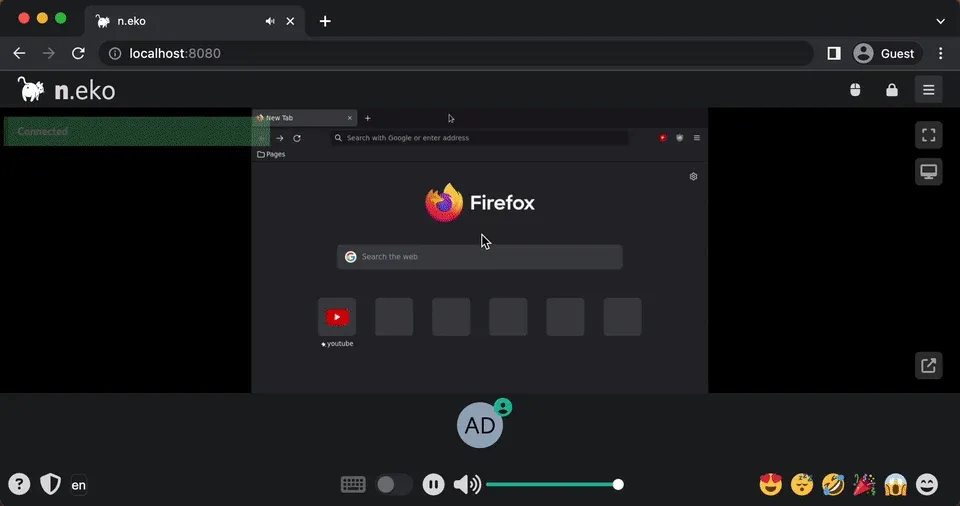
Sometimes you don't want your browser at all. You want a throwaway one for a sketchy link, a browser that keeps you logged in no matter which device you pick up, or a single tab that five friends can watch and control together. Screen sharing in a video call technically works, but the audio is choppy and only one person can click.
Neko (stylised n.eko) solves exactly that: it runs a real browser inside a Docker container and streams it to any modern browser tab over WebRTC. The project has around 22,700 stars on GitHub, and in mid-October it shipped v3.2.0 with a completely rewritten web client. A good reason to take a closer look.
What is Neko?
Neko is a self-hosted virtual browser maintained by m1k1o. It started as a fork of an earlier, now archived project of the same name, which was built so a group of friends could watch anime together after the watch-party service rabb.it shut down. Today it is licensed under the Apache License 2.0.
Under the hood, a container runs an X server, PulseAudio and the application you picked. Neko captures the screen and sound with GStreamer and sends them to your browser via WebRTC (using the Pion library). Your mouse and keyboard input goes back the same way. Nothing from the remote browser, not its cookies, not its downloads, touches the machine you are sitting at; only video, audio and input travel over the wire.
And it is not limited to browsers. The project publishes images for Firefox, Chromium-based browsers, Tor Browser, full Xfce and KDE Plasma desktops, the Remmina remote desktop client and VLC.
What's new in Neko 3.2
According to the v3.2.0 release notes:
- New web client: the Vue 2 client was replaced with a React 19 + TypeScript client built with Vite. Layout and workflows (invite links, OAuth, clipboard, control handoff, microphone, emotes, chat, file transfer, broadcast, all 15 translations) are kept.
- Embeddable client core: a framework-free TypeScript package,
@m1k1o/neko, handles authentication, room state, WebRTC and input, so you can embed Neko in your own app without the React GUI. - More robust connections: the client detects silent websockets, reconnects with backoff and requests a new media peer if WebRTC fails.
- Markdown chat: chat now renders CommonMark and GitHub Flavored Markdown, but no HTML or images, and messages are limited to 512 characters by default (
chat.max_length). - Security fixes: OAuth login state is now bound to a short-lived HttpOnly cookie, and unsafe usernames are rejected.
- Behaviour changes: the new client uses the v3 API only, so legacy v2-only features such as IP bans are gone (kick now just ends the session). The mouse pointer is no longer drawn into the video stream by default; set
capture.video.show_pointertotrueif you want the old behaviour.
If you are still on a v2 setup, read the migration guide first.
Key features
- Real-time streaming with audio via WebRTC, which is noticeably smoother than image-over-WebSocket approaches.
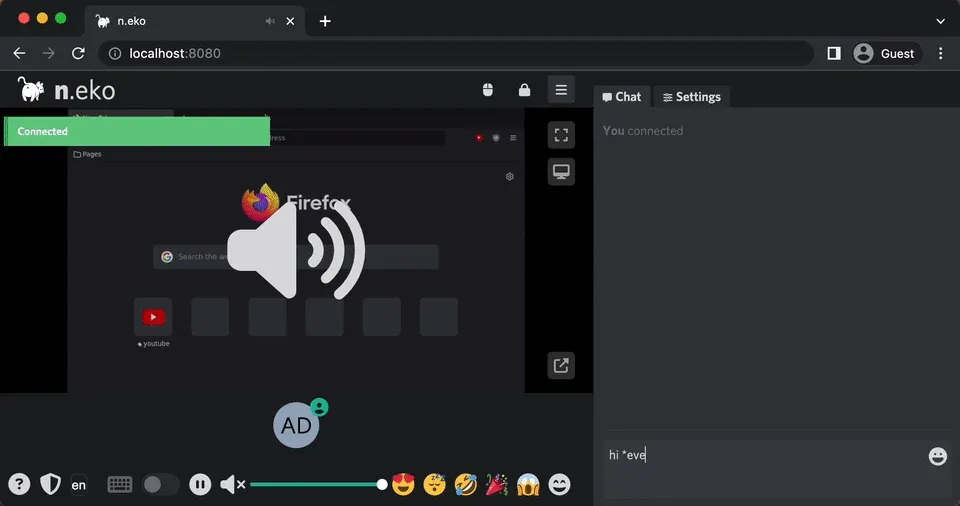
- Multi-user rooms: several people can watch at once, hand over control, chat and react with emotes.
- Many ready-made images: Firefox, Tor Browser, Waterfox, Chromium, Google Chrome, Ungoogled Chromium, Microsoft Edge, Brave, Vivaldi, Opera, Xfce, KDE, Remmina and VLC, all under
ghcr.io/m1k1o/neko/<app>. - ARM64 support for many images, including Firefox, Chromium, Chrome, Brave, Vivaldi and the desktops (Tor Browser, Edge and Opera are AMD64 only).
- GPU flavours:
intel-*images with VAAPI andnvidia-*images with EGL, both AMD64 only and, per the docs, less tested than the CPU images. - Several authentication providers: the default multiuser provider (one user password, one admin password), a file provider with persistent users (optionally SHA-256 hashed), an in-memory object provider, noauth, and an OAuth 2.0 / OpenID Connect provider.
- Persistent profiles and browser policies: mount the profile directory to keep bookmarks and logins, and use policy files to control extensions and settings.
- RTMP broadcast of the room to a streaming service, plus an HTTP API and optional Prometheus metrics at
/metrics.
Why use it?
The README lists a surprisingly wide range of use cases. These are the ones I find most useful in a homelab:
- Watch parties: everyone sees and hears the same tab, perfectly in sync, and anyone with permission can take control.
- A disposable browser: open suspicious links or do one-off research in a container you throw away afterwards. The Tor Browser image adds anonymity.
- A persistent browser everywhere: mount a profile volume and your session follows you from laptop to tablet, without syncing cookies to every device.
- Pair debugging and support: let someone else drive your browser to show you a problem.
- A jump host for internal web UIs: reach an admin panel through one streamed browser instead of exposing it directly. (Neko should still sit behind proper authentication, see below.)
- Browser automation you can watch: install Playwright or Puppeteer in a custom image and intervene when needed.
Installing Neko with Docker Compose
Requirements
Neko is not a lightweight service: it runs a full browser and encodes video in real time. The quick start guide recommends 4 cores and 3 GB RAM for good performance at 1280×720@30, and 6 cores / 4 GB for its "recommended" tier. Plan accordingly before you put it on a small Raspberry Pi.
You also need Docker with the Compose plugin and the ability to open a UDP port range (or a single port, see below) to the clients.
1. Create the compose file
Create a directory and a compose.yaml:
mkdir -p ~/neko && cd ~/neko
nano compose.yaml
services:
  neko:
    image: ghcr.io/m1k1o/neko/firefox:3.2.0
    container_name: neko
    restart: unless-stopped
    shm_size: "2gb"
    ports:
      - "8080:8080"
      - "52000-52100:52000-52100/udp"
    environment:
      NEKO_DESKTOP_SCREEN: "1280x720@30"
      NEKO_WEBRTC_EPR: "52000-52100"
      # IP address (or hostname) that clients use to reach this host
      NEKO_WEBRTC_NAT1TO1: "192.0.2.10"
      NEKO_MEMBER_MULTIUSER_USER_PASSWORD: "change-me-user"
      NEKO_MEMBER_MULTIUSER_ADMIN_PASSWORD: "change-me-admin"
What matters here:
- Image tag: images follow semantic versioning, so
3.2.0pins an exact release,3follows the 3.x line andlatestalways tracks the newest stable release. The project recommends GHCR over Docker Hub, which only carries development builds for AMD64. shm_size: Chromium-based images need at least 2 GB of shared memory or they crash. Firefox is less picky, but the official compose file sets it anyway.NEKO_WEBRTC_EPRmust match the UDP port range you publish.NEKO_WEBRTC_NAT1TO1is the address the browser connects to for the media stream. Use127.0.0.1for a local test, the host's LAN IP for your home network, or a public IP or hostname. The docs note that a hostname is resolved again for every new connection, which is handy with dynamic DNS.- Passwords: in the default multiuser mode there are no usernames to manage. Whoever logs in with the user password becomes a regular user, whoever uses the admin password becomes an admin. Never keep the documented defaults
neko/admin.
2. Start it
docker compose up -d
docker compose logs -f
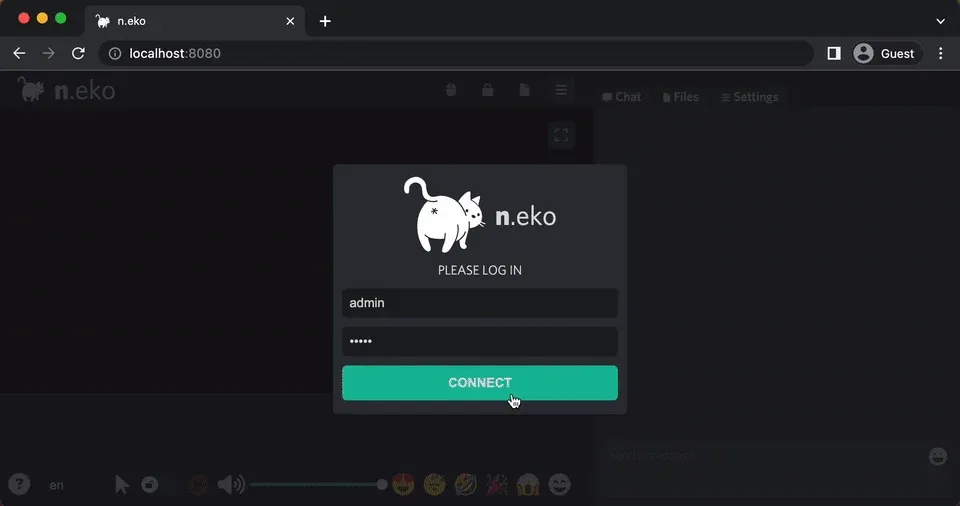
Open http://<host-ip>:8080, enter any display name plus the admin password, and you should see Firefox. Click the keyboard/mouse icon to request control.
3. Updating
docker compose pull
docker compose up -d
If you pinned 3.2.0, change the tag first. Check the release notes before jumping minor versions; 3.2 changed some client behaviour (see above).
Configuration tips
Use a single port instead of a range. If opening 100 UDP ports feels excessive, Neko can multiplex all WebRTC traffic over one UDP and one TCP port:
    ports:
      - "8080:8080"
      - "59000:59000/udp"
      - "59000:59000/tcp"
    environment:
      NEKO_WEBRTC_UDPMUX: "59000"
      NEKO_WEBRTC_TCPMUX: "59000"
Remove NEKO_WEBRTC_EPR in that case. The TCP fallback helps on networks that block UDP.
Put it behind a reverse proxy, but only the web part. The web UI and websocket on port 8080 can go through Traefik, Nginx or Caddy as usual, and the reverse proxy docs have examples. Set NEKO_SERVER_PROXY: "true" so Neko trusts the forwarded headers. The WebRTC media ports are UDP/TCP and do not go through an HTTP proxy, so they still need to be reachable directly. Neko pings the websocket every 10 seconds, so short proxy timeouts are rarely an issue, but don't set them extremely low.
Behind strict NAT? Add a TURN server. If clients can't reach the media ports, configure ICE servers with NEKO_WEBRTC_ICESERVERS_FRONTEND and NEKO_WEBRTC_ICESERVERS_BACKEND (JSON arrays). Your own coturn works, and the docs also describe built-in support for Cloudflare's TURN service. ICE Lite must be disabled when you use ICE servers.
Keep your logins. Mount the profile directory, for Firefox:
    volumes:
      - ./profile:/home/neko/.mozilla/firefox/profile.default
Run sudo chown -R 1000:1000 ./profile first. The docs warn that this alone is not enough: the default browser policy clears cookies and sessions on shutdown, so you also need to mount an adjusted policies.json. The browser customisation docs list the profile and policy paths for each browser.
Use real accounts for anything exposed. For a shared instance, the OAuth 2.0 / OIDC provider lets you log in through an identity provider such as Pocket ID, and you can map admins by e-mail. The file provider is a simpler middle ground with persistent users and hashed passwords.
Pick the resolution to match your hardware. The official compose file sets NEKO_DESKTOP_SCREEN to 1920x1080@30. Dropping to 1280x720@30 saves a lot of CPU, and admins can change the resolution in the GUI.
Limitations
- Resource hungry: every room is a full browser plus a real-time video encoder. One Neko container per user adds up quickly; for many on-demand rooms the project points to neko-rooms.
- Networking is the hardest part: most "black screen" problems are WebRTC connectivity issues (wrong
NAT1TO1, blocked UDP ports, missing TURN). - GPU acceleration is secondary: the docs say the focus is on CPU images and GPU flavours may not work as expected.
- ARM coverage is partial: no Tor Browser, Waterfox, Ungoogled Chromium, Edge or Opera on ARM64, and some ARM browsers need extra steps for DRM.
- One auth provider at a time: you can't combine, for example, OAuth and file-based users.
- Chromium runs with
--no-sandboxinside the container, as documented. The container is your isolation boundary, so keep the image updated and don't run it privileged. - No Safari, and there never will be, because Apple's licence doesn't allow it outside Apple hardware.
How does it compare?
The README compares Neko with clientless remote desktop gateways such as Apache Guacamole or noVNC paired with a desktop image (for example linuxserver's Firefox image). Its argument: Neko streams video via WebRTC instead of sending images over WebSockets, has built-in audio, and supports multiple participants controlling the same session. Those other tools are the more natural choice if you mainly want to reach existing machines over RDP, VNC or SSH. Neko is built around the browser session itself. For plain terminal access to your servers, a tool like Termix is the lighter option.
Conclusion
Neko is one of those projects that sounds like a toy ("a watch-party browser") until you notice how many real problems it solves: disposable browsing, a persistent browser you can reach from anywhere, remote help and shared sessions. The 3.2 release modernises the client without changing the familiar workflow. Budget enough CPU, get the WebRTC networking right once, and put real authentication in front of anything reachable from the internet.
If you manage your containers through a web UI, Neko is easy to deploy from Arcane or Coolify. More projects like this one are collected under the Self-Hosted tag.
Sources
- m1k1o/neko on GitHub (README, Apache-2.0 license, official docker-compose.yaml, intro animation)
- Neko v3.2.0 release notes and all releases
- Neko docs: Quick Start, Installation, Docker Images
- Neko docs: Configuration, WebRTC, Authentication
- Neko docs: Reverse Proxy Setup, Browser customisation, FAQ
- m1k1o/neko-rooms