Mealie 3.31: Self-Host a Recipe Manager with Meal Planner and Shopping Lists (Docker Compose Guide)
Mealie is a self-hosted recipe manager with a meal planner and shopping lists. Here is how to run v3.31.0 with Docker Compose, what the setup wizard looks like, and which security fixes make this release worth installing.
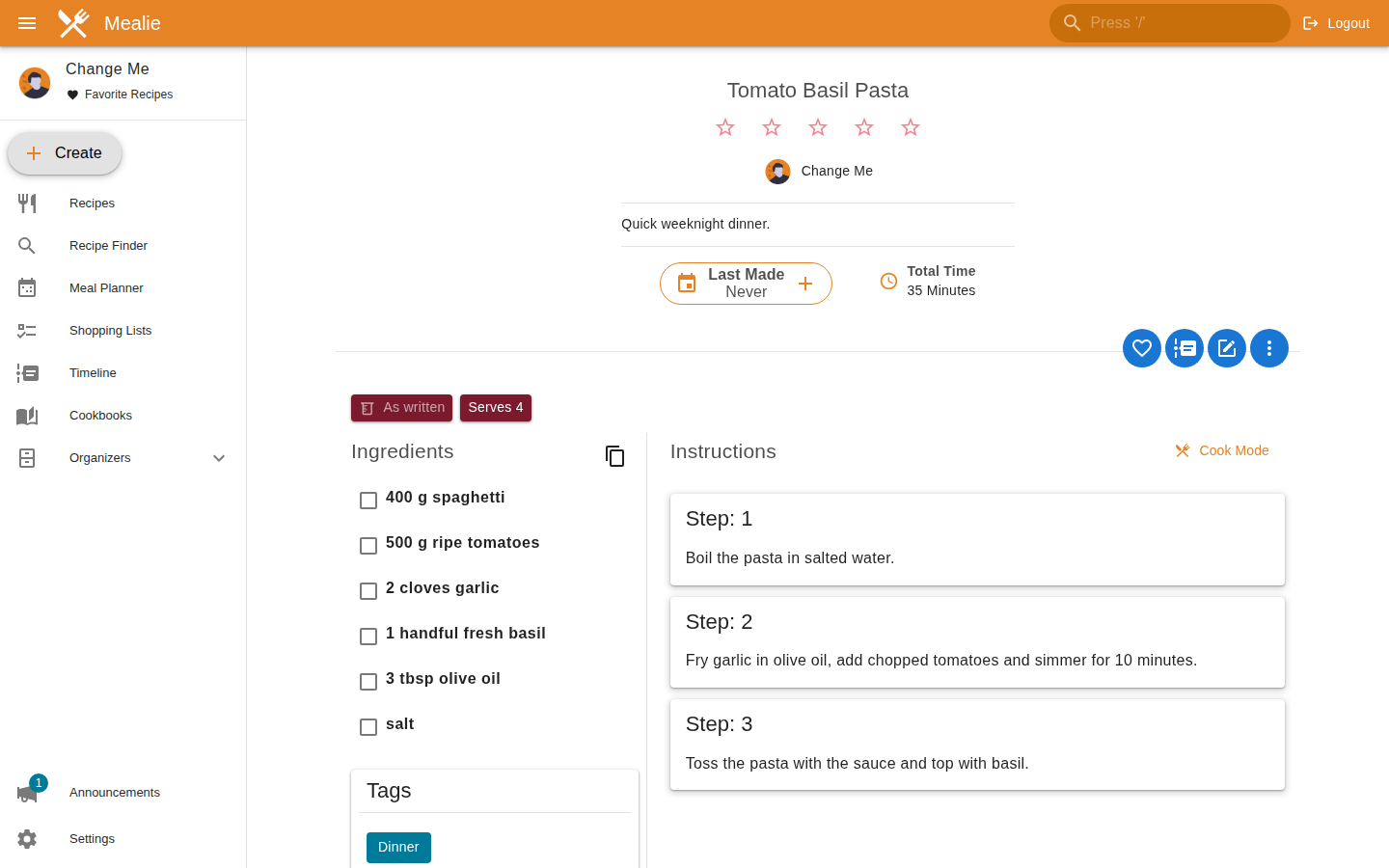
Recipes tend to live in too many places: a bookmarks folder, three screenshots in your photo library, a half-forgotten note on your phone. Mealie is a self-hosted recipe manager that pulls all of that into one place, adds a meal planner and a shopping list, and runs happily in a single container. The current release is v3.31.0, and it is a good moment to look at it: it adds PDF export for recipes and cookbooks, a day-by-day view in the meal planner, and a batch of security fixes you should not skip.
I set it up on a fresh Ubuntu 24.04 VM with Docker Compose and clicked through the parts I describe below. Where I only read the docs and did not test something myself, I say so.
What Mealie does
At its core Mealie is a recipe database with a decent web interface. You can create recipes by hand in the built-in editor, import them from a URL (the docs say the scraper supports hundreds of websites), or paste structured HTML or JSON. If you configure an AI provider, there is also an "Import with AI" page that can read a URL, photos of a printed recipe or plain text. That part is optional and needs an external provider, so I did not test it.
Recipes are organized with categories, tags and tools, and cookbooks work like saved searches on top of those. If you are coming from another app, the docs list importers for Tandoor, Nextcloud Cookbooks, Paprika, Chowdown, Plan to Eat, Recipe Keeper, Copy Me That, My Recipe Box and DVO Cook'n X3.
Meal planner and shopping lists
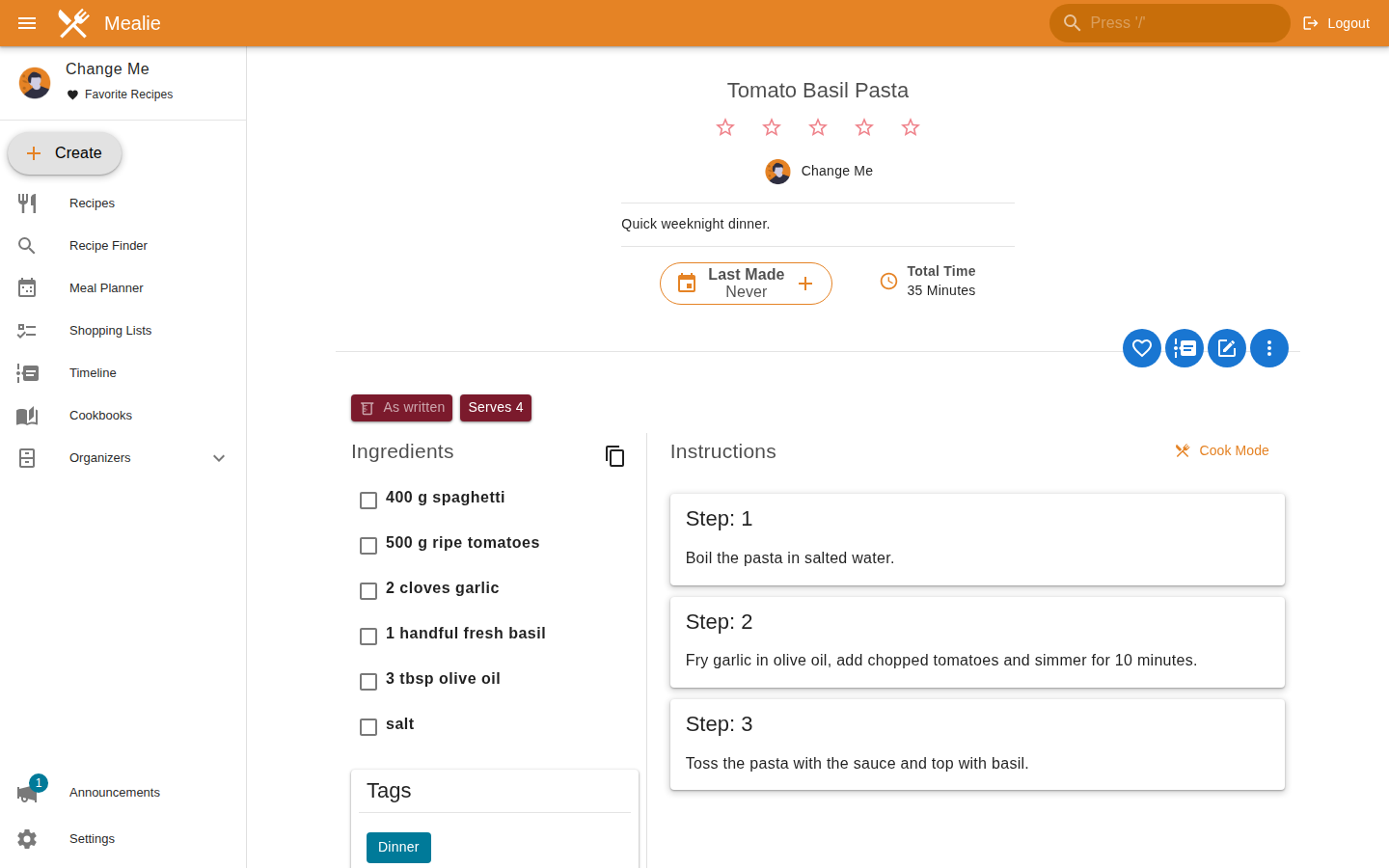
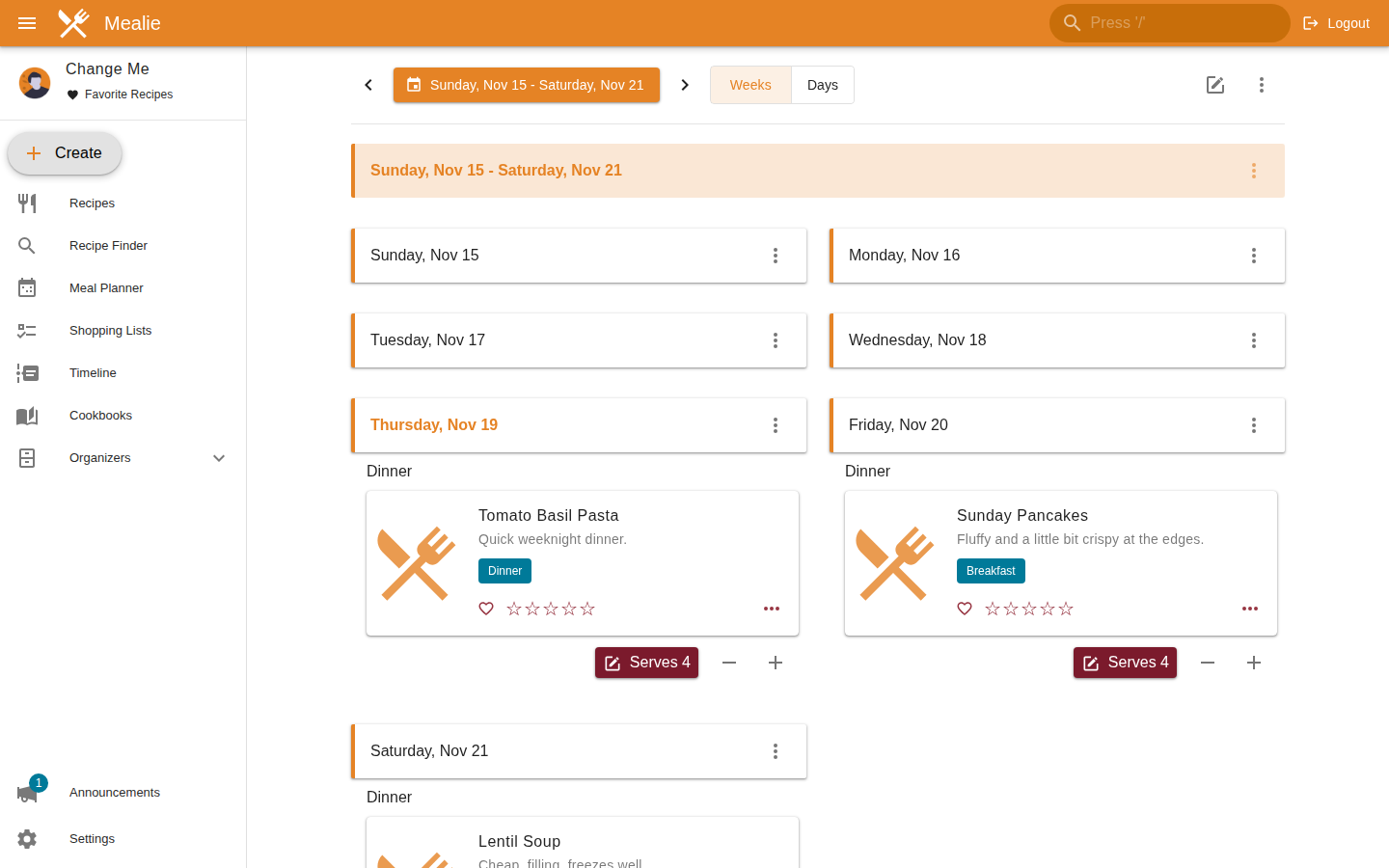
The planner shows a calendar-style view, and each entry can have its own serving size. The documentation notes that ingredient quantities in a shopping list follow the planned servings when you add a day or the whole plan. You can also add plain note entries for leftovers or takeaway nights, and set planner rules so that random suggestions only come from certain tags, categories or ingredients. Since 3.31 there is a Days view next to the Weeks view, and you can see the toggle in the screenshot below.
Integrations
Notifiers use the Apprise library to send events (new recipe, shopping list changes, new meal plan) to many notification services. Webhooks fire on the day of a planned meal, and recipe actions let you add custom links or POST requests to every recipe, for example to trigger something in Home Assistant. There is also a calendar feed you can subscribe to from any app that understands iCal links, and a documented API.
Households and groups
Mealie separates users into groups and households. Groups are completely isolated from each other, like separate sites. Households live inside a group, share recipes and organizers, but keep their own meal plans, shopping lists and integrations. For a family this means two households can share a recipe pool without fighting over the shopping list.
Installing Mealie with Docker Compose
Mealie recommends SQLite for setups with roughly 1 to 20 users, and that is what we use here. The image is published for linux/amd64 and linux/arm64. The compose file below is based on the official SQLite example, with the image pinned to v3.31.0 and the host port bound to localhost so that a reverse proxy can sit in front of it.
Step 1: Create a project folder
mkdir -p ~/mealie && cd ~/mealieStep 2: Create the compose file
Save this as docker-compose.yml. Adjust TZ and replace the BASE_URL with your real address. The docs say BASE_URL is used for notifications and the OIDC callback URL.
services:
  mealie:
    image: ghcr.io/mealie-recipes/mealie:v3.31.0
    container_name: mealie
    restart: always
    ports:
      - "127.0.0.1:9925:9000"
    deploy:
      resources:
        limits:
          memory: 1000M
    volumes:
      - mealie-data:/app/data/
    environment:
      ALLOW_SIGNUP: "false"
      PUID: 1000
      PGID: 1000
      TZ: Europe/Berlin
      BASE_URL: https://mealie.example.com

volumes:
  mealie-data:
A few notes on this file. The container always listens on port 9000, and you only change the host side of the mapping. The memory limit comes from the official example: the docs say Python can grab more memory than it needs on a machine with lots of RAM, and a limit keeps idle usage down. ALLOW_SIGNUP set to false means nobody can register without an invitation.
Step 3: Start it
docker compose up -d
docker compose ps
On our test VM the image pull took a few minutes, which is mostly the 1.5 GB image. Once the container was running, it reported healthy after about 50 seconds, and the web interface answered with HTTP 200 on the mapped port.
Step 4: First login
Open the address in your browser (or put your reverse proxy in front of port 9925). The official installation checklist lists these default credentials:
Username: changeme@example.com
Password: MyPassword
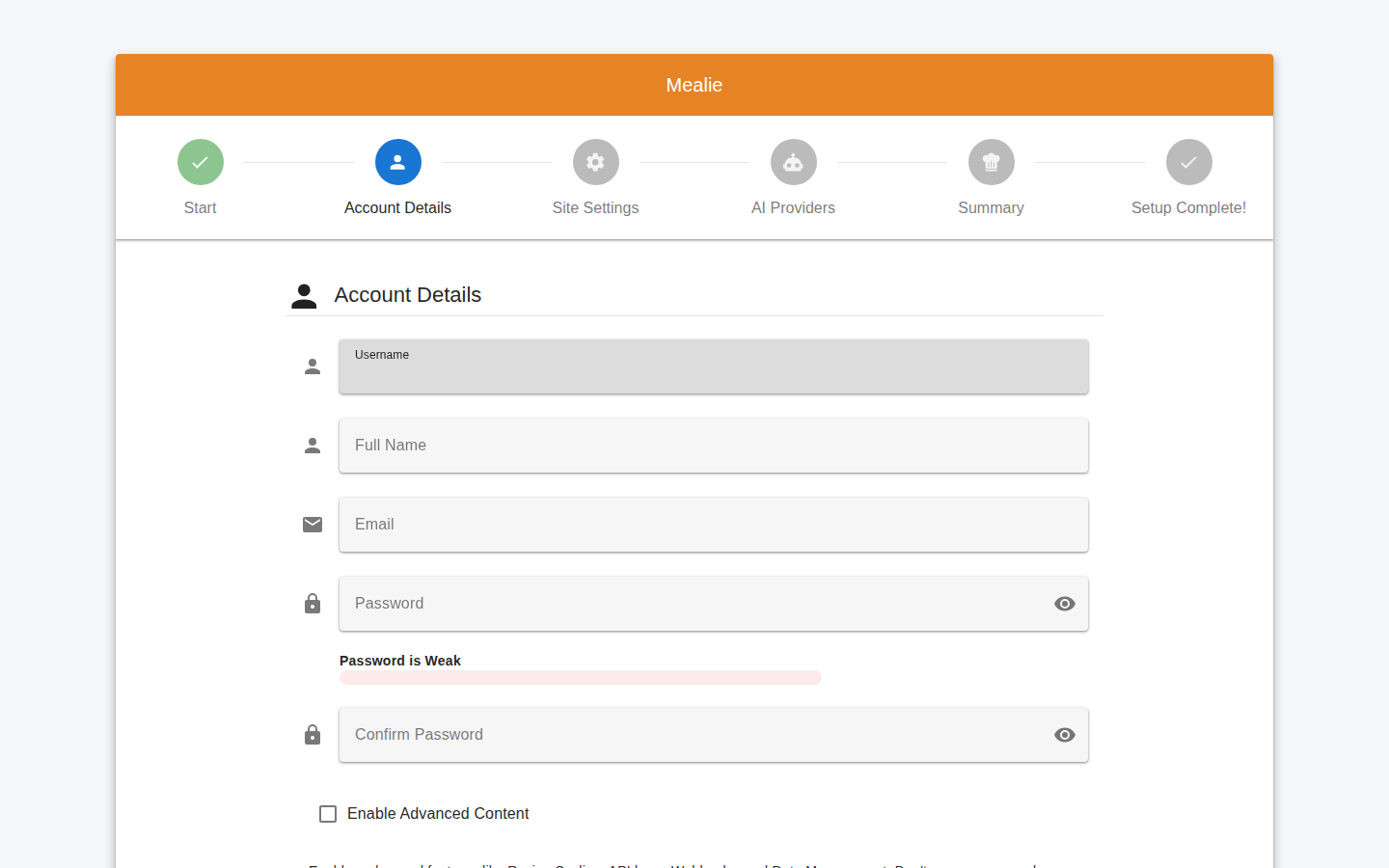
These are public, so do not leave them in place on anything reachable from the internet. In our test, logging in with them redirected straight to a setup wizard at /admin/setup. The wizard shows six steps: Start, Account Details, Site Settings, AI Providers, Summary and Setup Complete. The first step offers a backup restore if you have a previous instance. The second step asks for a username, full name, email and password, plus an optional "Enable Advanced Content" checkbox, which the interface describes as enabling recipe scaling, API keys, webhooks and data management. I only went through those first two steps, so I cannot say anything about what the remaining ones change.
After the wizard, the official checklist suggests opening /admin/site-settings, which summarizes your configuration and flags warnings, for example if email is not configured.
Resource usage
On the test VM (2 vCPU, a bit under 2 GB of RAM), docker stats showed about 305 to 320 MiB of memory for the container shortly after start, with the demo data loaded and almost no CPU use. That is a single observation of an idle instance with four recipes, so treat it as a rough baseline, not a benchmark.
Tips
Set up backups before you enter real data. Mealie's backup page creates a zip file with a database snapshot and recipe images, but according to the docs it no longer makes automatic backups, so you have to trigger them yourself or automate them through the API. The same docs also point out that this backup is not the right tool if you want to export recipes to move to another service. For that, use the group data exports page or the API.
Configure SMTP if more than one person uses the instance. The installation checklist lists email settings among the things to configure, since invitations and password resets depend on it.
If you expect many concurrent users, look at the PostgreSQL variant instead. The docs say some features, such as fuzzy search, only work with PostgreSQL, and that you should use it rather than SQLite if the data lives on network attached storage.
Limits and security
Release v3.31.0 fixes a set of security issues, mostly around data access between groups and households, visibility of private recipes on public pages, password reset links and oversized uploads. The release notes recommend that everyone updates and say advisories with details will follow. If you run an older version, update before anything else.
The same release changes a few defaults you should know about when upgrading. Request bodies are now capped by MAX_UPLOAD_SIZE_MB (default 1024), so very large backups or migrations return a 413 error until you raise it, and a reverse proxy may need a matching limit. Password reset links now expire after one hour by default, and there is a new APPRISE_ALLOWED_SCHEMAS setting that limits which notification services notifiers can use. This matters because notifiers can reach services on your internal network, as the docs point out. Finally, the recipe API no longer returns cookTime; existing values are moved to performTime, which the UI still shows as "Cook Time". If you have scripts that read the field, check them.
Mealie is licensed under AGPL-3.0, which is worth knowing if you plan to modify it and offer it as a service to others. The docs also mention a hosted offering from the creator of Mealie, called Recipinned, if you would rather not run it yourself. I did not look into it.
Alternatives
Tandoor Recipes is the other well-known self-hosted recipe manager, and Mealie can import its data. I did not run it for this article, so I will not compare features. If you only want to keep a handful of recipes, plain Markdown notes in something like a wiki will also do. Mealie makes sense once you want planning and shopping lists around the recipes, or want several people in a household to share them.
Conclusion
Mealie starts quickly, needs one container and one volume, and the planner plus shopping list make it more than a recipe archive. The default credentials, missing automatic backups and the recent security fixes are the things to take seriously. Pin the version, change the account in the wizard, back up regularly, and you have a recipe box that will outlive any bookmarks folder.