listmonk: Self-Host Your Own Newsletter and Mailing List Manager with Docker Compose
listmonk is an AGPL-licensed, self-hosted newsletter and mailing list manager that ships as a single Go binary next to PostgreSQL. Here's what it can do, what the v7 beta changes, and how to run the stable v6.2.0 with Docker Compose.
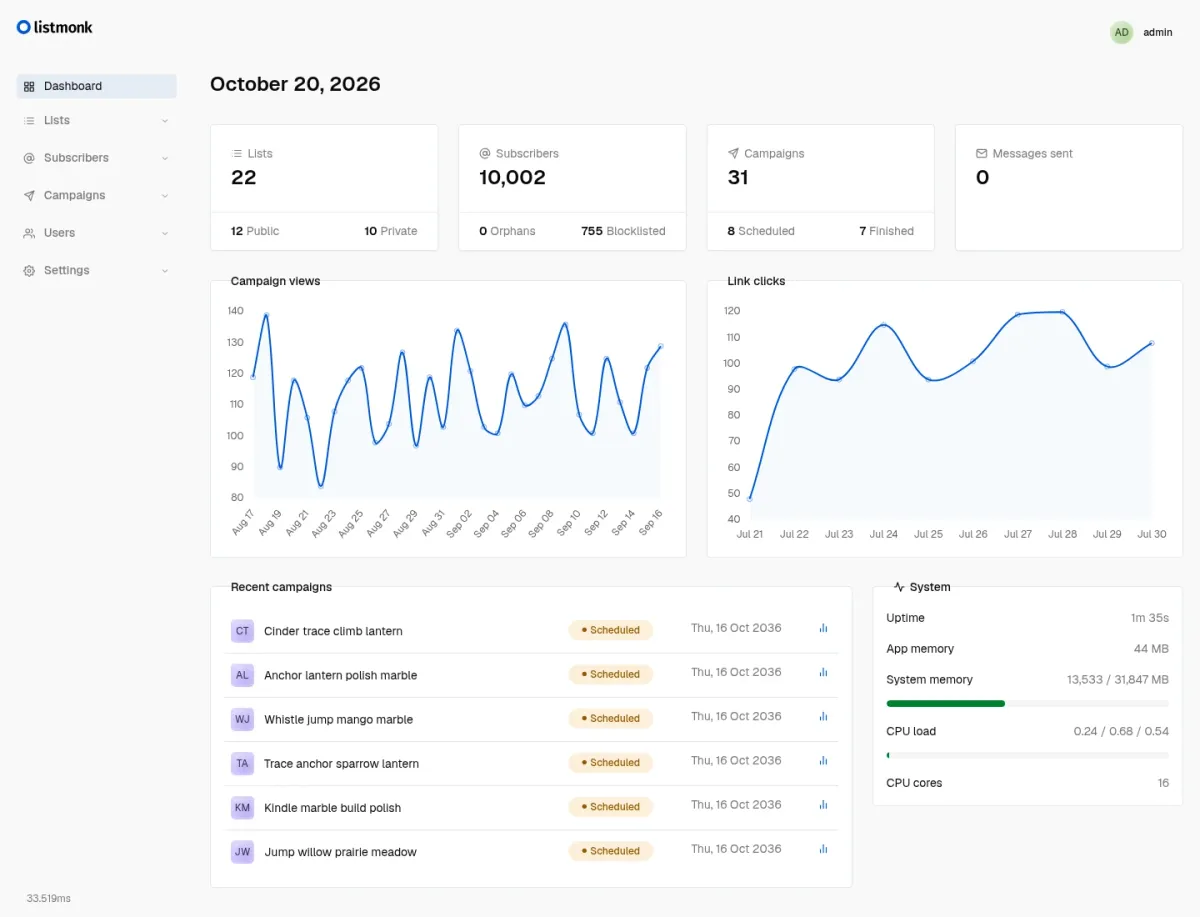
Newsletters are having a moment again, and most people start them on a hosted platform. That works fine until the subscriber count grows and the monthly bill grows with it, or until you realize your audience list lives on someone else's server. If you already run a homelab or a small VPS, there is a well-established alternative: listmonk.
listmonk has been around since 2018, sits at roughly 24,000 GitHub stars, and is currently in the middle of its biggest release cycle so far: v7.0.0-beta.2 landed on 10 November 2026 with a completely rebuilt admin UI, while v6.2.0 remains the latest stable release. A good moment to take a proper look.
What is listmonk?
listmonk is a self-hosted newsletter and mailing list manager. The whole application is a single binary written in Go (the current admin frontend is Vue), and the only dependency is a PostgreSQL database. It is developed by Kailash Nadh and published under the GNU AGPL v3, an OSI-approved copyleft license.
It covers two jobs that are usually split across different tools:
- Campaigns: classic newsletters and one-way mailing lists, sent to single or double opt-in lists.
- Transactional messages: a simple HTTP API (
POST /api/tx) that sends a predefined template to one or more subscribers, for example sign-up confirmations from your own app.
The project's own website mentions a production instance sending a campaign to more than 7 million recipients using a fraction of one CPU core and a peak of 57 MB of RAM. Your homelab newsletter with 300 readers will not stress it.
Key features
- Lists and subscribers: single and double opt-in lists, CSV imports, blocklisting, and segmentation with SQL expressions against subscriber fields and arbitrary JSON attributes (for example
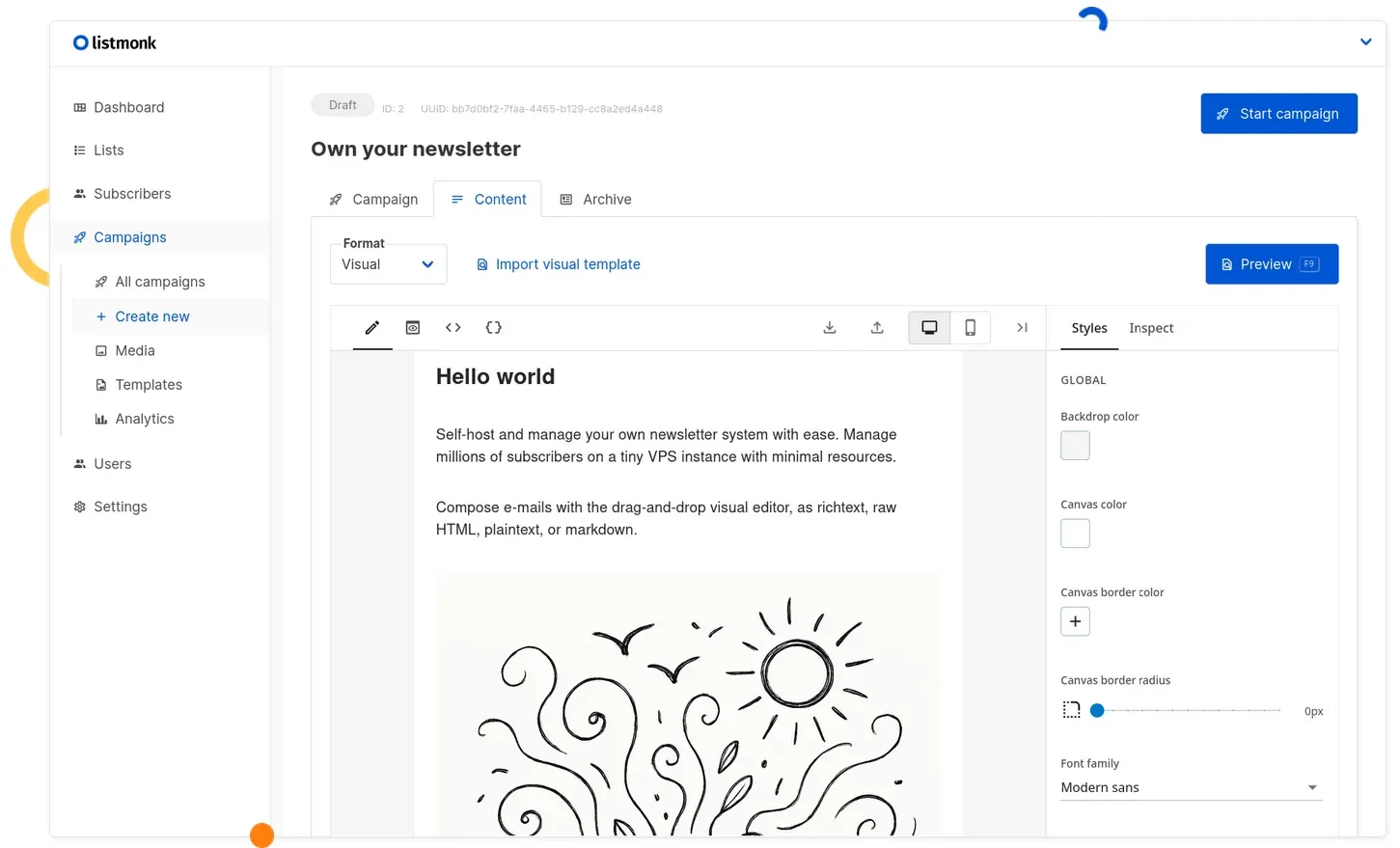
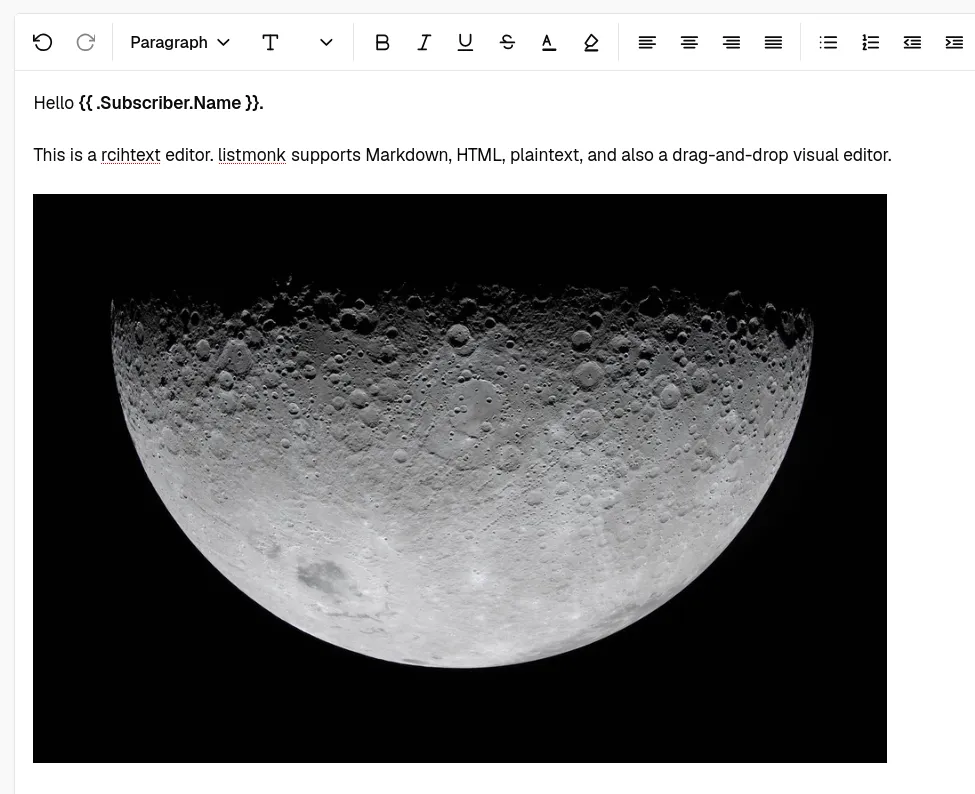
subscribers.attribs->>'city' = 'Berlin'). - Flexible editors: write e-mails with a drag-and-drop visual builder, a WYSIWYG editor, Markdown, raw HTML or plain text.
- Templating: Go templates plus 100+ Sprig functions in subjects and bodies, e.g.
{{ .Subscriber.Name }}. - Performance controls: multi-threaded queues, multiple SMTP servers, and throughput and sliding-window rate limits.
- Analytics: campaign views, clicks, bounces and top links.
- Bounce processing: a POP3 bounce mailbox or webhooks, including built-in endpoints for Amazon SES, SendGrid and Postmark.
- Messengers: besides SMTP, listmonk can POST campaign messages as JSON to a webhook, so you can bridge to SMS, push notifications or chat.
- Access control: users with granular roles and permissions, scoped API tokens, and OIDC single sign-on.
- Media and privacy: a built-in media library (local or S3-compatible storage), and subscribers can export or delete their own data.
What's coming in v7
The v7 betas replace the old Vue admin with a new, lightweight interface. According to the release notes, the admin bundle shrinks by almost 80%, and the UI gets native dark mode, a better mobile view, bookmarkable filters, standalone pages for lists and subscribers, new list and campaign overview pages with analytics, multiple "From" addresses and automatic OIDC role mapping. The TinyMCE rich-text editor is replaced by the much smaller Squire editor.
There are breaking changes, though: app.from_email becomes an array, the bounce settings structure changes, Amazon SES webhooks now need allowed SNS topic ARNs, Azure webhooks need a shared secret, and the transactional API needs the subscribers:get permission to target existing subscribers. If you want to try it, the Docker tag is listmonk/listmonk:beta. For anything that sends real mail, I would stay on v6.2.0 for now.
Why self-host your newsletter?
- You own the list. Subscribers, consent and history sit in your own PostgreSQL database.
- Cost scales with your mail provider, not your subscriber count. listmonk itself is free; you pay only for the SMTP relay you choose.
- One tool for newsletters and app mail. The transactional API saves you a second service for notification mails from your own projects.
Installing listmonk with Docker Compose
The project ships an official docker-compose.yml. Below is a slightly hardened version of it: pinned to v6.2.0, database credentials moved into a .env file, and Postgres not published on the host at all (the official file binds it to 127.0.0.1:5432).
1. Create a folder and an .env file
mkdir -p ~/listmonk && cd ~/listmonk
cat > .env <<'ENV'
POSTGRES_PASSWORD=change-me-to-a-long-random-string
LISTMONK_ADMIN_USER=admin
LISTMONK_ADMIN_PASSWORD=change-me-too
ENV
chmod 600 .env
LISTMONK_ADMIN_USER and LISTMONK_ADMIN_PASSWORD are optional: if they are set on the very first start, listmonk creates the Super Admin automatically. Otherwise you create the account in the browser on first visit.
2. Create docker-compose.yml
services:
  app:
    image: listmonk/listmonk:v6.2.0
    container_name: listmonk_app
    restart: unless-stopped
    ports:
      - "9000:9000"
    hostname: listmonk.example.com
    depends_on:
      db:
        condition: service_healthy
    command: [sh, -c, "./listmonk --install --idempotent --yes --config '' && ./listmonk --upgrade --yes --config '' && ./listmonk --config ''"]
    environment:
      LISTMONK_app__address: 0.0.0.0:9000
      LISTMONK_db__user: listmonk
      LISTMONK_db__password: ${POSTGRES_PASSWORD}
      LISTMONK_db__database: listmonk
      LISTMONK_db__host: db
      LISTMONK_db__port: 5432
      LISTMONK_db__ssl_mode: disable
      LISTMONK_db__max_open: 25
      LISTMONK_db__max_idle: 25
      LISTMONK_db__max_lifetime: 300s
      TZ: Etc/UTC
      LISTMONK_ADMIN_USER: ${LISTMONK_ADMIN_USER:-}
      LISTMONK_ADMIN_PASSWORD: ${LISTMONK_ADMIN_PASSWORD:-}
    volumes:
      - ./uploads:/listmonk/uploads:rw

  db:
    image: postgres:17-alpine
    container_name: listmonk_db
    restart: unless-stopped
    environment:
      POSTGRES_USER: listmonk
      POSTGRES_PASSWORD: ${POSTGRES_PASSWORD}
      POSTGRES_DB: listmonk
    healthcheck:
      test: ["CMD-SHELL", "pg_isready -U listmonk"]
      interval: 10s
      timeout: 5s
      retries: 6
    volumes:
      - listmonk-data:/var/lib/postgresql/data

volumes:
  listmonk-data:
The command line comes straight from the official file: --install --idempotent sets up the database schema only on the first start, and --upgrade runs migrations automatically whenever you pull a newer image. --config '' tells listmonk to take its configuration purely from the LISTMONK_* environment variables (dots in config keys become double underscores, so db.host becomes LISTMONK_db__host).
3. Start it
docker compose up -d
docker compose logs -f app
Then open http://<your-server>:9000/admin and log in.
First configuration steps
- Root URL: in Settings → General, set the public URL of the installation (no trailing slash), e.g.
https://newsletter.example.com. Subscription links, tracking links and unsubscribe links are built from it. - SMTP: add your mail relay in Settings → SMTP. If you run your own mail server, see our Stalwart guide, but for bulk mail a dedicated relay with good reputation is usually the safer choice. Make sure SPF, DKIM and DMARC are set up for your sending domain.
- Media uploads: the compose file mounts
./uploads. To use it, set the upload path to/listmonk/uploadsin Settings → Media. - Bounces: enable bounce processing in Settings → Bounces. If you use a POP3 mailbox, the docs explicitly warn to use a dedicated one, because listmonk deletes processed mails from it.
- Single sign-on: if you already run an OIDC provider such as Pocket ID, configure it in Settings → Security → OIDC.
Reverse proxy tips
Put listmonk behind your usual reverse proxy with TLS. The configuration docs list which routes are private and which must be public, which is handy for auth proxies and firewalls:
- Keep private:
/admin/*(admin UI),/api/*(admin APIs) and/webhooks/bounce. - Must be public:
/subscription/*(subscription pages),/link/*(tracked links),/campaign/*(tracking pixel),/public/*(static files) and/webhooks/service/*(provider bounce webhooks).
If you put an authentication layer in front of the admin, exclude the public paths, otherwise your readers can no longer unsubscribe or open tracked links.
Upgrading and backups
Back up PostgreSQL before every upgrade, as the release notes keep reminding. A simple dump:
docker compose exec -T db pg_dump -U listmonk listmonk | gzip > listmonk-$(date +%F).sql.gz
To upgrade, bump the image tag and run the documented sequence:
docker compose down
docker compose pull && docker compose run --rm app ./listmonk --upgrade
docker compose up -d app db
Pinning the version is worth it: v6.1.0 and v6.2.0 both fixed permission-validation issues in multi-user setups, and v6.2.0 also fixed a path traversal ("ZIP Slip") issue in the CSV import. You want to notice such releases, and a monitor like changedetection.io or a GitHub release feed in your RSS reader helps.
Honest limitations
- Deliverability is your problem. listmonk sends mail, it does not fix your reputation. Expect to spend time on SPF/DKIM/DMARC, a reputable SMTP relay and bounce handling.
- No built-in automation journeys. It is a newsletter and list manager, not a marketing automation suite with drip sequences and visual workflows.
- Large databases get slow in places. The performance docs note that with millions of subscribers and tracking records, aggregation-heavy admin pages can take tens of seconds to load. They recommend enabling Cache slow database queries in Settings → Performance and running
VACUUM ANALYZEregularly. - Powerful features need trust. The docs warn that the
subscribers:sql_querypermission and template functions can be abused, so only give them to trusted users. - v7 is still beta and comes with breaking changes. Plan the migration rather than following
latestblindly.
How does it compare?
| listmonk | Ghost newsletters | Hosted services (e.g. Mailchimp) | |
|---|---|---|---|
| Hosting | Self-hosted, single binary + PostgreSQL | Self-hosted or Ghost(Pro) | SaaS only |
| License | AGPL-3.0 | MIT | Proprietary |
| Bulk sending | Any SMTP server(s), plus messenger webhooks | Self-hosted installs: Mailgun only | Provider's own infrastructure |
| Focus | Lists, campaigns, transactional API | Publishing with built-in newsletter | Marketing suite |
If you mainly publish a blog and want posts delivered by e-mail, Ghost's built-in newsletter is the simpler path. If you want an independent mailing list with full control over the SMTP side, segmentation and an API for transactional mail, listmonk is the more flexible tool.
Conclusion
listmonk does one thing and does it well: it manages lists and sends a lot of e-mail with almost no resources. The Docker setup takes five minutes, the real work is on the mail side. With v7 bringing a much lighter, more modern admin UI, it is a good time to start on the stable v6.2.0 and keep an eye on the beta. If you want notifications rather than newsletters, take a look at Apprise API instead, and for archiving your own inbox, Mail-Archiver. More e-mail tools are collected under the Email tag.
Sources
- knadh/listmonk on GitHub (README, license, official docker-compose.yml)
- listmonk releases: v6.2.0, v7.0.0-beta.1, v7.0.0-beta.2
- listmonk.app (features, performance figures, screenshots)
- Installation docs and Configuration docs
- Performance docs
- Bounce processing, Messengers, Transactional API, Roles and permissions, Templating, Querying and segmentation
- listmonk on Docker Hub
- Ghost docs: Newsletters