Arcane 3.0: A Modern, Open-Source Docker Management UI for Your Homelab
Arcane is a BSD-3-Clause licensed web UI for managing Docker containers, Compose projects, images and volumes. Version 3.0 brings a customizable dashboard, live upgrade progress, Trivy-based update blocking and expanded backups. Here's what it does and how to install it with Docker Compose.
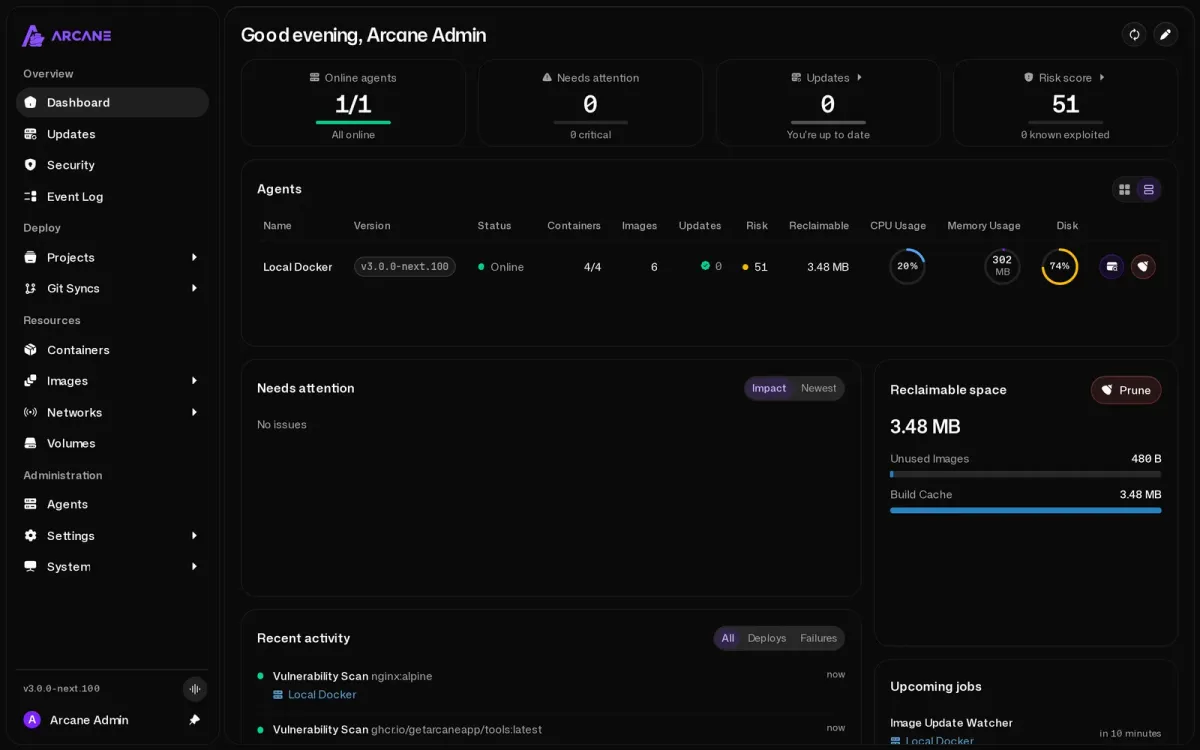
If you run more than a handful of containers, you probably know the routine: docker ps in one terminal, docker compose logs -f in another, and a mental note to check which images are outdated "some day". A good web UI does not replace the CLI, but it makes the everyday stuff (restarts, logs, updates, cleanup) a lot less tedious, especially across several hosts.
Arcane is one of the newer projects in that space, and it is moving fast. The team shipped a major 3.0.0 release on 14 November 2026, followed by v3.0.1 with agent and security fixes one day later. The repository has around 9,400 GitHub stars at the time of writing, and it showed up on GitHub's daily trending list this week. Reason enough to take a closer look.
What is Arcane?
Arcane describes itself as "Modern Docker Management, Designed for Everyone". It is a self-hosted web application for managing Docker containers, Compose projects, images, networks and volumes, with a backend written in Go and a web frontend. The project is licensed under the BSD 3-Clause License, a permissive OSI-approved license.
The architecture has two parts:
- The Manager (
ghcr.io/getarcaneapp/manager) is the web UI and API. It talks to the Docker engine on its own host through the Docker socket. - The Agent (
ghcr.io/getarcaneapp/agent) runs on additional hosts. It connects outbound to the Manager and relays requests to its local Docker engine, so, according to the docs, the agent opens no ports and the host can sit behind NAT or a firewall.
Images are also published on Docker Hub (getarcaneapp/manager) and Quay, for linux/amd64, linux/arm64, linux/arm/v7 and linux/riscv64. Besides Docker, the docs also cover running Arcane on Podman, including pods, Quadlets and Kubernetes YAML.
What's new in Arcane 3.0
The 3.0 release notes are long. These are the changes that matter most for a homelab:
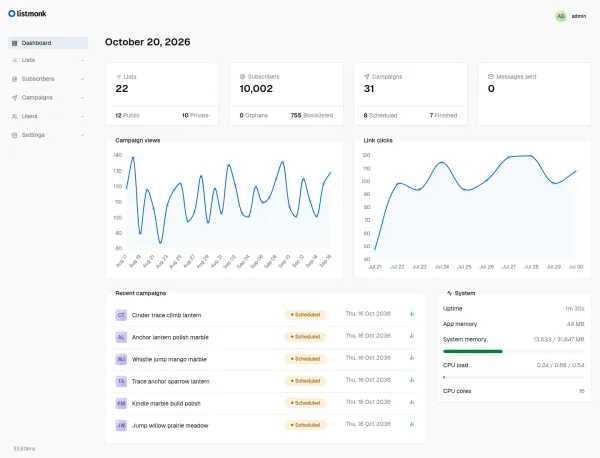
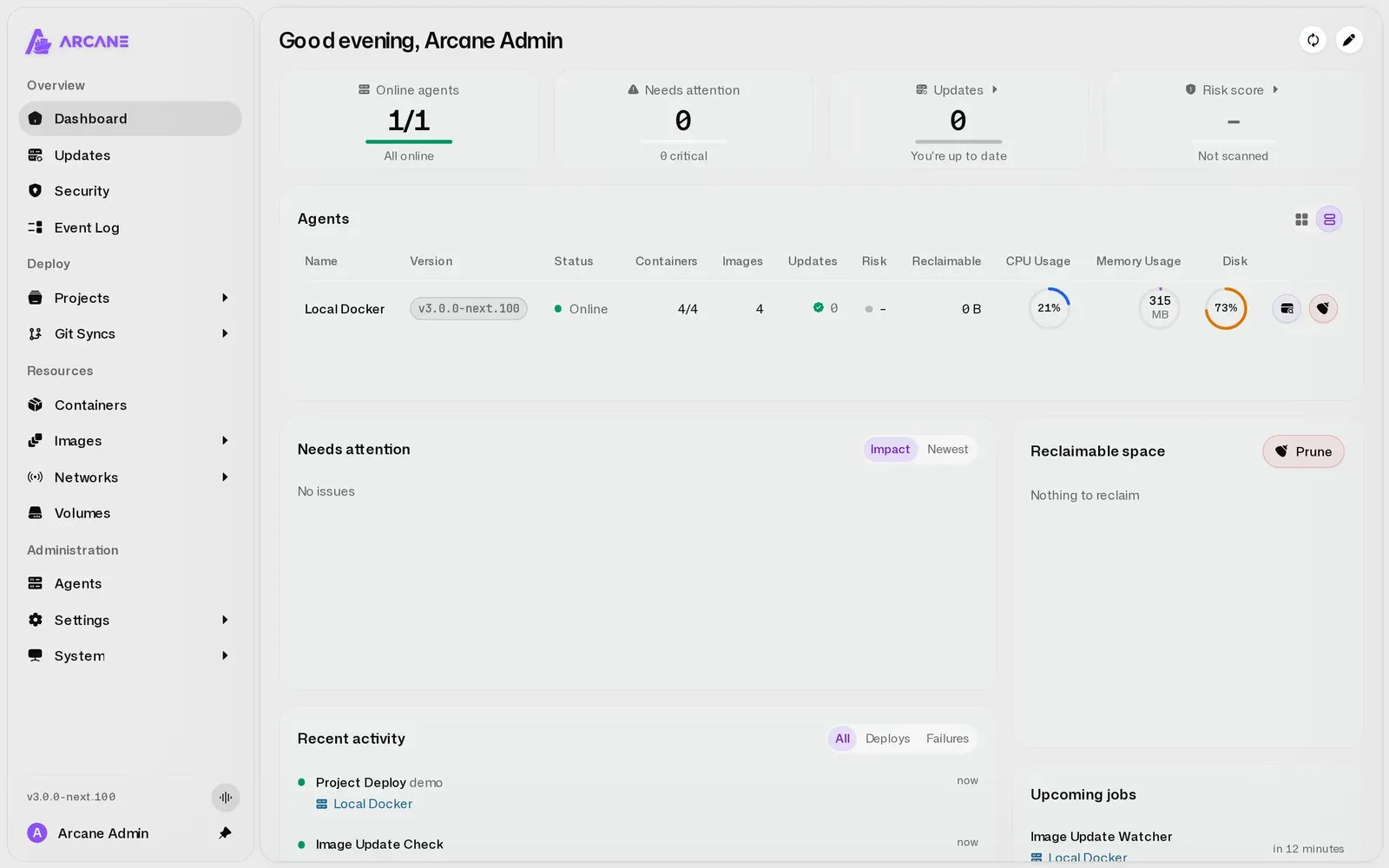
- Customizable dashboard: saved layouts, a free-form widget grid, configurable widgets with label filters and per-environment reclaimable disk space. Lists also get a grid view.
- Live upgrade progress: upgrades of single containers or all environments stream their progress and logs, and a redesigned activity center aggregates what is happening across hosts.
- Safer updates: update details now show image release notes, creation dates and versions, and Arcane can block updates based on vulnerabilities found in the new image.
- Backups and GitOps: system backups now cover remote environments, volume backup retention and pruning improved, and GitOps sync gained repository/branch defaults, Compose override selection and sync environment variables.
- Agents: "edge agents" are now simply "Arcane agents", the polling transport is gone, and agents enroll with reusable enrollment tokens (optionally with mTLS).
- Security hardening: stronger password policies, hardened security headers and WebSocket limits, and the option to set default admin credentials through environment variables.
- Breaking changes: all configuration variables now start with
ARCANE_, legacy image aliases were removed, and cron schedules use five fields. More on that in the migration section below.
v3.0.1 followed on 15 November with fixes for agent-mode startup, stricter update verification (updates are now always verified), and a fix that keeps a stack's .env file across Git syncs and editor saves.
Key features
- Containers, images, networks, volumes: the usual lifecycle actions, logs, stats and exec terminals in the browser.
- Compose projects: create and edit stacks in the UI, or let Arcane manage existing projects in your projects folder.
- Auto updates: an image update watcher plus scheduled automatic updates, with an optional update delay (up to 8,760 hours), per-container exclusions and per-container overrides via Compose
x-arcanesettings or labels. - Vulnerability scanning: scheduled image scans with Trivy, a combined risk score across hosts, CSV export, and optional patching of fixable OS-package vulnerabilities with Copacetic (
copa). - Multi-host: manage remote Docker hosts and Docker Swarm through agents from a single Manager.
- Users and access: OIDC single sign-on (the docs name Authentik, Keycloak, Pocket ID and Azure AD as examples), passkeys and roles.
- Database choice: SQLite by default, or an external PostgreSQL database via
ARCANE_DATABASE_URL. - CLI and API:
arcane-clipackages (deb, rpm, apk, Arch) ship with every release.
Why use it?
Arcane fits nicely if you like keeping your Compose files as plain files on disk but want a polished UI on top. Because the projects folder is mounted at the same path inside the container, relative mounts like ./config resolve the same way for Arcane and for Docker, and you can keep editing files in your editor or Git. The built-in update and vulnerability workflow is the other big draw: "scan the new image first, only deploy if it passes" is something many homelabs never get around to scripting themselves.
Installing Arcane with Docker Compose
You need Docker Engine and Docker Compose. The steps below follow the official installation guide.
1. Generate an encryption key
Arcane encrypts sensitive data with a key you provide. Generate one with the Arcane image itself:
docker run --rm ghcr.io/getarcaneapp/manager:latest /app/arcane generate secret
Alternatively, openssl rand -hex 32 works too. Store the key somewhere safe, for example in your password manager.
2. Create a compose.yaml
Create a folder such as ~/arcane and add a compose.yaml. This is the official example, pinned to the v3 major tag and extended with the documented health check:
services:
  arcane:
    image: ghcr.io/getarcaneapp/manager:v3
    container_name: arcane
    ports:
      - "3552:3552"
    volumes:
      - /var/run/docker.sock:/var/run/docker.sock
      - arcane-data:/app/data
      - /opt/docker:/opt/docker
    environment:
      - ARCANE_APP_URL=http://localhost:3552
      - PUID=1000
      - PGID=1000
      - ARCANE_ENCRYPTION_KEY=<your-encryption-key>
      - ARCANE_PROJECTS_DIRECTORY=/opt/docker
    cgroup: host
    healthcheck:
      test: ["CMD", "./arcane", "health", "--timeout", "2s"]
      interval: 10s
      timeout: 3s
      retries: 5
      start_period: 15s
    restart: unless-stopped

volumes:
  arcane-data:
A few notes:
- Replace
<your-encryption-key>with the key from step 1. - Replace all three
/opt/dockervalues with the folder that holds your Compose projects. Mount it at the same absolute path inside the container. - Set
ARCANE_APP_URLto the address you will actually open, for examplehttp://192.0.2.10:3552from another device on your LAN, or your public HTTPS URL behind a reverse proxy. PUID/PGIDcontrol the owner of files Arcane creates. The image starts as root and then drops to that non-root user (default65532:65532if unset).
3. Start it and log in
docker compose up -d
docker compose cp arcane:/app/data/initial-admin-password .
Open the ARCANE_APP_URL address and sign in as arcane with the generated password from that file. Arcane asks you to set a new password right away. Delete the copied file afterwards.
If you prefer, the docs also offer a one-line Linux install script that installs Docker and Arcane together. As always with curl | sudo bash, read the script before running it.
Configuration tips
Put a socket proxy in front of Docker. Anything with access to /var/run/docker.sock effectively has root on the host. Arcane's docs include a ready-made socket proxy setup with wollomatic/socket-proxy that only forwards the Docker API routes Arcane needs; Arcane then connects via DOCKER_HOST=tcp://docker-socket-proxy:2375. The docs are refreshingly honest that this is not a silver bullet: Arcane still needs to create containers, so a compromised Arcane can still take over the host. Treat its login and API keys like root access.
Reverse proxy with WebSockets. Live updates need WebSocket forwarding. Set ARCANE_APP_URL to the public URL (for example https://arcane.example.com, without :3552) and ARCANE_TRUSTED_PROXIES so login rate limits see the real client IP. The reverse proxy guide has examples for Nginx, Apache and Traefik. I would not expose a Docker management UI directly to the internet; keep it on your LAN or VPN, or at least behind SSO.
Use SSO. If you already run an identity provider, register Arcane as an OIDC client with the redirect URI https://<your-arcane-url>/auth/oidc/callback. We covered a lightweight option in our Pocket ID guide.
Start auto updates carefully. Under Settings → Automations you enable the Image Update Watcher first and then Auto Update. An Update Delay of a day or two avoids being the first to install a broken image, and the vulnerability limits can block updates whose new image exceeds the severity counts you allow. Exclude databases and anything stateful you want to update by hand.
Analytics and update checks. Both can be turned off with ARCANE_ANALYTICS_ENABLED=false and ARCANE_UPDATE_CHECK_ENABLED=false.
Optional mounts. Add /builds for image builds and /backups for exported volume backups, either as host paths or named volumes.
Upgrading from Arcane 2.x
3.0 is a real major release, so don't just change the tag. According to the migration guide:
- Upgrade to 2.17.3 first and start the Manager and every agent once. Older databases stop 3.0 from starting.
- Back up
/app/data, your Compose and env files, and your projects directory. - Switch images from the removed GHCR aliases
ghcr.io/getarcaneapp/arcaneandarcane-headlesstoghcr.io/getarcaneapp/managerandghcr.io/getarcaneapp/agent. - Add the
ARCANE_prefix to every Arcane variable (APP_URLbecomesARCANE_APP_URL, and so on), deleteJWT_SECRET,EDGE_MUX_DISABLEDandEDGE_TRANSPORT=poll, and replaceANALYTICS_DISABLED=truewithARCANE_ANALYTICS_ENABLED=false. The old names are ignored, so analytics would silently turn back on if you skip this. - Manager, every agent and
arcane-climust all run 3.0. Former direct agents need to re-enroll, and notification providers have to be set up again under System → Notifications.
Limitations
- Docker socket access is root access. That is true for every tool in this category, and Arcane's docs say so clearly.
- Fast pace, breaking changes. 3.0 renamed variables, removed image aliases and changed API routes (
/api/environmentsmoved to/api/agents). If you script against the API or CLI, expect some work after major upgrades. - Image patching has requirements. Copa patching needs Docker's containerd image store, which hides existing images and containers from the old store when you switch. It also can't patch language dependencies (npm, pip, Go modules) or locally built images.
- Small arm hosts. The docs recommend a remote Trivy server for small or 32-bit hosts such as armv7, where loading the local vulnerability database may fail.
- Young project. Most of the work is done by the lead maintainer with a growing group of contributors. It is active, but not as battle-tested as long-established tools.
How does it compare?
- Portainer CE (zlib license) is the long-standing default for Docker web management and has a much larger ecosystem, with a commercial Business Edition alongside it.
- Dockge (MIT, by the Uptime Kuma author) focuses narrowly on managing
compose.yamlstacks and stays deliberately simple. - Komodo (GPL-3.0) is another open-source option for managing servers, builds and deployments.
If you want a full "push to deploy" platform with Git builds and automatic TLS, our Coolify 4.7 guide is the better starting point. Arcane sits closer to Portainer: it manages the containers and stacks you already have.
Conclusion
Arcane 3.0 is a polished, permissively licensed Docker UI that already goes beyond "start/stop containers": multi-host agents, scheduled updates with vulnerability gates, backups and SSO make it a serious option for homelabs. Plan the 2.x migration carefully, put a socket proxy in front of it and keep it off the public internet, and it's well worth a spin.
Pair it with Beszel for host metrics and Uptime Kuma for service checks, and add it to your Homepage dashboard. More tools like this are collected under our Server Management tag.
Sources
- Arcane repository, README and license (BSD-3-Clause): github.com/getarcaneapp/arcane
- Arcane v3.0.0 release notes: github.com/getarcaneapp/arcane/releases/tag/v3.0.0
- Arcane v3.0.1 (latest release at the time of writing): github.com/getarcaneapp/arcane/releases/tag/v3.0.1
- Installation: getarcane.app/docs/setup/installation
- Migrate to 3.0: getarcane.app/docs/get-started/migrate-v3
- Remote agents: getarcane.app/docs/remote/agents
- Socket proxy: getarcane.app/docs/security/socket-proxy
- Vulnerability scans: getarcane.app/docs/security/vulnerability-scans
- Auto updates: getarcane.app/docs/docker/auto-updates
- Reverse proxy: getarcane.app/docs/networking/reverse-proxy
- OIDC SSO: getarcane.app/docs/access/sso
- Screenshots: getarcaneapp/arcane
.github/assets(BSD-3-Clause)