Reactive Resume 6.1: Self-Host a Free Resume Builder and Job Tracker with Docker Compose
Reactive Resume is an MIT-licensed resume builder with cover letters, resume checks, a job application tracker and an optional AI assistant. Here is what changed in v6.1 and how to self-host it with Docker Compose, PostgreSQL and HTTPS.
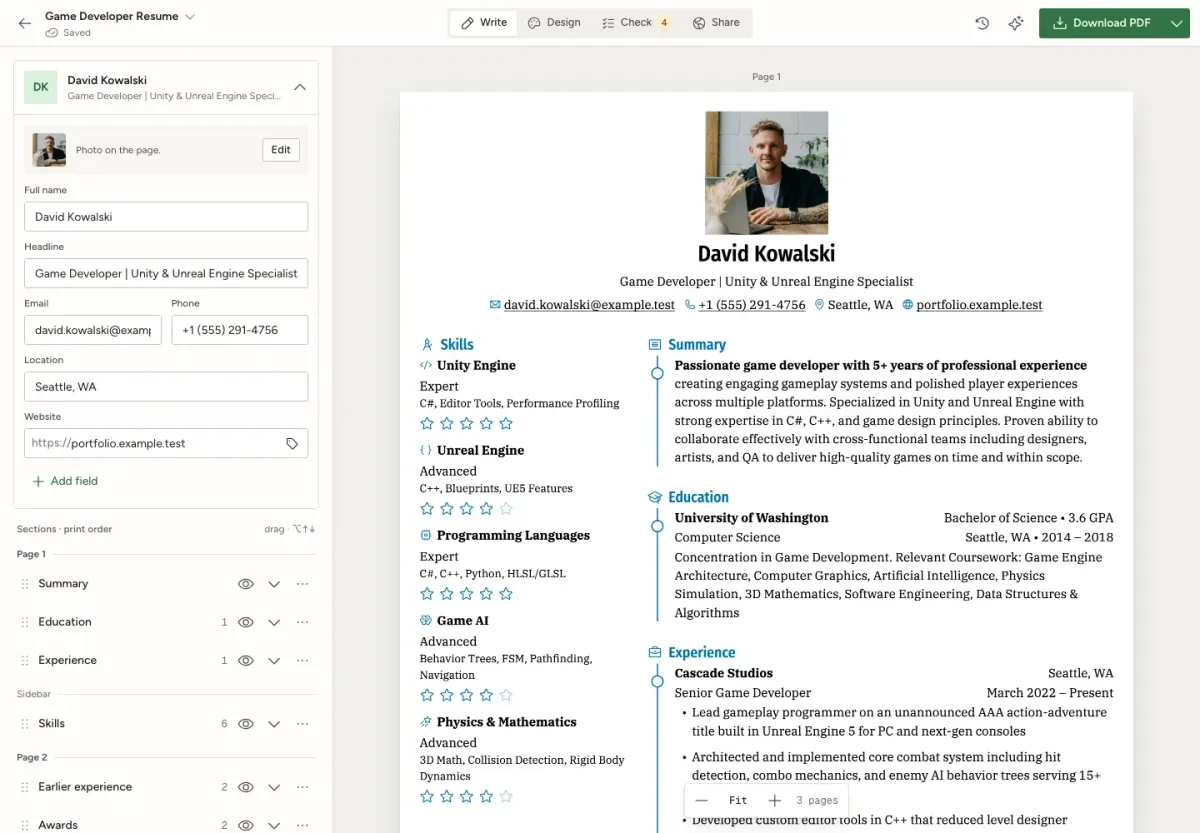
Writing a resume is one of those tasks nobody enjoys, and most online builders make it worse: a nice editor, and then a paywall the moment you want to download a PDF. On top of that, a resume is full of personal data – your address, phone number, employment history – that you hand over to yet another SaaS company.
Reactive Resume has been the open-source answer to that problem for years, and with the v6 series it grew into much more than a resume editor. Version 6.1.0 landed on 5 November 2026 with a guided "Apply" workflow, private feedback links and resume translation, and the project sits at around 46,000 GitHub stars. In this guide we'll look at what it can do today and how to run your own instance with Docker Compose.
What is Reactive Resume?
Reactive Resume describes itself as a free and open-source resume builder for writing resumes and cover letters, checking your work and tracking job applications. You can use the hosted version at rxresu.me, or run the exact same app on your own hardware. The code is released under the MIT license, and there is no premium tier.
Under the hood, the official Docker image runs a single Node.js process on port 3000 that serves the web app, the API, an MCP server and uploaded files. The only hard dependency is PostgreSQL. PDFs are rendered by the app itself, so – unlike older versions – there is no separate headless browser or printer container to babysit.
Key features
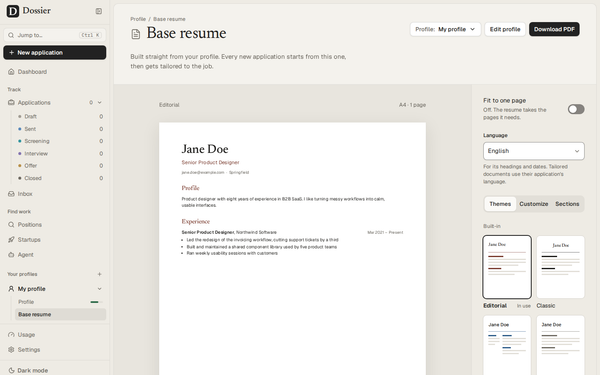
According to the README and docs, v6 is a full redesign with four editor modes: Write, Design, Check and Share. The highlights:
- Live editor: inline editing with click-to-select on the page, a live PDF preview, rich text, custom sections, drag-and-drop ordering, autosave and up to 200 undo steps.
- 18 templates: with filters for one-column, two-column and ATS-safe layouts, plus fonts, colors, spacing, A4/Letter paper and custom styles.
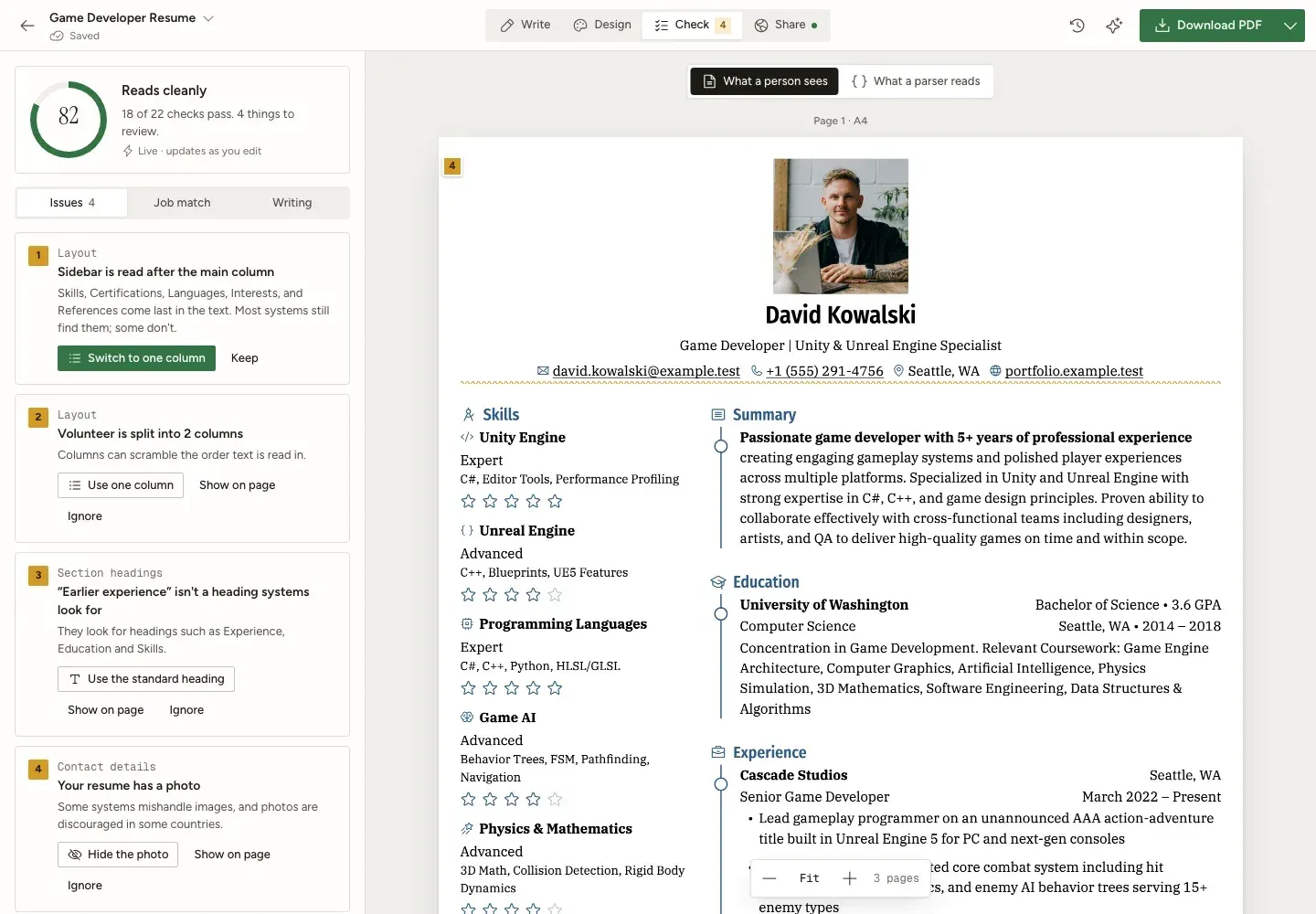
- Resume checks: readability findings pinned to the relevant lines, keyword matching against a job posting, a view of the text hiring software reads, and checks on the exported PDF.
- Cover letters as real documents: each letter has its own editor, exports and version history, and can be linked to a resume to share its contact details and design.
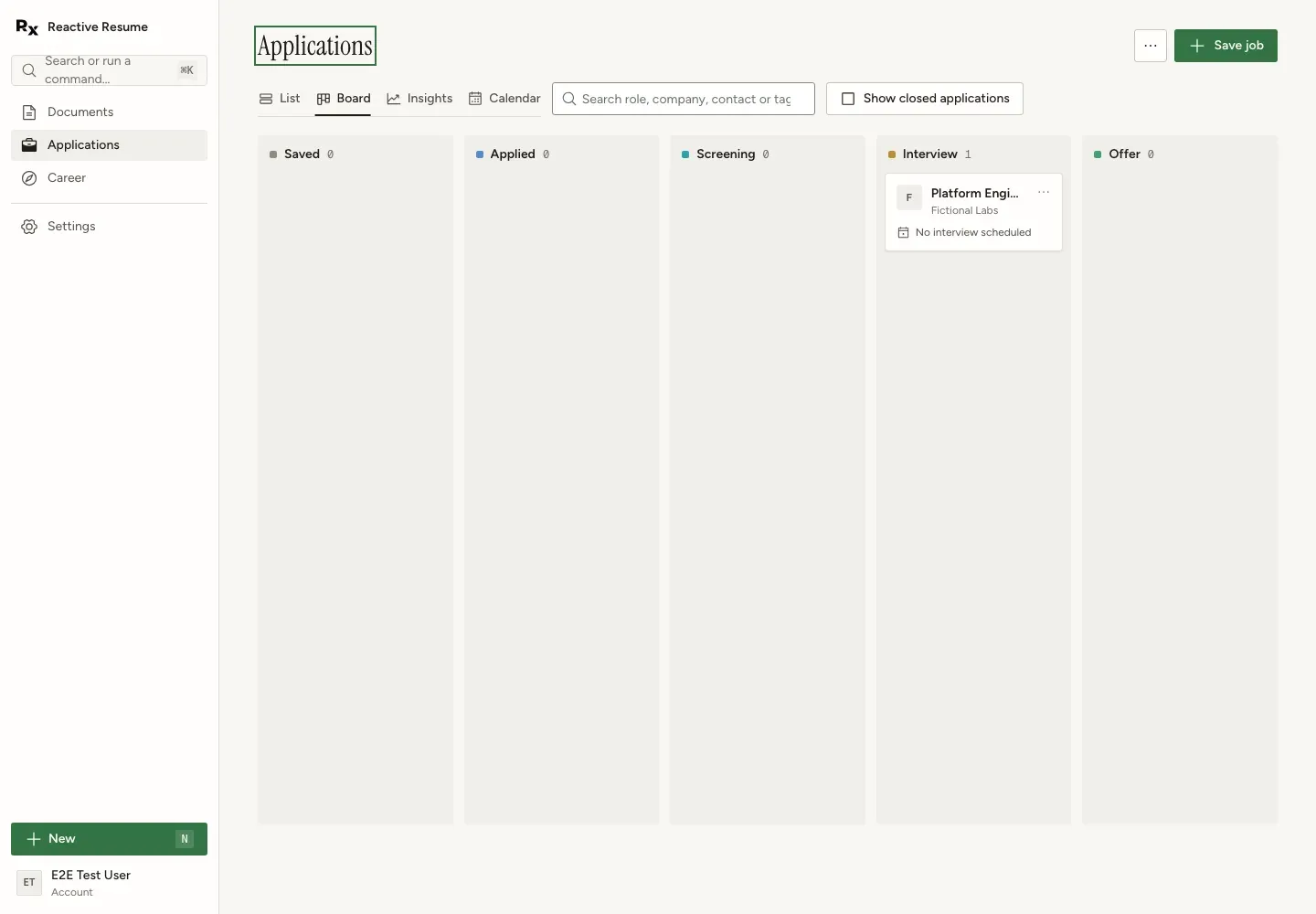
- Job application tracker: List, Board, Insights and Calendar views, default stages from Saved to Offer, contacts, notes, follow-ups, interviews with
.icsexport, and CSV import/export. - Import and export: import Reactive Resume JSON, JSON Resume, LinkedIn data exports, PDF and Word files; export to PDF, Word (DOCX), Markdown or JSON.
- Sharing: public resume links with optional password protection and view/download statistics.
- Optional AI assistant: connect OpenAI, Anthropic, Google Gemini, OpenRouter, Ollama or a compatible endpoint. Proposed edits are shown with a reason, and you accept or reject each one. JSON, LinkedIn and readable PDF imports work without AI.
- API and MCP server: manage documents, exports, checks and applications from scripts or AI clients.
- Account security: passkeys, two-factor authentication and linked sign-in providers, including a generic OAuth/OpenID Connect provider.
What's new in 6.1
The v6.1.0 release notes focus on the job hunt itself:
- Apply: saved jobs now open a guided flow through the posting, a tailored resume, an optional letter and form answers. A private Profile keeps details like work authorization, salary expectations and references, and reviewed answers can be reused later.
- Save jobs from the posting with a desktop browser helper or your phone's share sheet. Note for self-hosters: the browser helper only connects to your instance over HTTPS (plain HTTP works only for localhost).
- Feedback links: create a private link per reviewer (a coach or a friend) that shows a snapshot of your resume, can collect comments and expires when you decide. Reviewers don't need an account.
- Translate into…: creates a separate copy of a resume in another language, translated by the assistant for your review.
- Keyboard shortcuts (press
?), and deleted applications now go to Trash.
For admins, the upgrade applies 23 additive database migrations on startup and needs no new environment variables. The release notes explicitly say: back up your database before upgrading.
Requirements
The official Docker guide lists:
- A host with Docker Engine and the Compose plugin.
- At least 1 vCPU and 1 GB RAM for the app, 2 GB if PostgreSQL runs on the same host.
- About 10 GB of disk to start.
- For anything beyond a local test: a domain and a reverse proxy that serves it over HTTPS.
Images are published for linux/amd64 and linux/arm64 on Docker Hub (amruthpillai/reactive-resume) and GHCR (ghcr.io/reactive-resume/reactive-resume), so a 64-bit Raspberry Pi 4 or newer works too.
Step 1: Create the folder and the .env file
mkdir -p ~/reactive-resume && cd ~/reactive-resume
openssl rand -hex 32   # use for AUTH_SECRET
openssl rand -hex 24   # use as the database password
Create a .env file:
# Must match the address in the browser exactly, including https://
APP_URL="https://resume.example.com"

POSTGRES_PASSWORD="your-database-password"
DATABASE_URL="postgresql://postgres:your-database-password@postgres:5432/postgres"

AUTH_SECRET="your-64-hex-character-secret"
Use the same password in POSTGRES_PASSWORD and DATABASE_URL, and lock the file down with chmod 600 .env. If your password contains special characters, URL-encode it in DATABASE_URL – the hex values above avoid that problem.
Step 2: The Compose file
This is the official minimal setup from the docs, with one change: I pinned the image to the v6 tag instead of latest. The project publishes major, minor and exact tags, and pinning v6 gets you fixes without surprise major upgrades.
services:
  postgres:
    image: postgres:18
    restart: unless-stopped
    environment:
      POSTGRES_DB: postgres
      POSTGRES_USER: postgres
      POSTGRES_PASSWORD: ${POSTGRES_PASSWORD}
    volumes:
      - postgres_data:/var/lib/postgresql
    healthcheck:
      test: ["CMD-SHELL", "pg_isready -U postgres -d postgres"]
      interval: 10s
      timeout: 5s
      retries: 10

  reactive-resume:
    image: amruthpillai/reactive-resume:v6
    restart: unless-stopped
    ports:
      - "127.0.0.1:3000:3000"
    env_file: .env
    volumes:
      - reactive_resume_data:/app/data
    depends_on:
      postgres:
        condition: service_healthy

volumes:
  postgres_data:
  reactive_resume_data:
Two details worth knowing:
- PostgreSQL 18 stores its data under
/var/lib/postgresql, which is why the volume is mounted there and not at the older.../datapath. - I bound port 3000 to
127.0.0.1. The docs recommend keeping port 3000 private and only exposing the app through your reverse proxy.
Step 3: Start it
docker compose up -d --wait --wait-timeout 180
docker compose ps
curl http://localhost:3000/api/health
On the first start the app runs its database migrations. /api/health returns 200 with a JSON status for the database and storage once everything is ready, and 503 if a check fails. If the container keeps restarting, docker compose logs --tail=50 reactive-resume usually names the problem – most often a wrong DATABASE_URL or an /app/data folder that isn't writable by UID 1000.
Now open your APP_URL and create your account. You're signed in right away.
Step 4: Make it private
If the instance is just for you (or your family), close registration after creating your own account:
echo 'FLAG_DISABLE_SIGNUPS="true"' >> .env
docker compose up -d
Existing accounts keep working; nobody new can sign up – by email, social sign-in or as a guest.
Step 5: HTTPS with Traefik
The docs include full examples for Traefik, Caddy and nginx. If you already run Traefik with the Docker provider, remove the ports: block and add labels like these to the reactive-resume service (adapt the router name, entrypoint and certificate resolver to your setup, and put the container on the network Traefik uses):
    labels:
      - "traefik.enable=true"
      - "traefik.http.routers.reactive-resume.rule=Host(`resume.example.com`)"
      - "traefik.http.routers.reactive-resume.entrypoints=websecure"
      - "traefik.http.routers.reactive-resume.tls.certresolver=letsencrypt"
      - "traefik.http.services.reactive-resume.loadbalancer.server.port=3000"
Then set TRUSTED_PROXIES in .env to your proxy's address as the app sees it on the Docker network (the docs' example gives Traefik a fixed IP for exactly this reason). Without it, the app ignores X-Forwarded-For, and all visitors share one IP-based rate limit for sign-ins and password-protected resumes. Never set it to 0.0.0.0/0 – that would let clients spoof their IP. The official Traefik example also strips client-supplied headers like CF-Connecting-IP and True-Client-IP with a middleware; copy that part if you want to be thorough.
If you add your own Content Security Policy at the proxy, allow 'wasm-unsafe-eval' in script-src, because the editor renders PDFs in the browser with WebAssembly.
Optional: SSO, email and AI
- Single sign-on: set
OAUTH_PROVIDER_NAME,OAUTH_CLIENT_ID,OAUTH_CLIENT_SECRETandOAUTH_DISCOVERY_URL(your provider's.well-known/openid-configurationURL) to add a login button for any OpenID Connect provider – for example Pocket ID. - Email: verification and password-reset mails are only sent when
SMTP_HOST,SMTP_USER,SMTP_PASSandSMTP_FROMare all set. A self-hosted mail server like Stalwart works fine here. - AI: either configure a shared provider for everyone, or set
ENCRYPTION_SECRET(at least 32 characters) so users can save their own API keys. To use a local Ollama server on your LAN, the docs requireFLAG_ALLOW_UNSAFE_AI_BASE_URL="true", because by default only publichttps://endpoints are allowed.
Backups and updates
Your data lives in two places: PostgreSQL and the uploads volume. Dump the database regularly:
docker compose exec -T postgres pg_dump -U postgres -d postgres --format=custom > reactive-resume.dump
Back up the reactive_resume_data volume as well, and keep a copy of .env. The docs warn that without the same AUTH_SECRET and ENCRYPTION_SECRET, a restored instance signs everyone out, breaks two-factor authentication and loses saved AI keys. If you run the dump from cron, a dead-man's switch like Healthchecks tells you when it silently stops.
To update after a backup:
docker compose pull reactive-resume
docker compose up -d reactive-resume
docker compose logs -f reactive-resume
Migrations run automatically on startup. PostgreSQL is never upgraded by this – a new major Postgres version needs a dump and restore. Coming from v5? Read the migration guide first. And the /api/health endpoint is a perfect target for Uptime Kuma.
Limitations and things to keep in mind
- Without SMTP, no emails. That means no password resets – fine for a single-user instance, annoying for a family one.
- Word (DOCX) imports need an AI provider. JSON, LinkedIn and readable PDF imports don't.
- Many of the shiny 6.1 features lean on AI (tailoring, translation, writing reviews). The core builder, checks and tracker work without it, but if you don't connect a model you'll use a smaller part of the app.
- The browser helper needs HTTPS, so a plain-HTTP LAN-only instance can't use it.
- No official Unraid/Synology template – the docs explain how to set up the two containers manually.
- It moves fast. v6.0.5 to v6.1.0 shipped within two weeks, so read the release notes and back up before each update.
Conclusion
Reactive Resume is one of those projects that make self-hosting feel worthwhile: a polished, MIT-licensed tool that replaces a whole category of paywalled SaaS, with a deployment that boils down to one app container and PostgreSQL. With v6.1 it's not just a resume editor anymore but a complete job-search workspace – resumes, letters, checks and an application tracker in one place, with AI as an optional extra rather than a requirement.
If you are job hunting, or just want your CV in a format you control instead of a forgotten Word file, it's well worth an evening in your homelab. Pin the v6 tag, close signups, put it behind HTTPS and back up the database – and you're set.