Wallos 5.10: A Self-Hosted Subscription Tracker You Can Run with Docker Compose
Wallos is a self-hosted subscription tracker with a calendar, statistics and reminders. Here is how to run version 5.10.2 with Docker Compose, tested on a fresh Ubuntu 24.04 VM, plus the limits worth knowing.
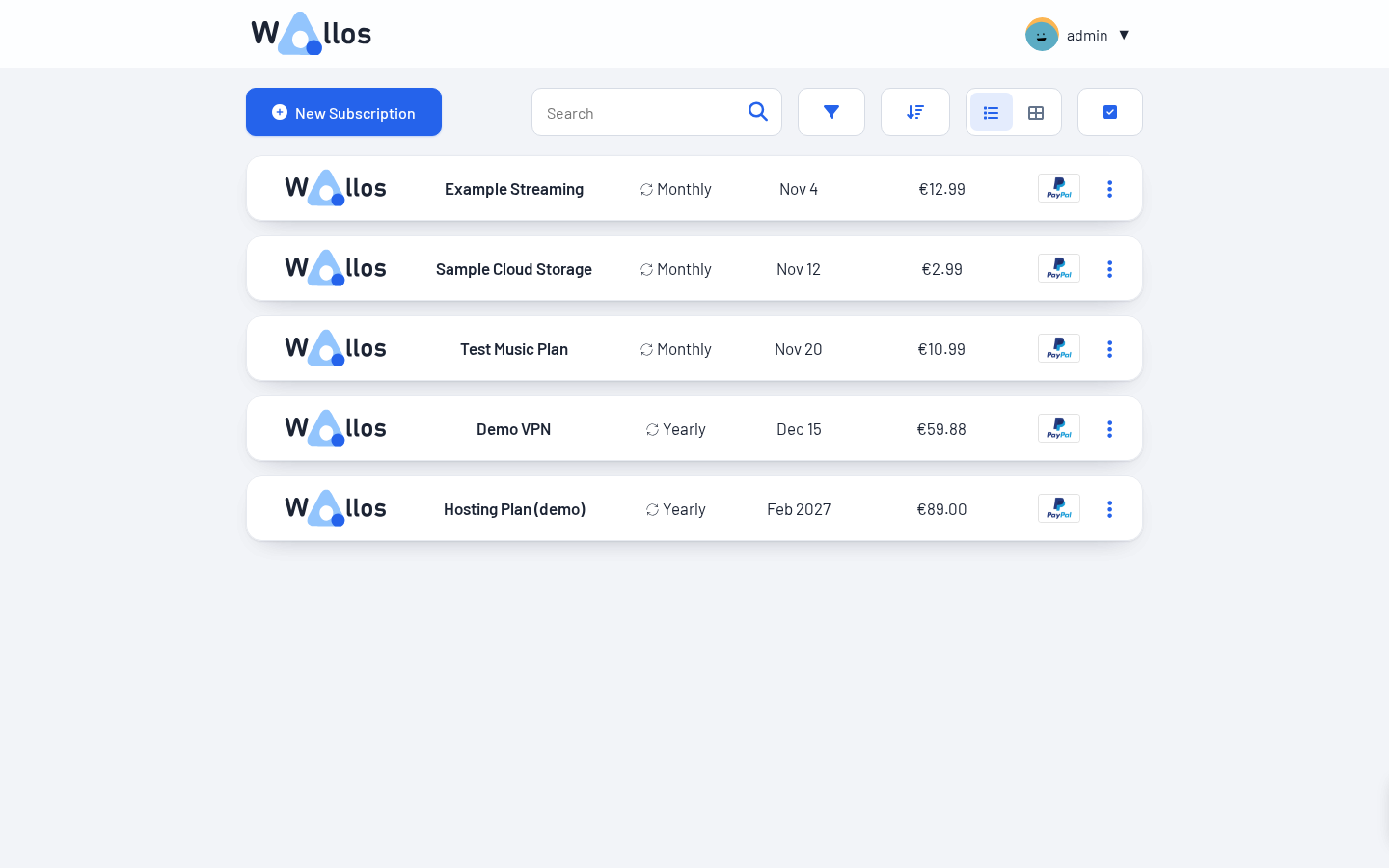
Most of us pay for more subscriptions than we can name from memory. A streaming plan here, a VPN there, a yearly hosting bill that quietly renews in February. Wallos is a small, self-hosted web app that puts all of them into one list, tells you what they cost per month and per year, and nudges you before the next payment goes out.
It was featured in an October roundup of new self-hosted apps, and the project has been busy: version 5.10.2 landed on 23 October 2026, only days after a bundle of feature releases and a PHP security rebuild. It is also pleasantly light. One container, a SQLite database, no Postgres, no Redis. That makes it a good first project if you want a useful app that does not need a whole stack around it.
I set it up on a fresh Ubuntu 24.04 VM with Docker Compose and clicked through the parts I describe below. Where something is straight from the docs and I did not test it, I say so.
What Wallos does
Wallos is a personal subscription tracker. You add each recurring payment with a price, a billing cycle, a next payment date and optionally a category, a payment method and who in the household pays for it. The app then works out the totals for you.
According to the project README, the feature list includes:
- Subscriptions with categories, multiple currencies and automatic currency conversion (via the Fixer API, which needs your own API key)
- A calendar view and a statistics page
- Notifications by email, Discord, Pushover, Telegram, Gotify and webhooks
- OIDC login, a REST API, several languages and a mobile layout
- Optional AI recommendations through ChatGPT, Gemini or a local Ollama
The latest releases added bulk actions on the subscriptions page (select several entries, then change notifications, category or payment method in one go, or delete them) and support for several categories and several payers per subscription.
Wallos is licensed under GPL-3.0, and the Docker image is published as bellamy/wallos on Docker Hub for amd64, arm64 and arm.
Install Wallos with Docker Compose
You need Docker with the Compose plugin and nothing else. The compose file below is the official example from the repository, with two changes: the image tag is pinned to 5.10.2 instead of latest, and the port is bound to localhost so you can put a reverse proxy in front of it.
1. Create a project folder
mkdir -p ~/wallos && cd ~/wallos2. Create the compose file
Save this as docker-compose.yml. Set TZ to your own time zone so the container's clock matches yours.
services:
  wallos:
    container_name: wallos
    image: bellamy/wallos:5.10.2
    ports:
      - "127.0.0.1:8282:80/tcp"
    environment:
      TZ: "Europe/Berlin"
    volumes:
      - ./db:/var/www/html/db
      - ./logos:/var/www/html/images/uploads/logos
    restart: unless-stopped
Two folders hold all your data: db contains the SQLite database, logos contains uploaded logos. Those two are what you back up.
3. Start it
docker compose up -d
docker compose ps
The image has a built-in health check. On my test VM the container reported healthy within half a minute of the first up, and that includes pulling the image.
4. Create your account
Open http://localhost:8282 (or your reverse proxy address, for example https://wallos.example.com). On a fresh install, the app sends you to a registration form asking for a username, email, password, main currency and language. Do this right away. Until the first account exists, anyone who can reach the page can create it.
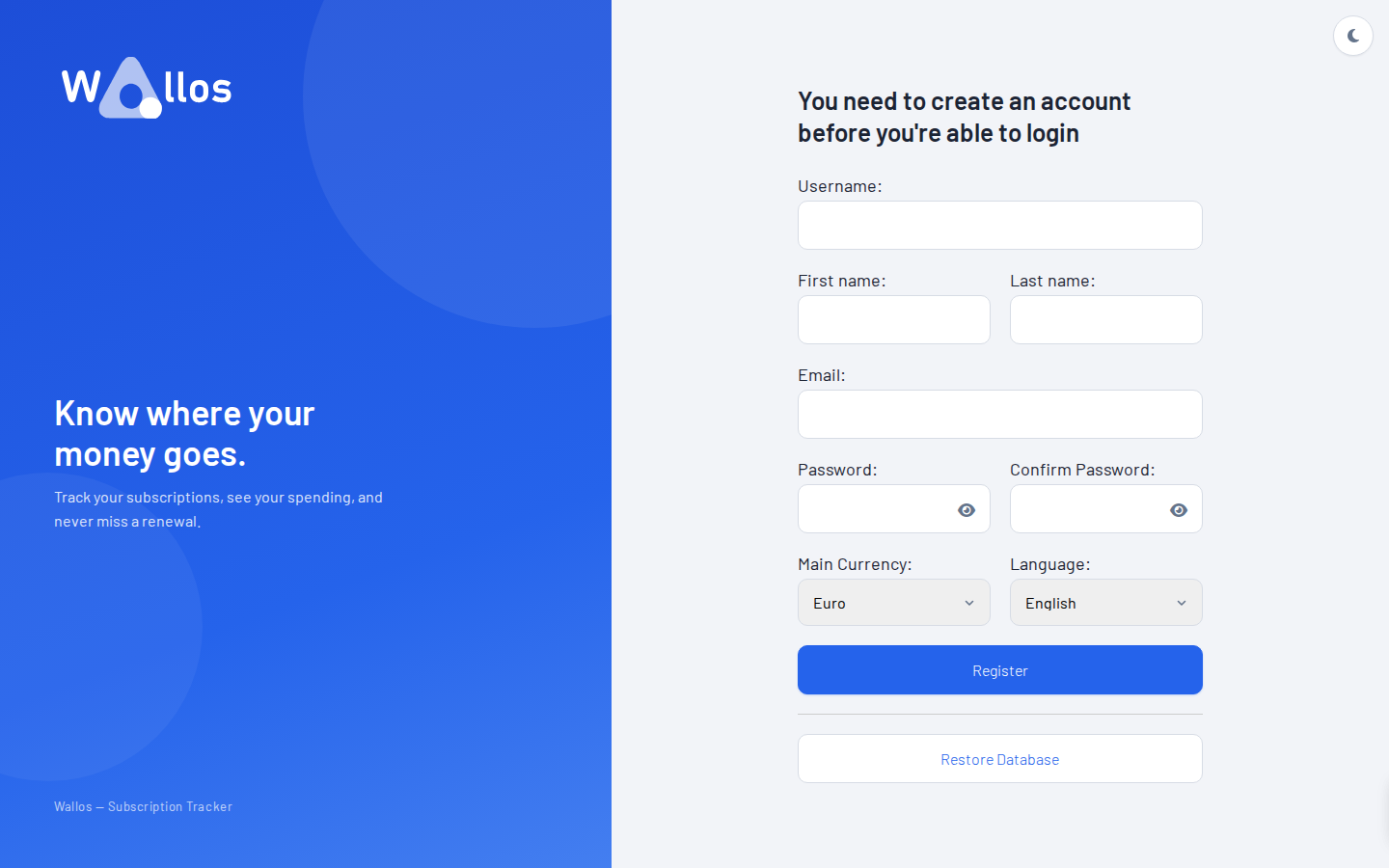
After you submit, Wallos confirms the registration and shows the login page. Sign in with the account you just created and you land on the subscriptions list.
5. Add your first subscriptions
Click New Subscription and fill in name, price, billing cycle and next payment date. I added five made-up entries (a streaming plan, a VPN, cloud storage, a music plan and a yearly hosting bill) and the list looked like this:
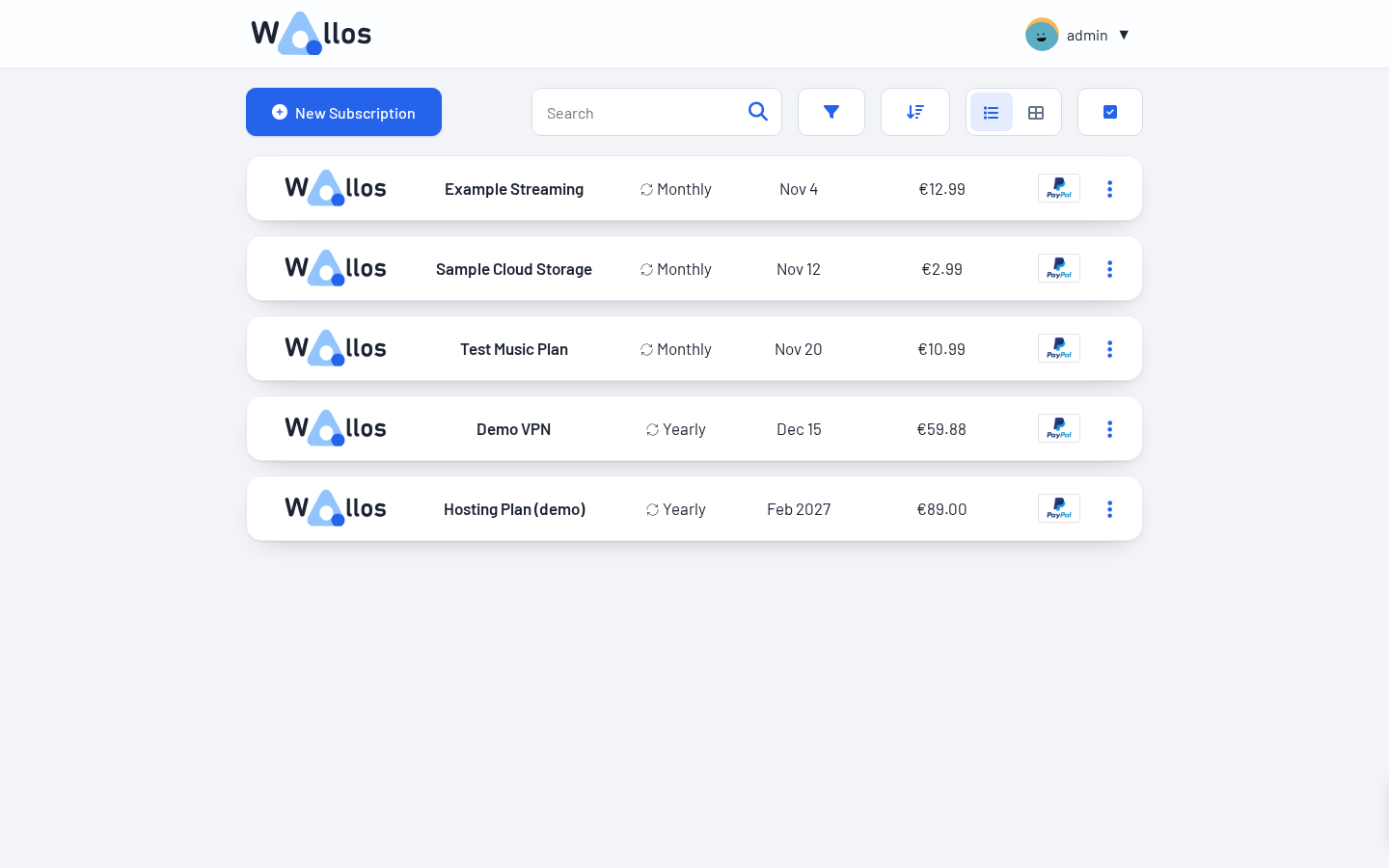
Entries without a logo get the Wallos placeholder. There is a logo search that fetches icons from the web, which I skipped on the test VM, so I cannot say how well it works for your services. You can also upload your own images.
Calendar and statistics
The calendar shows renewals on the day they are due, with the price. It only displays the month you are looking at, so when I opened it in October with all my demo dates in November and later, it was empty until I clicked ahead one month. Not a bug, just something that confused me for a second.
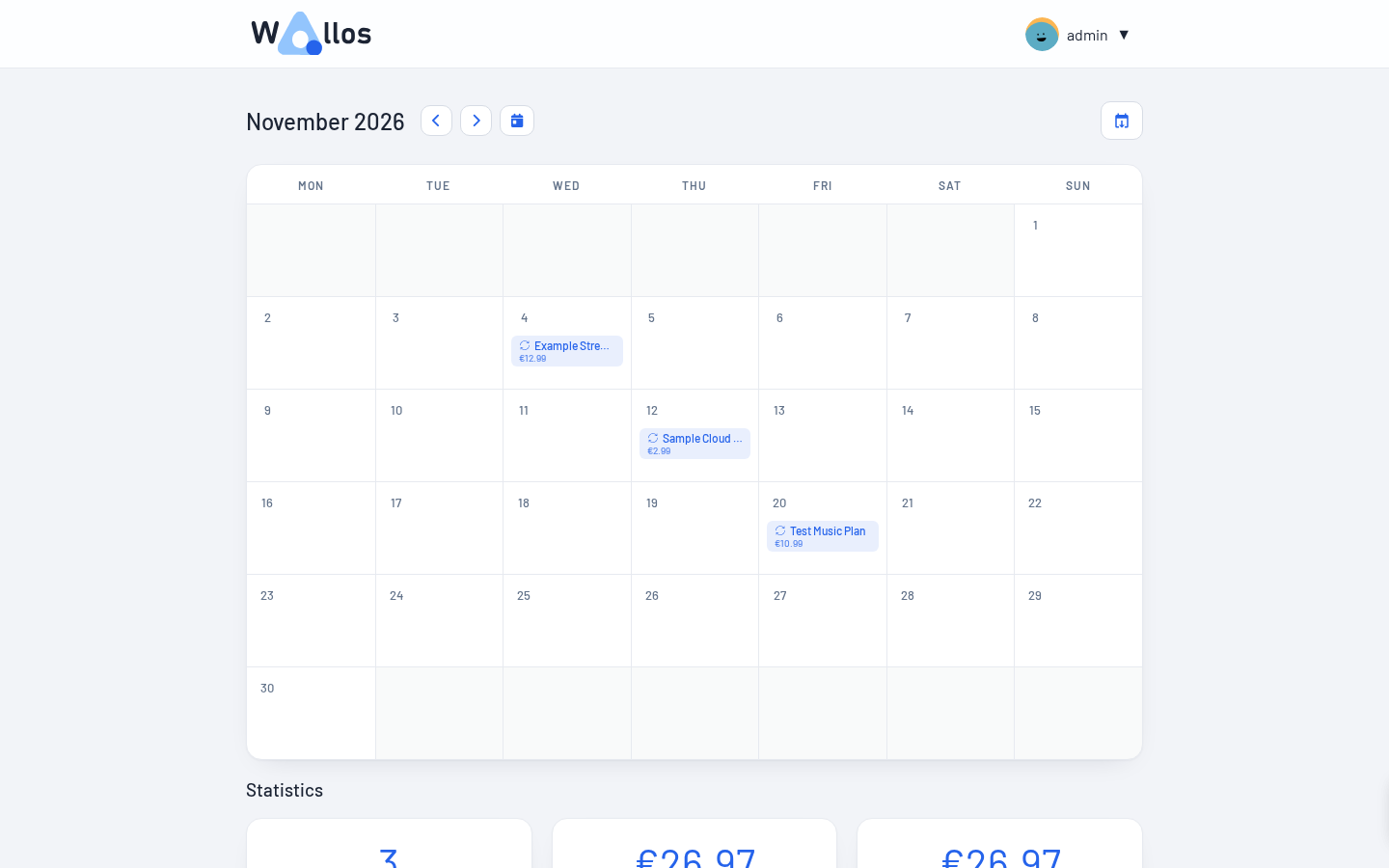
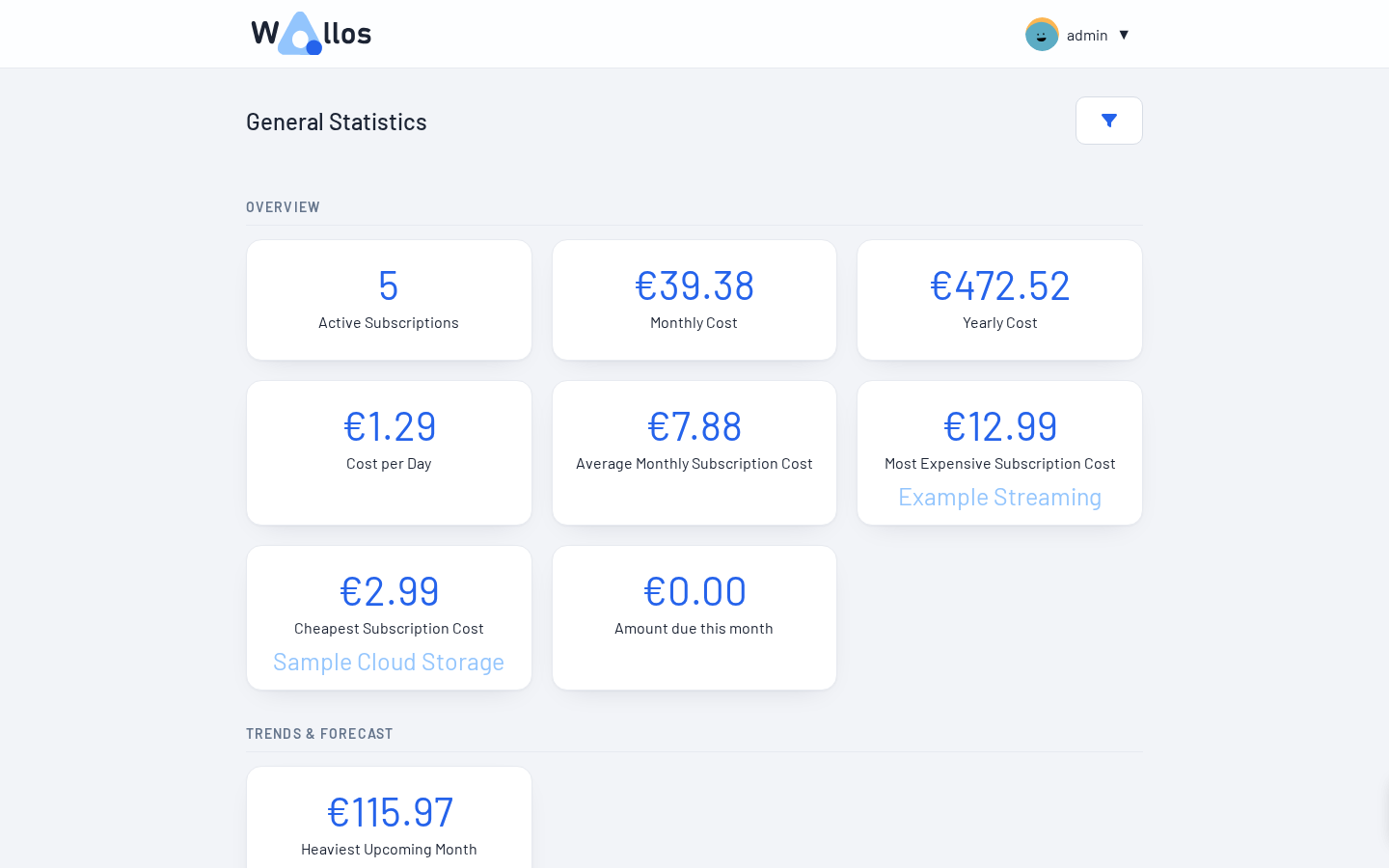
The statistics page is where the app earns its keep. It shows the number of active subscriptions, monthly and yearly cost, cost per day, the most and the cheapest subscription and a forecast for upcoming months. My five demo entries came to 39.38 euros per month, which matches what I get when I add the yearly items divided by twelve to the monthly ones by hand.
Tips
Exchange rates. If you pay in several currencies, add a free Fixer API key in the settings. The README says to trigger a first rate update by switching your main currency to something else and back. I did not test this because my demo data was in one currency.
Notifications. Pick a channel in the settings and set how many days before a payment you want a reminder. I only checked that the options exist, not that messages arrive, so send yourself a test first.
Single sign-on. If you already run an identity provider, Wallos can use OIDC. You can configure it in the admin page, or through OIDC_* environment variables in the compose file; when such a variable is set it overrides the value stored in the database. The repository's compose file lists all of them as commented examples. If your identity provider sits on a private address, Wallos blocks the request by default unless the host is on an allowlist, which you can set in the admin UI or with the SSRF_ALLOWLIST variable.
Restoring a backup needs a setup token. The registration page has a "Restore Database" button. To use it, Wallos asks for a token that it prints in the container log (look for "Setup token for database restore" in docker compose logs). I only saw the token and the prompt. I did not run a restore. Registering a fresh account did not ask for it.
Updates. With a pinned tag, an update means changing the tag in the compose file, running docker compose pull and then docker compose up -d. I did not test an upgrade from an older version, so keep a copy of the db folder first. Read the release notes before jumping several versions.
Limits and security
As far as the README and the interface show, you enter payments by hand. I found no bank connection feature, which keeps the risk lower. Still, the list of what you subscribe to is personal data, so do not leave it open to the internet without thought.
- Put it behind HTTPS. The container speaks plain HTTP. Use a reverse proxy such as Caddy, Traefik or nginx, and keep the compose port bound to 127.0.0.1 as shown above.
- It is a PHP app. The image I tested reported PHP 8.3.36. Release 5.10.1 (21 October) was published specifically to rebuild the image on that PHP version to pick up a security release, which fits the timing of the recent PHP vulnerability news. If you run PHP containers, our PHP2Shell check and patch guide covers how to check yours. With a pinned tag you only get such fixes when you update, so watch the releases page.
- Releases are frequent. Development is active, but the pace also means features change between versions. Pin the tag and read the changelog before you update.
- Sensitive features send data out. Logo search, exchange rates and the optional AI recommendations contact external services. If you want to keep everything local, leave them off or use the local Ollama option for the AI part.
How it compares
Wallos does one thing: recurring costs. If that is all you need, it is quick to set up and easy to understand. Two broader self-hosted tools come up in this space: Firefly III, a personal finance manager, and Actual Budget, a budgeting app. They cover your whole money flow, so they ask for a lot more of your time and data. If you want to manage all your accounts and transactions, look at those. If you want a clear answer to "what am I paying for every month", Wallos is the lighter option.
And of course there is the spreadsheet. A spreadsheet works fine until you forget to open it. The calendar and the notifications are the main things Wallos adds on top.
Resource use
On the test VM (2 vCPU, Ubuntu 24.04), docker stats showed the container using roughly 16 to 20 MiB of RAM while idle, with CPU at essentially zero. Inside the container, nginx, PHP-FPM and cron run side by side, so there is no separate scheduler container to set up.
Verdict
Wallos is a small tool with a clear job, and it does that job without drama. The setup took me a few minutes, the interface is tidy, and the statistics are useful as soon as you have entered a handful of subscriptions. The things I would want before relying on it: HTTPS in front, a regular copy of the db folder and a look at the release page now and then. If you are looking for a gentle first container to run, or you simply want to know where your money goes each month, it is worth an evening.
Sources
- Wallos on GitHub (README, license and compose example)
- Release v5.10.2
- Release v5.10.1 (PHP security rebuild)
- Release v5.10.0 (bulk actions)
- bellamy/wallos on Docker Hub
- Wallos API documentation
- Official demo instance
- Firefly III and Actual Budget (alternatives mentioned)
- 7 New Self-Hosted Apps You Should Try in October 2026 (Marius Hosting)