Glance 0.8.8: A Lightweight Self-Hosted Dashboard for All Your Feeds, Set Up with Docker Compose
Glance is an AGPL-licensed, self-hosted dashboard that puts RSS, Reddit, Hacker News, YouTube, releases and Docker containers on one fast page. Here is how to run Glance 0.8.8 with Docker Compose, add a login and put it behind a reverse proxy.
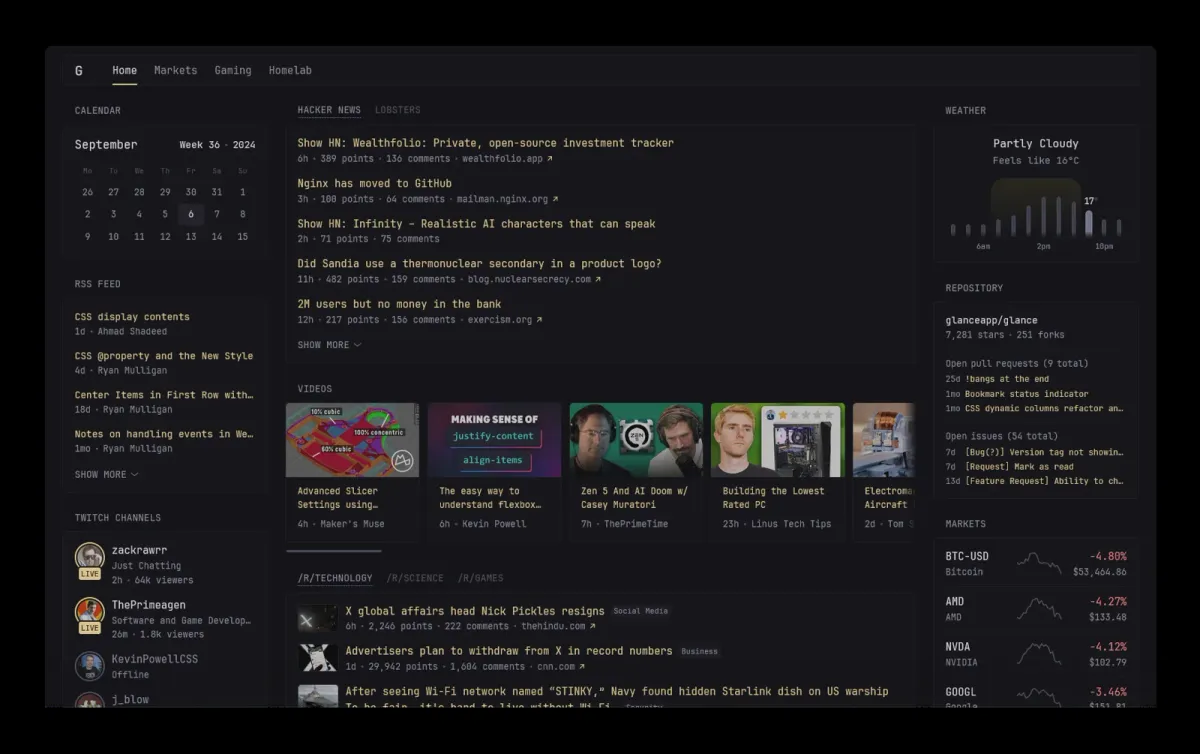
Every morning starts the same way for a lot of us: open the RSS reader, check Hacker News, skim r/selfhosted, glance at the weather, see whether a new release of some tool you run has dropped, and maybe check if all containers are still up. That's five or six tabs before coffee. Glance wants to turn that routine into a single page.
Glance is a self-hosted dashboard that "puts all your feeds in one place". It has been quietly climbing for a while and now sits at more than 38,000 stars on GitHub, and version 0.8.8 shipped on 7 November 2026 with a batch of bug fixes and several fixed vulnerabilities. In this guide we'll look at what Glance does, how it differs from a classic homelab start page, and how to run it with Docker Compose.
What is Glance?
Glance is a lightweight dashboard written in Go and licensed under the AGPL-3.0. You describe pages, columns and widgets in YAML files, and Glance renders them into a clean, fast, mobile-friendly page.
The key difference to tools like Homepage is focus. Homepage is mainly a launcher for your services with status widgets. Glance can do that too, but its heart is content: feeds, posts, videos and releases you want to read. Think "personal start page and news aggregator" first, "homelab dashboard" second.
Key features
According to the official README and configuration docs, Glance offers:
- Lots of widgets: RSS feeds, subreddit posts, Hacker News, Lobsters, YouTube channel uploads, Twitch channels, weather, market prices, a calendar, clock, to-do list, bookmarks, search, GitHub releases and repositories.
- Homelab widgets: a
monitorwidget for site uptime,docker-containersfor container status,server-statsfor CPU, memory and disk,dns-statsfor AdGuard Home, Pi-hole and Technitium, and achange-detectionwidget for changedetection.io. - Custom widgets:
iframe,html,extension(fetch HTML from a URL) andcustom-api, which fetches JSON and renders it with a Go template. That's how people build widgets for Immich stats and similar services. - Fast and small: a single binary under 20 MB, a similarly small Docker image, minimal vanilla JavaScript and low memory usage.
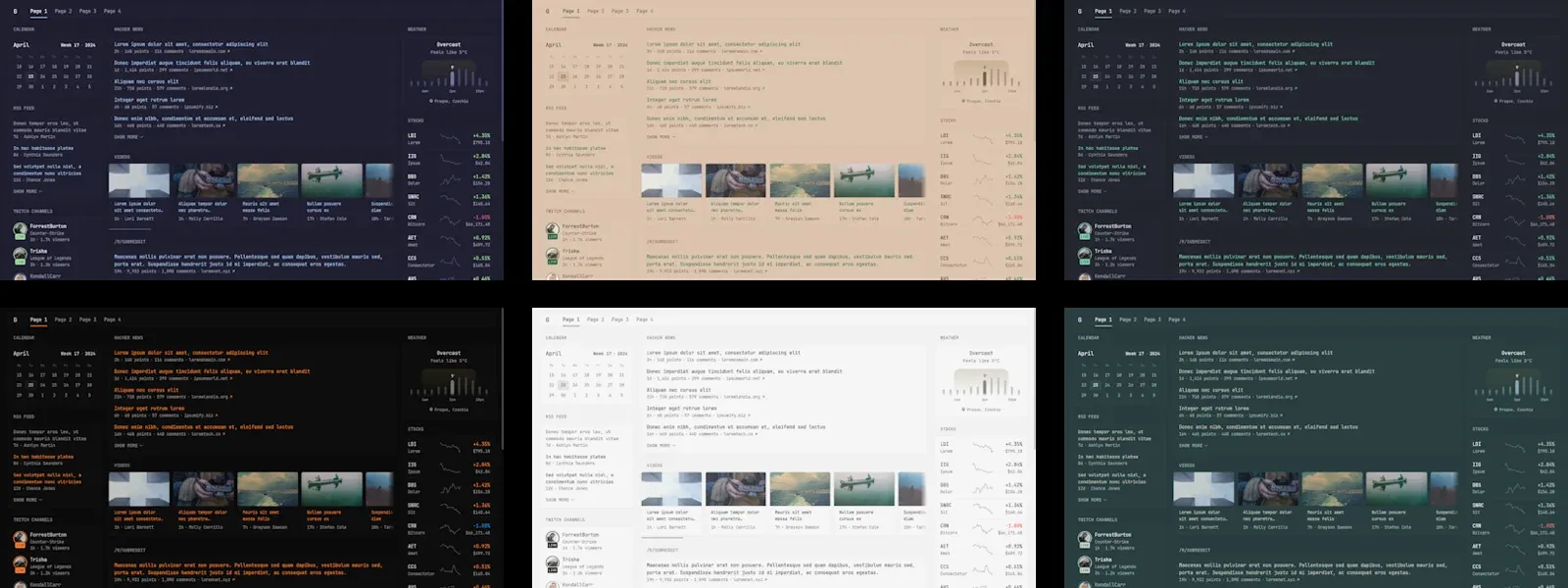
- Pages, layouts and themes: as many pages as you want, small and full-width columns, theme presets, a theme picker and custom CSS.
- Optional login: username/password authentication with hashed passwords and automatic blocking after repeated failed logins (added in v0.8.0).
- Config auto-reload: save the YAML file and changes apply without restarting.
One thing to know up front: Glance does not poll in the background. Data is fetched when you load the page and then cached per widget, and the page does not refresh itself. That keeps it light, but it is a start page, not a live wall display.
What's new in 0.8.8
Glance 0.8.8 is a maintenance release. It fixes the releases widget with include-prereleases, a search widget bug that swallowed shortcuts containing the S key, market charts when all values are zero, wrong links in the change detection widget, IPv6 addresses in sock-path for the Docker widget, and Docker container filtering. The release notes also credit six contributors for fixed vulnerabilities, without listing the individual issues.
The two previous releases are worth knowing about too. v0.8.7 (15 October) fixed the Reddit widget after API changes, with one catch: the search property of the Reddit widget now only works with app-auth configured. It also limited authentication request bodies to 512 KB. v0.8.6 (3 September) fixed an X-Forwarded-For spoofing issue that allowed bypassing the login rate limit. If you expose Glance with a login, running the latest version matters.
Installing Glance with Docker Compose
The project offers an official Docker Compose template. We'll build the same structure by hand so you know what every file does.
Step 1: Create the folder structure
mkdir -p glance/config glance/assets && cd glance
touch assets/user.css .env
If you prefer the official one-liner from the README, this downloads the template files into a new glance folder:
mkdir glance && cd glance && curl -sL https://github.com/glanceapp/docker-compose-template/archive/refs/heads/main.tar.gz | tar -xzf - --strip-components 2
Step 2: The docker-compose.yml
services:
  glance:
    container_name: glance
    image: glanceapp/glance:v0.8.8
    restart: unless-stopped
    volumes:
      - ./config:/app/config
      - ./assets:/app/assets
      - /etc/localtime:/etc/localtime:ro
      # Only if you want the docker-containers widget:
      # - /var/run/docker.sock:/var/run/docker.sock:ro
    ports:
      - 8080:8080
    env_file: .env
The official template uses glanceapp/glance without a tag (that is latest). Pinning v0.8.8 gives you controlled upgrades; tags for amd64, arm64 and armv7 are published on Docker Hub.
Step 3: The main config config/glance.yml
server:
  assets-path: /app/assets

theme:
  custom-css-file: /assets/user.css

pages:
  - $include: home.yml
The $include directive lets you keep each page in its own file. Included files must start at the top level, without extra indentation.
Step 4: A homelab-flavoured home page config/home.yml
Here's a small starting point that mixes reading and homelab status. Replace the example.com URLs with your own:
- name: Home
  columns:
    - size: small
      widgets:
        - type: calendar
          first-day-of-week: monday

        - type: rss
          limit: 10
          collapse-after: 3
          cache: 12h
          feeds:
            - url: https://selfh.st/rss/
              title: selfh.st
            - url: https://blog.uptime.bet/rss/
              title: uptime.bet

    - size: full
      widgets:
        - type: group
          widgets:
            - type: hacker-news
            - type: lobsters

        - type: reddit
          subreddit: selfhosted
          show-thumbnails: true

    - size: small
      widgets:
        - type: weather
          location: Berlin, Germany
          units: metric
          hour-format: 24h

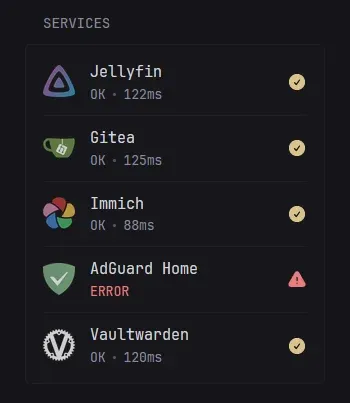
        - type: monitor
          cache: 1m
          title: Services
          sites:
            - title: Immich
              url: https://photos.example.com
              icon: sh:immich
            - title: Vaultwarden
              url: https://vault.example.com
              icon: sh:vaultwarden

        - type: releases
          cache: 1d
          repositories:
            - glanceapp/glance
            - immich-app/immich
            - louislam/uptime-kuma
The sh: prefix pulls icons from the selfh.st icon set; si: (Simple Icons), di: (Dashboard Icons) and mdi: (Material Design Icons) work too. These icons are loaded from cdn.jsdelivr.net, so if you don't want that third-party request, download the icons and serve them from your assets folder.
Step 5: Start it
docker compose up -d
docker compose logs -f glance
Open http://your-server:8080 and you should see your dashboard. If the config is invalid on first start, Glance exits with an error in the logs. Later mistakes are reported in the logs while Glance keeps running with the last working config.
Configuration tips
Keep secrets in .env
Glance replaces ${VAR} anywhere in the config with environment variables, so tokens don't need to live in the YAML:
- type: releases
  token: ${GITHUB_TOKEN}
  repositories:
    - glanceapp/glance
Put GITHUB_TOKEN=... in .env. Without a token, the GitHub API allows 60 requests per hour, which is easy to hit with many repositories. Glance also supports Docker secrets via ${secret:name} and reading a file via ${readFileFromEnv:VAR}. Note that changes to .env require docker compose up -d again, while YAML changes reload automatically.
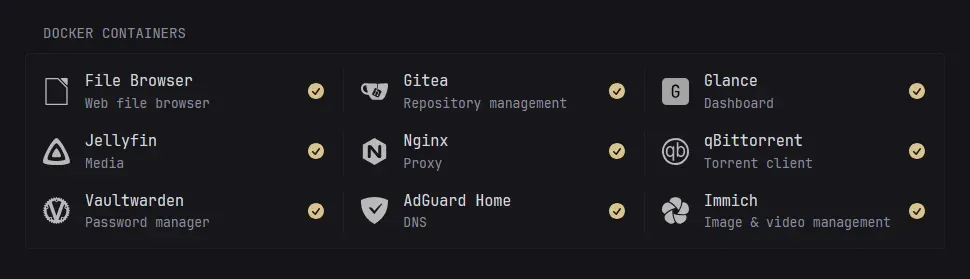
Show your containers
Mount the Docker socket (read-only as above) and add the widget:
- type: docker-containers
  hide-by-default: false
Then label the containers you want to show:
  jellyfin:
    image: jellyfin/jellyfin:latest
    labels:
      glance.name: Jellyfin
      glance.icon: si:jellyfin
      glance.url: https://jellyfin.example.com
      glance.description: Movies & shows
Keep in mind that access to the Docker socket is effectively root access to the host. Even read-only, only do this if you trust the container and keep Glance behind a login.
DNS and server stats
If you run AdGuard Home or Pi-hole, the dns-stats widget shows queries, blocked percentage and top domains. Use service: adguard, pihole-v6 (Pi-hole 6+), pihole (v5 and below) or technitium. The server-stats widget shows CPU, memory and disk of the host Glance runs on; remote hosts need the separate Glance Agent. The docs mark that widget as still under development, so for real monitoring keep a dedicated tool like Beszel or Uptime Kuma.
A tip from the README's "Common issues": if requests time out, the culprit is often the rate limit of your Pi-hole or AdGuard Home, because every widget triggers DNS lookups at once. Raise the limit in your DNS server.
Adding a login
A dashboard with your container list and service URLs shouldn't be open to the internet. First generate a secret key and a password hash:
docker run --rm glanceapp/glance secret:make
docker run --rm glanceapp/glance password:hash 'your-strong-password'
Put both into .env and wrap the hash in single quotes there (for example GLANCE_ADMIN_HASH='$2a$10$...'), so Docker Compose doesn't try to interpret the $ signs. Then reference them in glance.yml:
auth:
  secret-key: ${GLANCE_SECRET_KEY}
  users:
    admin:
      password-hash: ${GLANCE_ADMIN_HASH}
Glance blocks an IP after 5 failed logins within 5 minutes. For that to work behind a reverse proxy, Glance needs to see the real client IP, which brings us to the next step.
If you already run an SSO provider such as Pocket ID with a forward-auth proxy, you can protect Glance at the proxy level instead. The configuration docs only describe username and password logins, with no built-in OIDC option.
Running behind a reverse proxy
Tell Glance it is proxied so it trusts X-Forwarded-For:
server:
  assets-path: /app/assets
  proxied: true
With Traefik, remove the ports: section and add labels along these lines (adjust the entrypoint, certresolver and network names to your setup):
    labels:
      - traefik.enable=true
      - traefik.http.routers.glance.rule=Host(`glance.example.com`)
      - traefik.http.routers.glance.entrypoints=websecure
      - traefik.http.routers.glance.tls.certresolver=letsencrypt
      - traefik.http.services.glance.loadbalancer.server.port=8080
Only set proxied: true when Glance is actually reachable only through the proxy; otherwise clients could fake their IP. If you host it under a subpath, set base-url and strip the prefix in your proxy.
Backups and updates
Glance stores no database. Everything that matters is in your config, assets and .env files, so a backup is a simple copy of the folder (or a Git repository, minus .env). To update, change the image tag and run:
docker compose pull && docker compose up -d
Reloading the config clears the widget cache, so avoid hammering save while tuning widgets that call rate-limited APIs.
Limitations
- No live updates. Data refreshes on page load only, apart from the clock and relative times.
- YAML only. There's no web editor. That's great for version control, less great if you want to click your dashboard together.
- Reddit can be fragile. The widget has needed several fixes after Reddit API changes, and search now requires
app-auth. - Server stats are still experimental, and the remote agent is in development.
- Login is basic. Username and password only, no OIDC or 2FA built in.
Glance vs. Homepage
Both are YAML-configured, self-hosted and fast. Homepage shines as a service launcher with deep integrations for many homelab apps. Glance shines as a reading dashboard: RSS, Reddit, Hacker News, YouTube and releases are first-class, and the homelab widgets are a useful bonus. Plenty of people run both, Homepage for services and Glance as the browser start page. If you'd rather have a full RSS reader with read states, look at CommaFeed instead.
Conclusion
Glance is one of those tools that is easy to try and hard to give up. One container, no database, a couple of YAML files, and your morning tab marathon becomes one page. Version 0.8.8 is a solid point to start: pin the tag, add a login, put it behind your reverse proxy and build your page widget by widget.
Do you use Glance as your start page, or do you prefer Homepage, Homarr or a plain bookmark folder? Let us know.
Sources
- Glance repository and README (AGPL-3.0, checked 11 November 2026)
- Glance configuration documentation
- Glance v0.8.8 release notes, v0.8.7, v0.8.6, v0.8.0
- Official Docker Compose template
- glanceapp/glance on Docker Hub