Wiki.js 3.3: The Rewritten Self-Hosted Wiki Is Finally Here (Docker Compose Guide)
Wiki.js 3 is out after years of waiting: a full rewrite with live collaboration, multi-site, approvals and an optional MCP server. We installed 3.3.0 with Docker Compose on a fresh Ubuntu VM and share the setup, real resource numbers and the gotchas.
Wiki.js 3 spent a very long time in the "any day now" category. People on r/selfhosted were openly asking whether it was dead. Then, on November 1, 2026, the stable 3.0 release landed, and the project has been shipping at a pace that is almost hard to keep up with since: 3.0.1, 3.0.2, 3.1.0, 3.1.1, 3.2.0 and, today, 3.3.0. Nine days, six releases.
This is not a polish of 2.x. The backend and the frontend were rewritten from scratch, and the feature list grew a lot along the way: live collaboration, multiple wikis on one instance, approval workflows, comments, an optional MCP server for AI agents. We set up Wiki.js 3.3.0 with Docker Compose on a fresh Ubuntu 24.04 VM to see what the install actually looks like and where the rough edges are.
What Wiki.js 3 can do
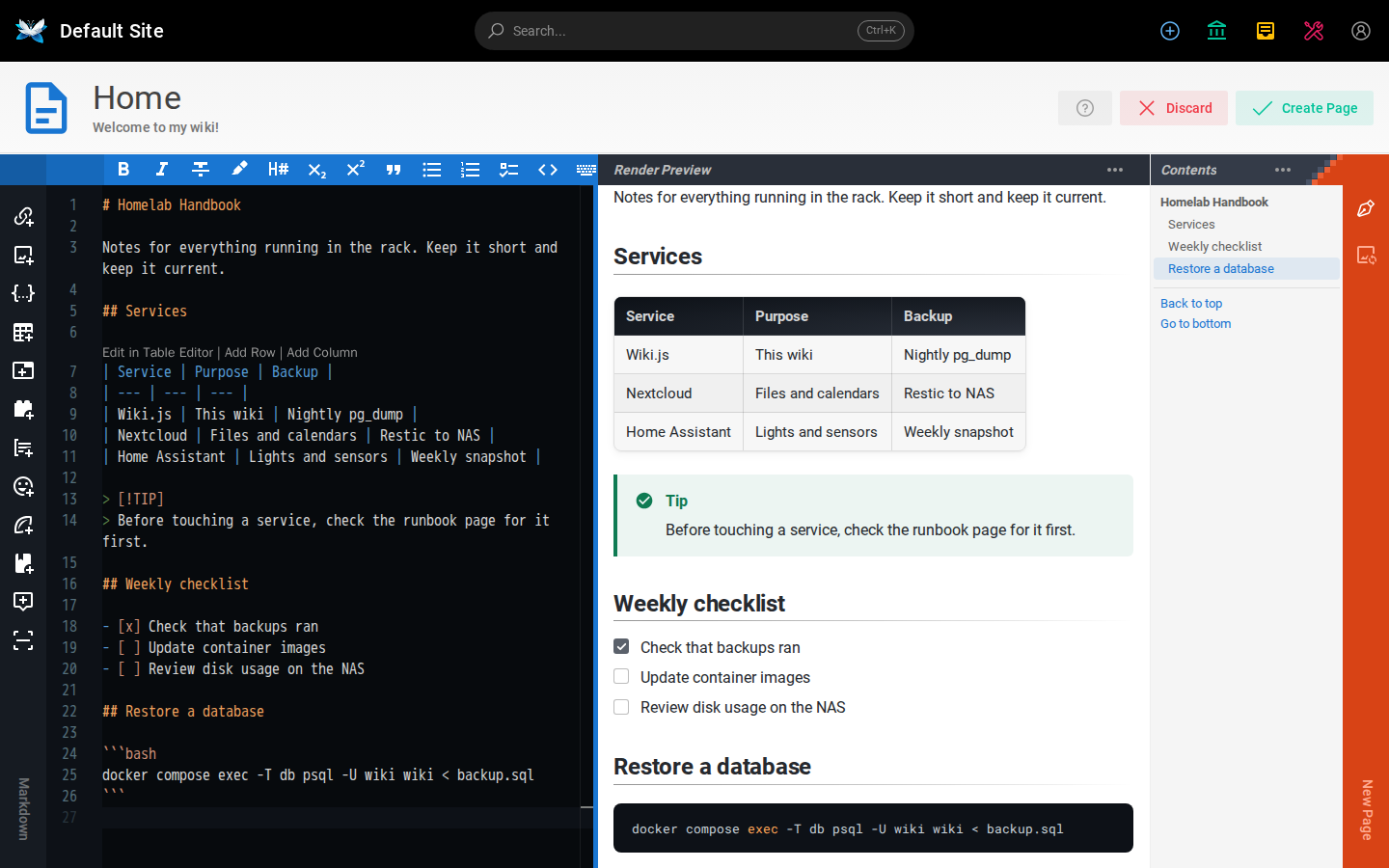
At its core it is still a wiki that stores pages as Markdown. The Markdown editor is now built on Monaco, the engine behind VS Code, with a live preview next to it. If you would rather not write Markdown, there is a new visual editor, and an AsciiDoc editor for people who prefer that. On top of that come a few new page types: Excalidraw drawings, feedback boards where users can post and upvote ideas, blog posts inside the wiki, and "Live Notes" for writing a document together in real time.
Live collaboration works in most editors, but not all of them. According to the release announcement, feedback boards and blog posts are the exception.
The other big additions, in short:
- Content blocks: dynamic elements you drop into a page, such as a folder index, an infobox, a gallery, a map, a PDF viewer or diagrams. The docs list more than 25 built-in blocks, and you can write your own.
- File manager: pages and assets in one place, with a small image editor for crops, resizing and redaction, plus a recycle bin for deleted pages.
- Approvals and lifecycle rules: groups (even guests) can submit edits that another group reviews, and pages can get a "stale" banner after a set time.
- Talk tab and annotations: comments on a whole page or on a specific passage.
- Multi-site: one instance can serve several wikis on different hostnames, each with its own theme, storage and login settings. Users and groups are shared across the instance.
- Integrations: OIDC, LDAP and SAML login, SCIM provisioning, Git sync, webhooks, a REST API with an OpenAPI description and a Prometheus metrics endpoint.
- MCP server: optional and off by default. When you enable it, an AI agent can search, read and propose edits with the permissions of the user who connected it.
The stack is simple: Node.js and PostgreSQL. PostgreSQL also handles full-text search, the job queue and pub/sub, so there is no Redis, Elasticsearch or Meilisearch to run next to it. The license is AGPL-3.0.
Requirements
The official docs ask for at least 1 GB of RAM on Linux and recommend two CPU cores so the background workers have room. PostgreSQL 17 or 18 is required, and it needs the ltree and pg_trgm extensions. The official postgres image already ships both, and Wiki.js enabled them on its own during our first start. Node.js 26 is bundled in the container image, so you only care about that if you install on bare metal.
Two things are easy to miss. First, Wiki.js wants its own hostname like wiki.example.com. Running it under a sub-folder such as example.com/wiki/ is not supported, and the developer has said it won't be. Second, the image is big. The docs mention roughly 850 MB. On our VM, docker images listed 3.45 GB for ghcr.io/requarks/wiki:3.3.0 once it was unpacked, so plan disk space with that in mind.
Install Wiki.js 3.3 with Docker Compose
The setup below follows the guided Ubuntu install from the official docs, with the image tags pinned. One thing to know: when we checked today, the installation page in the docs still referenced the 3.0.0-beta tag. The stable tags exist on GHCR, though. We confirmed 3.3.0, 3.3 and 3 are all published. The docs recommend the major tag (3). We pin the full version so a container restart never pulls an upgrade you didn't plan for. Whatever you pick, don't use latest. The docs warn about that as well.
1. Create a folder and a database secret
mkdir -p ~/wiki && cd ~/wiki
openssl rand -base64 32 > .db-secret
This one file holds the database password for both containers. PostgreSQL reads it through POSTGRES_PASSWORD_FILE and Wiki.js reads it through DB_PASS_FILE, so the password never ends up in the compose file. We left the default file permissions from openssl (644). The Wiki.js container ran as an unprivileged user (uid 1000) in our test, so if you tighten the permissions, make sure that user can still read the file.
2. Write the compose file
Create compose.yaml in the same folder. Replace the admin email and set a temporary password of your own:
services:
  db:
    image: postgres:18.6
    environment:
      POSTGRES_DB: wiki
      POSTGRES_USER: wiki
      POSTGRES_PASSWORD_FILE: /etc/wiki/.db-secret
    restart: unless-stopped
    volumes:
      - db-data:/var/lib/postgresql
      - ./.db-secret:/etc/wiki/.db-secret:ro

  wiki:
    image: ghcr.io/requarks/wiki:3.3.0
    depends_on:
      - db
    environment:
      ADMIN_EMAIL: admin@example.com
      ADMIN_PASS: change-me-on-first-login
      DB_HOST: db
      DB_NAME: wiki
      DB_USER: wiki
      DB_PASS_FILE: /etc/wiki/.db-secret
    restart: unless-stopped
    volumes:
      - ./.db-secret:/etc/wiki/.db-secret:ro
    ports:
      - "3000:3000"

volumes:
  db-data:
A few notes on this file:
- The volume is mounted at
/var/lib/postgresql, not/var/lib/postgresql/data. That is how the PostgreSQL 18 images expect it, and it matches the official Wiki.js example. DB_HOSThas to match the service name of the database, heredb.- Wiki.js listens on port 3000 inside the container (configurable with
PORT). The official example maps it to port 80 on the host. We use 3000. If a reverse proxy runs on the same machine, bind it to localhost with"127.0.0.1:3000:3000"so the wiki isn't reachable around the proxy. ADMIN_EMAILandADMIN_PASSare only used to create the root administrator on the very first start. After that they do nothing.
3. Start it
docker compose up -d
docker compose logs -f wiki
Wait for the line HTTP Server: [ RUNNING ]. On our test VM (2 vCPU, 1.8 GB RAM) pulling both images took about a minute. After that it was fast: the HTTP server was up around eight seconds after the container started, and that already included the first-run database migrations and creating the admin account. The logs also confirmed that the Git, Pandoc, Puppeteer and Sharp extensions come preinstalled in the image.
Then open http://your-server:3000 and log in with the email and password from the compose file.
4. Three things to do right after the first login
Change the admin password. In our test, Wiki.js logged us straight in with the password from ADMIN_PASS. It did not force us to change it. The docs only mention a forced change for the bare-metal install, where the default password 12345678 is used. So with Docker, you have to change it yourself. Afterwards, remove the ADMIN_PASS line from compose.yaml. It has no effect anymore, and there is no reason to keep a password in a text file.
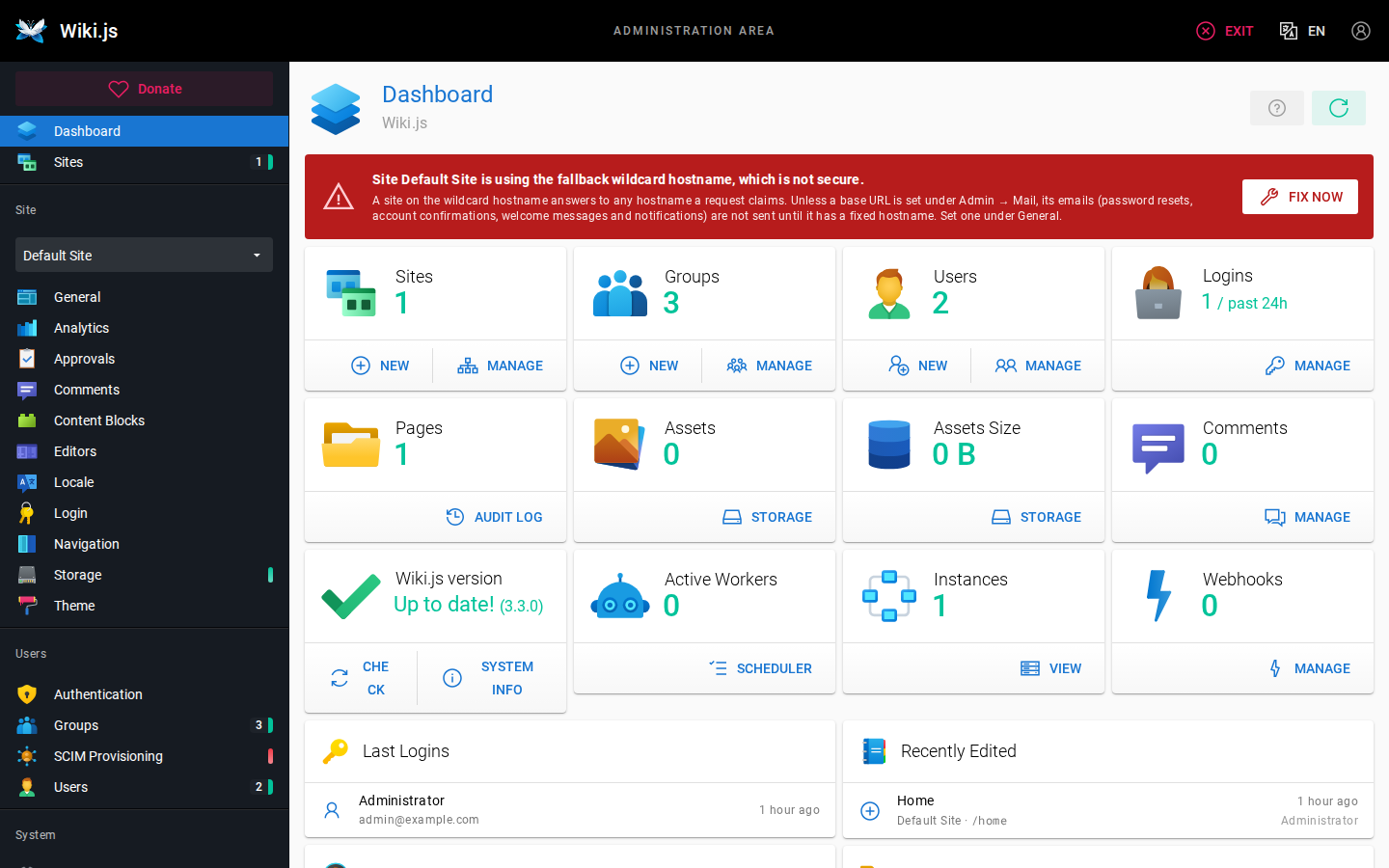
Set a hostname for the site. The admin dashboard greeted us with a red banner: the default site answers on a wildcard hostname, which the app itself calls insecure. Until you set a fixed hostname under Administration → General, Wiki.js also won't send emails such as password resets, account confirmations or notifications.
Put it behind HTTPS. For a reverse proxy, the docs list three requirements. The proxy must send X-Forwarded-Proto, X-Forwarded-Host and X-Forwarded-For. It must allow WebSocket upgrades, because live collaboration needs them. And once the wiki is running, you turn on Trust X-Forwarded-* Proxy Headers under Administration → Security. Without that, login callbacks, rate limiting, the audit log and live collaboration won't behave correctly. The docs include a ready-made nginx config and an optional Caddy setup with automatic Let's Encrypt certificates. We didn't test the Caddy part for this article.
How it ran on the test VM
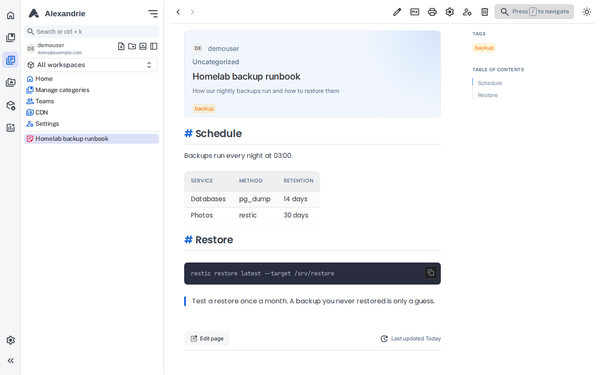
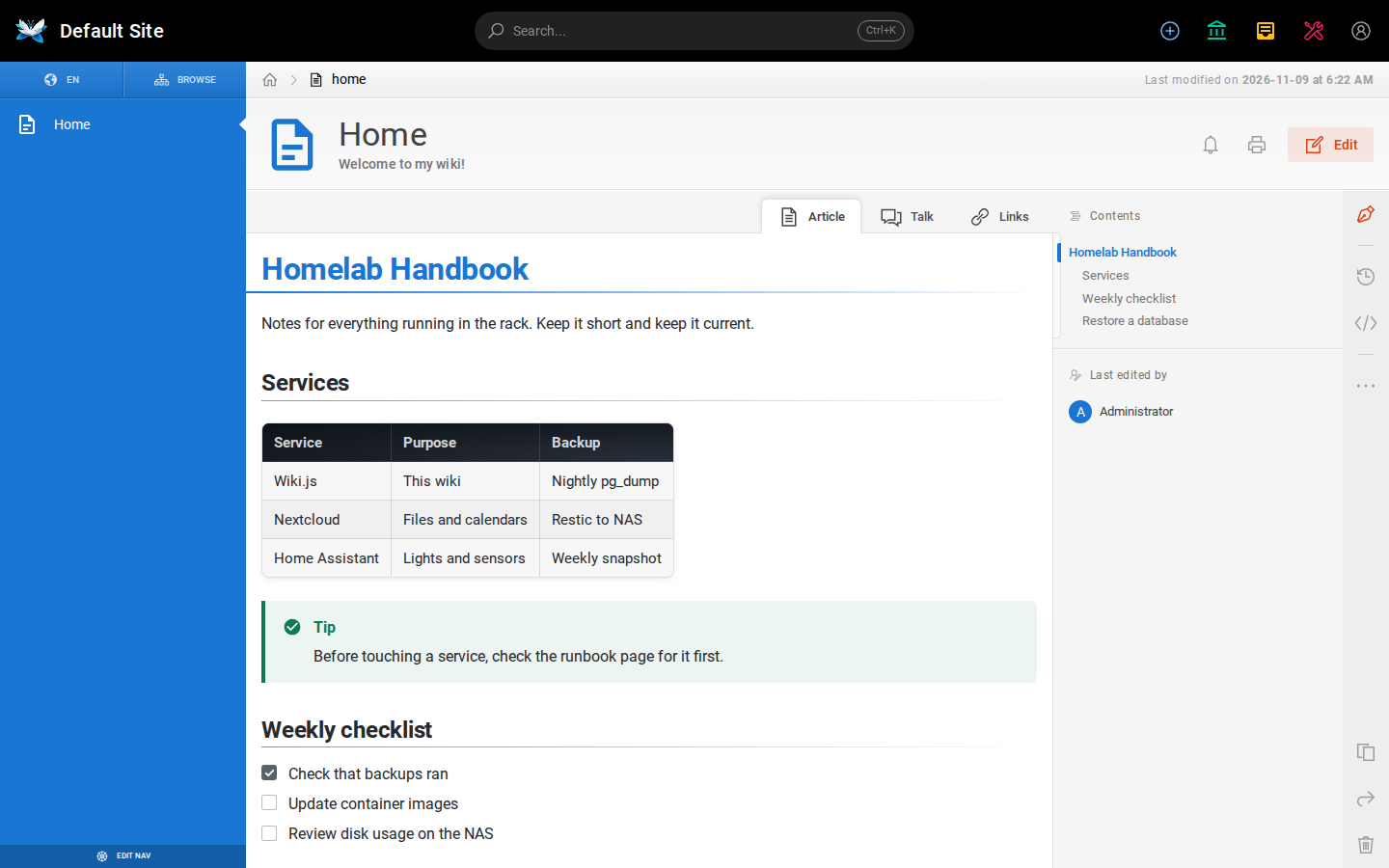
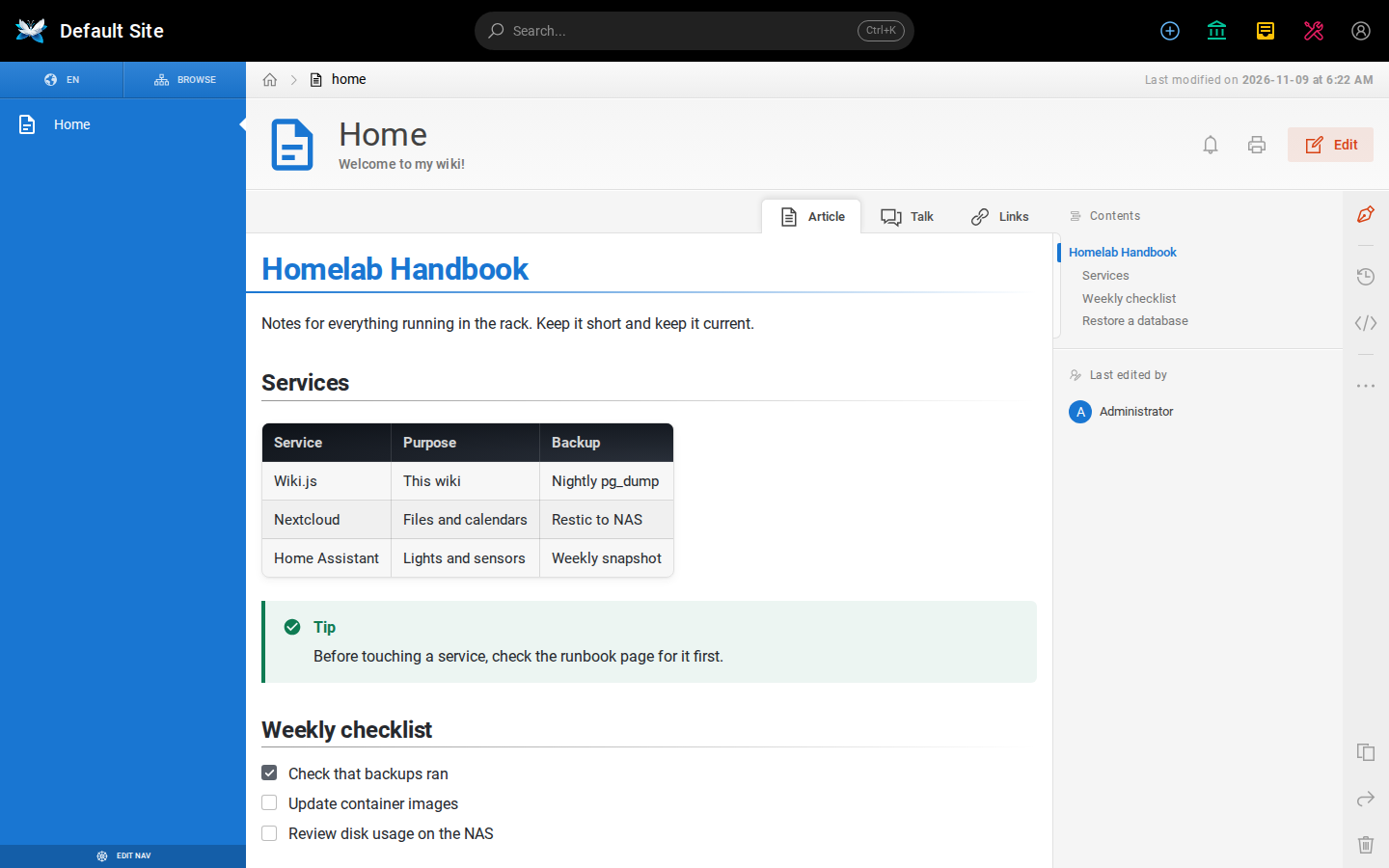
After the first page was created, docker stats showed the Wiki.js container at roughly 215 to 320 MiB of RAM and PostgreSQL at 65 to 90 MiB, with CPU close to zero at idle. That fits comfortably on a small VM. The images are also built for arm64, but we only tested on x86_64. We created the demo page in the screenshot through the Markdown editor. Tables, the GitHub-style > [!TIP] admonition, task lists and the code block all rendered in the live preview exactly as they did on the saved page.
We also recreated the wiki container with docker compose up -d --force-recreate wiki. The page was still there afterwards, because the compose file has no data volume for the wiki container and everything we created lived in PostgreSQL.
Backups and upgrades
Since the content lives in PostgreSQL, a plain pg_dump works as a backup. We ran this on the test VM, and the dump contained the wiki schema including the extensions:
docker compose exec -T db pg_dump -U wiki wiki > wiki-backup.sqlKeep .db-secret and compose.yaml with your backup too. If you configure a separate storage target for uploads (local disk, S3 and others are available), back that up as well.
To upgrade within 3.x, change the image tag and recreate the container:
docker compose pull wiki
docker compose up -d --force-recreate
Take that database backup first. The docs are clear that there is no way back to an older version once the schema has been migrated.
Coming from Wiki.js 2.x
There is no in-place upgrade from 2.x. Instead, you update the old instance to the last 2.x release (2.5.317), create a .wkbackup package with the "Export for Wiki.js 3.x" tool under Utilities, and import it on a fresh 3.x instance. Some things are deliberately not imported: module settings like storage and authentication, security settings, the logo and the site hostname. Plan some time to reconfigure those.
Check your Markdown as well. Old-style admonitions still work, but Mermaid, PlantUML and KaTeX diagrams now have to be wrapped in content blocks. Tabsets use a new syntax, and relative links now resolve from the parent folder, like on GitHub. A wiki that leans heavily on diagrams or tabs will need some cleanup after the import.
Limits and security notes
The 3.x line is brand new, and the release notes show it. 3.1.1 fixed two security advisories around folder permissions, and today's 3.3.0 fixes three more related to path normalization in group rules. None of that is unusual for a freshly rewritten codebase, and the fast turnaround is a good sign. Still, if your wiki is exposed to the internet or used by people you don't fully trust, watch the releases closely and update quickly. Pinning a version is great for reproducibility, but it doesn't mean you can forget about the instance.
Some other points worth knowing:
- The wiki needs outbound HTTPS to
api.github.com(update checks),github.com(locales) andapi.iconify.design(icon sets). If you block egress by default, allow those. According to the docs, Wiki.js sends no telemetry. - A dedicated hostname is mandatory. If you only have one domain and wanted
/wiki, this isn't your tool. - The image size is noticeable on small SD cards or tight VPS disks.
- The MCP server is opt-in. If you enable it, keep in mind that an agent gets exactly the rights of the user who connected it, so a dedicated low-privilege account makes sense.
- On the plus side, 3.3.0 added two-factor enforcement per group, which is handy for admin and editor groups.
Wiki.js 3 vs. the alternatives
BookStack (we covered it here) is the calmer choice. Its shelves, books, chapters and pages structure makes sense to non-technical people right away, and it has years of stable releases behind it. Wiki.js 3 is more flexible, with free-form page trees, multi-site, live editing and content blocks, but it is also much younger in this form.
DokuWiki works with plain files and needs no database at all. It is very light and easy to back up, but it feels like a classic wiki, and it has nothing like real-time collaboration.
Outline and similar knowledge-base tools are aimed at teams who want something closer to Notion than to a classic wiki. That is a different style of tool, so check the setup and the license of whichever one you look at before you commit.
If you mainly want a documentation wiki for a homelab or a small team, BookStack and Wiki.js are the two names to compare. Choose Wiki.js 3 if you want free-form page trees, Git sync, live editing or several wikis from one install.
Conclusion
Wiki.js 3 was worth the wait. The install is short, the stack is just Node.js and PostgreSQL, and the resource usage on our small test VM was modest. The new editors and features are a real step up from 2.x. The main caveats are its age and the rapid release cadence: expect bugs and security fixes for a while, keep backups, and update often. For a new wiki, we would start with 3.x today. For an existing 2.x install with lots of diagrams and tabsets, test the migration on a copy first.