changedetection.io: Self-Hosted Website Change Monitoring with Docker Compose
changedetection.io watches web pages, PDFs and APIs and alerts you when they change. Features, what is new in 0.60.10 and a Docker Compose setup with a headless Chrome.
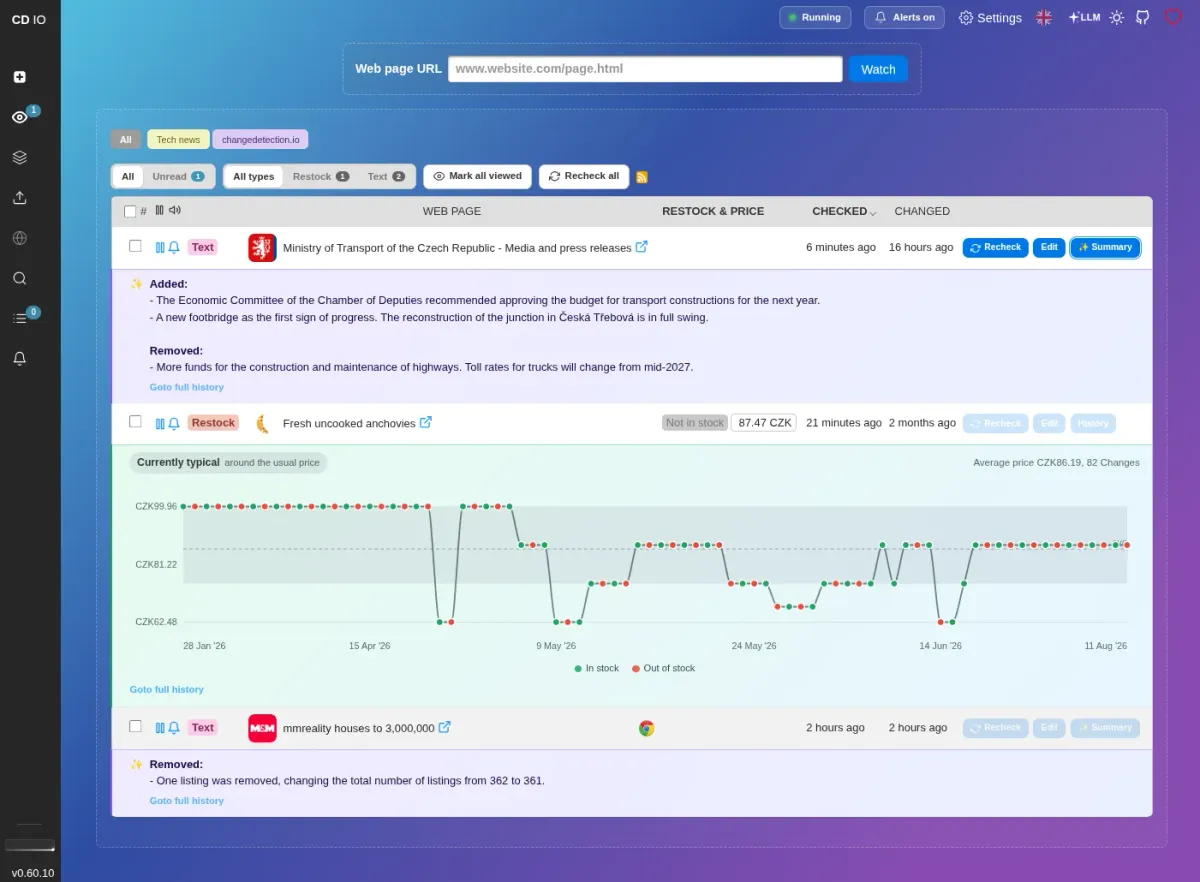
Some of the most useful updates on the internet never arrive as an email. A government office quietly edits a PDF, a shop restocks the one item you have been waiting for, or a project you rely on posts a security advisory on a page that has no RSS feed. You could keep a dozen browser tabs open and refresh them every morning, or you could let a small container do it for you.
That is exactly what changedetection.io does. It watches web pages on a schedule, compares every new version with the last one and tells you when something changed. It is open source under the Apache-2.0 license, it has more than 35,000 stars on GitHub, and version 0.60.10 landed on 26 October 2026. In this post we look at what it can do, how to run it with Docker Compose, and where its limits are.
What is changedetection.io?
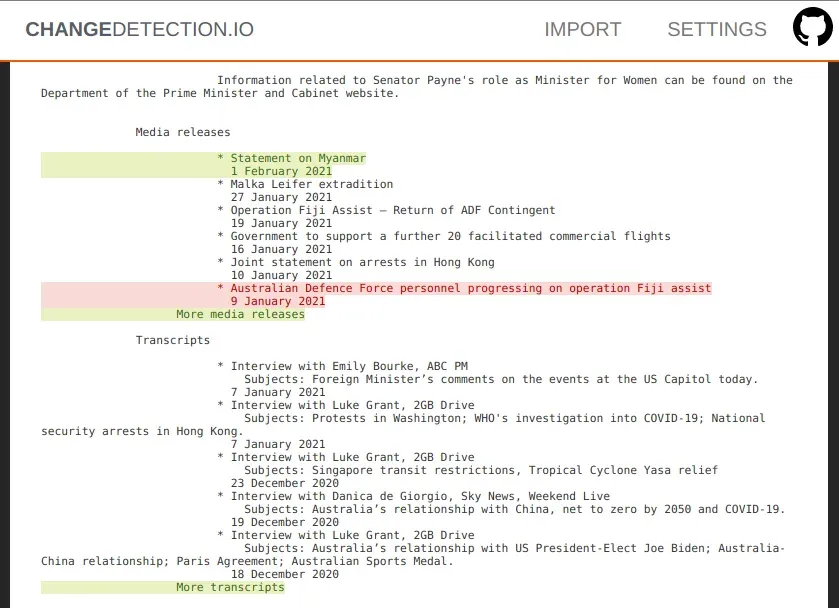
changedetection.io is a self-hosted web page monitor written in Python. You add a URL (a "watch"), choose how often it should be checked, and the app stores a snapshot of the page every time it runs. When the text differs from the previous snapshot, it records the change, shows you a diff and can send a notification.
The project is led by GitHub user dgtlmoon and backed by a large group of contributors. There is also a paid hosted version on changedetection.io, but the code you self-host is the same open-source application.
Key features
The feature list is long, so here are the parts that matter most for a homelab:
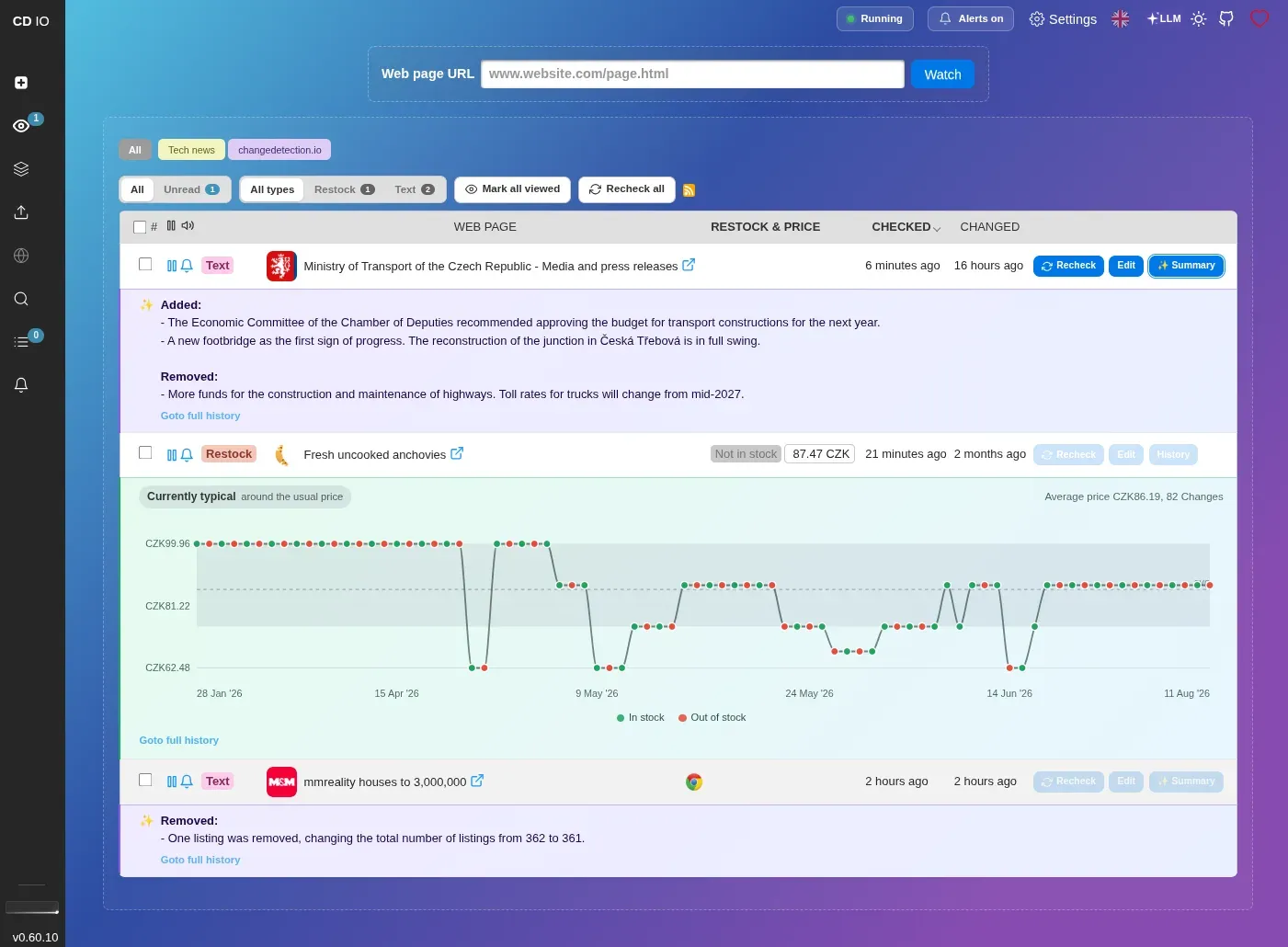
- Text and HTML change detection with a diff view that highlights changes by word, line or character.
- Filters to watch only the part of a page you care about: CSS selectors, XPath 1 and 2, JSONPath and jq, plus "ignore text", "trigger on text" and regular expressions.
- JSON API monitoring, including JSON that is embedded in an HTML page (for example the product data many shops ship in a
ld+jsonblock). - PDF monitoring: changes in the text of a PDF, its file size or its checksum.
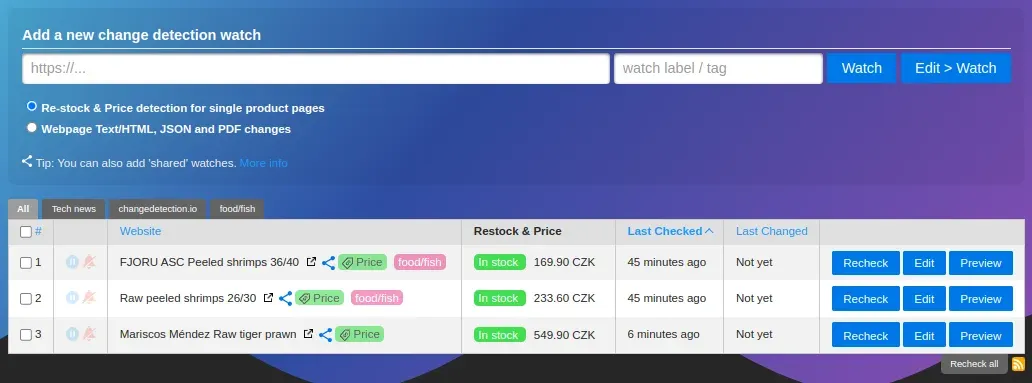
- Restock and price detection for product pages, with upper and lower price limits and a price history graph.
- Notifications through Apprise, which means Discord, Slack, Telegram, Microsoft Teams, email, ntfy, custom JSON endpoints and many more. Notification titles and bodies can be customised with Jinja2 templates.
- A real browser when you need one. Pages that are built with JavaScript can be fetched through Playwright and a headless Chrome. That also unlocks the Visual Selector (click the element you want to watch) and Browser Steps (log in, accept a cookie banner or fill in a search form before the check).
- Schedules per watch, in any time zone, with shortcuts for business hours or weekends.
- RSS output, so you can turn changes on any website into a feed.
- A REST API with an OpenAPI specification, plus imports from plain URL lists or Excel files.
- Optional AI features: you can connect an LLM provider (or a local model through an OpenAI-compatible endpoint such as Ollama) to get plain-language change summaries or rules like "only notify me when the price drops below 50". These are optional and can be switched off completely.
What is new in 0.60.10
The 26 October release is mostly a polishing release. According to the release notes it:
- fixes the AI restock price parser for locale-formatted prices such as
1.299,95, - lets the Puppeteer fetcher handle PDF files directly and keeps the original PDF of the two newest versions,
- fixes proxy authentication for the Puppeteer fetcher,
- fixes a crash when saving notification settings,
- makes the UI follow your device's light or dark mode by default,
- speeds up loading of a watch's history.
The previous release, 0.60.9 (12 October), fixed decimal-comma prices like 39,99 being read as 3999, which is good news if you track shops in Europe.
Why self-host it?
Your watch list says a lot about you: the products you want to buy, the jobs you are looking at, the apartments you are interested in. Keeping that list on your own server means no third party sees it. The project's own README makes the same point.
It is also simply practical. A homelab already runs 24/7, the default container is light because it fetches pages with plain HTTP requests, and you only add a headless browser when a site really needs JavaScript.
Install changedetection.io with Docker Compose
The example below is based on the official docker-compose.yml in the repository. It runs the app plus the optional sockpuppetbrowser container, which the project recommends for fetching JavaScript-heavy pages.
1. Create a folder
mkdir -p ~/changedetection && cd ~/changedetection
2. Create compose.yml
services:
  changedetection:
    image: dgtlmoon/changedetection.io:0.60.10
    container_name: changedetection
    hostname: changedetection
    volumes:
      - changedetection-data:/datastore
    environment:
      - PLAYWRIGHT_DRIVER_URL=ws://browser-sockpuppet-chrome:3000
      - BASE_URL=https://changes.example.com
      - TZ=Europe/Berlin
      - HIDE_REFERER=true
      - DISABLE_VERSION_CHECK=true
    ports:
      - 127.0.0.1:5000:5000
    depends_on:
      browser-sockpuppet-chrome:
        condition: service_started
    restart: unless-stopped

  browser-sockpuppet-chrome:
    image: dgtlmoon/sockpuppetbrowser:latest
    hostname: browser-sockpuppet-chrome
    cap_add:
      - SYS_ADMIN
    environment:
      - SCREEN_WIDTH=1920
      - SCREEN_HEIGHT=1024
      - SCREEN_DEPTH=16
      - MAX_CONCURRENT_CHROME_PROCESSES=10
    restart: unless-stopped

volumes:
  changedetection-data:
A few notes on the settings:
BASE_URLis added to notifications so the link in an alert points to your instance. Replacechanges.example.comwith your own address.HIDE_REFERER=truestops monitored websites from seeing your changedetection.io hostname in theRefererheader.DISABLE_VERSION_CHECK=trueturns off the "check version" request, which the compose file describes as the option for complete privacy.- The port is bound to
127.0.0.1, so the UI is only reachable from the host itself or through a reverse proxy. - The image is pinned to
0.60.10. The project also publishes:latest(latest stable) and:dev(themasterbranch), and the same image is available atghcr.io/dgtlmoon/changedetection.io. - The official compose file notes that
SYS_ADMINfor the browser container "might be too much" but can be needed on some platforms. Try it without first if you prefer a tighter setup.
If you only watch simple, static pages, you can drop the browser service, the depends_on block and the PLAYWRIGHT_DRIVER_URL line.
3. Start it
docker compose up -d
docker compose logs -f changedetection
Then open http://127.0.0.1:5000 (or your reverse proxy address) in a browser.
4. Set a password first
A fresh install has no login. Before you expose it anywhere, go to Settings and set a password; the app stores it as a salted PBKDF2 hash. If you put it behind a reverse proxy, also read the project's wiki page on running behind a reverse proxy, which explains USE_X_SETTINGS=1.
5. Add your first watch
Paste a URL on the main page, pick a tag if you like, and click Watch. Open Edit to set the check interval, filters and the fetch method (plain requests or the Chrome browser), and add one or more Apprise notification URLs, for example:
discord://webhook_id/webhook_token
tgram://bot_token/chat_id
mailto://user:pass@example.com?to=you@example.com
Tips from the docs
- Start with filters. Most "false" changes come from rotating ads, timestamps or cookie banners. Restrict the watch to one CSS selector or add "ignore text" rules, and the noise drops a lot.
- Use the restock mode for shops. Enable "Re-stock & Price detection for single product pages" instead of watching the whole page. It reads the product metadata and lets you set price thresholds.
- Watch APIs, not pages, when you can. A
json:orjq:filter on an API or on embedded JSON is far more stable than scraping HTML. - Be careful with
ALLOW_FILE_URIand private addresses. Watching local files and private LAN ranges is off by default. The compose file warns about the security implications, so only enable these if you know why. - Updating is the usual routine: change the image tag, then run
docker compose pull && docker compose up -d. Back up thechangedetection-datavolume first.
Limitations and honest notes
- JavaScript pages need the extra browser container, which uses noticeably more RAM and CPU than the plain fetcher.
- Some sites block automated requests. The project points to proxy support (including paid proxy services it recommends) for this, but there is no magic solution, and you are responsible for respecting each site's terms of service and
robots.txt, as the README states clearly. - AI features send page content to a third party unless you use a local model. The README warns that LLM output can be wrong or incomplete, so treat AI summaries as a convenience, not as the source of truth. You can disable them entirely with
LLM_FEATURES_DISABLED=true. - No multi-user accounts. The built-in protection is a single password, so it is a personal or small-team tool.
How does it compare?
changedetection.io is not an uptime monitor. Tools like Uptime Kuma or the Healthchecks setup we covered earlier tell you whether something is up or whether a job ran. changedetection.io tells you whether the content of a page changed.
It also fits nicely next to two tools we looked at recently. ArchiveBox keeps full copies of pages for the long term, and CommaFeed can subscribe to the RSS feeds that changedetection.io generates, which gives you a feed for websites that never had one.
Conclusion
changedetection.io is one of those tools that quietly saves time every week. The basic setup is a single container, the filters are powerful enough to cut out most noise, and Apprise means alerts land wherever you already look. Add the headless browser only when you need it, set a password on day one, and you have a private, self-hosted "tell me when this page changes" service.
What are you watching with it? Price drops, release pages, job boards? Let us know.
Sources
- changedetection.io on GitHub (README, license, docker-compose.yml)
- Release 0.60.10 and release 0.60.9
- Running changedetection.io behind a reverse proxy (wiki)
- Apprise notification services
- Docker Hub image
Screenshots are taken from the changedetection.io repository's docs folder (Apache-2.0).