CommaFeed: A Google Reader-Style RSS Reader You Can Self-Host with Docker Compose
CommaFeed is a lightweight, Google Reader-inspired RSS reader that just shipped 7.4. Features, honest limitations and a Docker Compose setup with H2 or PostgreSQL.
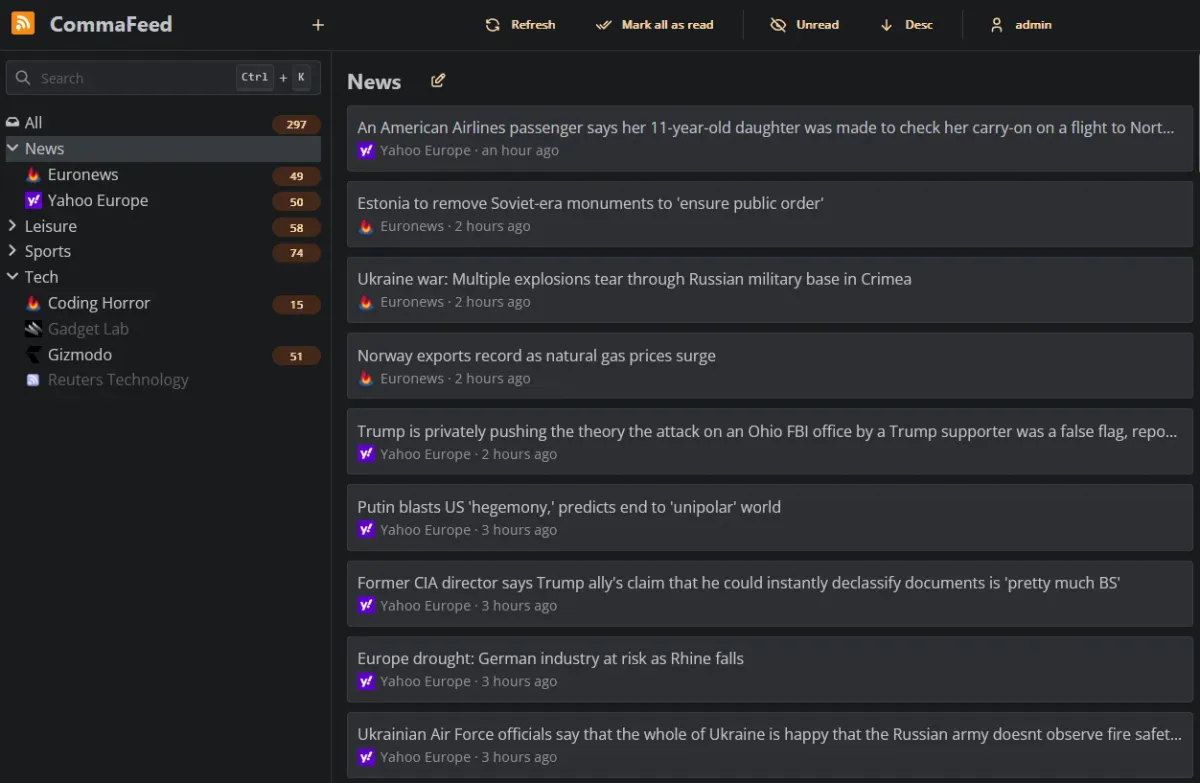
RSS never really died. It just went quiet after Google Reader shut down in 2013, and a lot of us drifted to algorithmic feeds that decide what we get to see. If you'd rather follow blogs, release notes, forums and news sites on your own terms, a self-hosted feed reader is one of the most useful little services you can run in a homelab.
CommaFeed is one of the classics here. The project describes itself as a "Google Reader inspired self-hosted RSS reader", and the GitHub repository goes back to March 2013, the same month Google announced the end of Reader. It's still very actively maintained: version 7.4.0 (19 October 2026) added HTTP/2 for fetching feeds, and 7.4.1 followed on 22 October 2026 with bug fixes. At the time of writing the repo has a bit over 3,600 stars and is licensed under Apache-2.0.
What is CommaFeed?
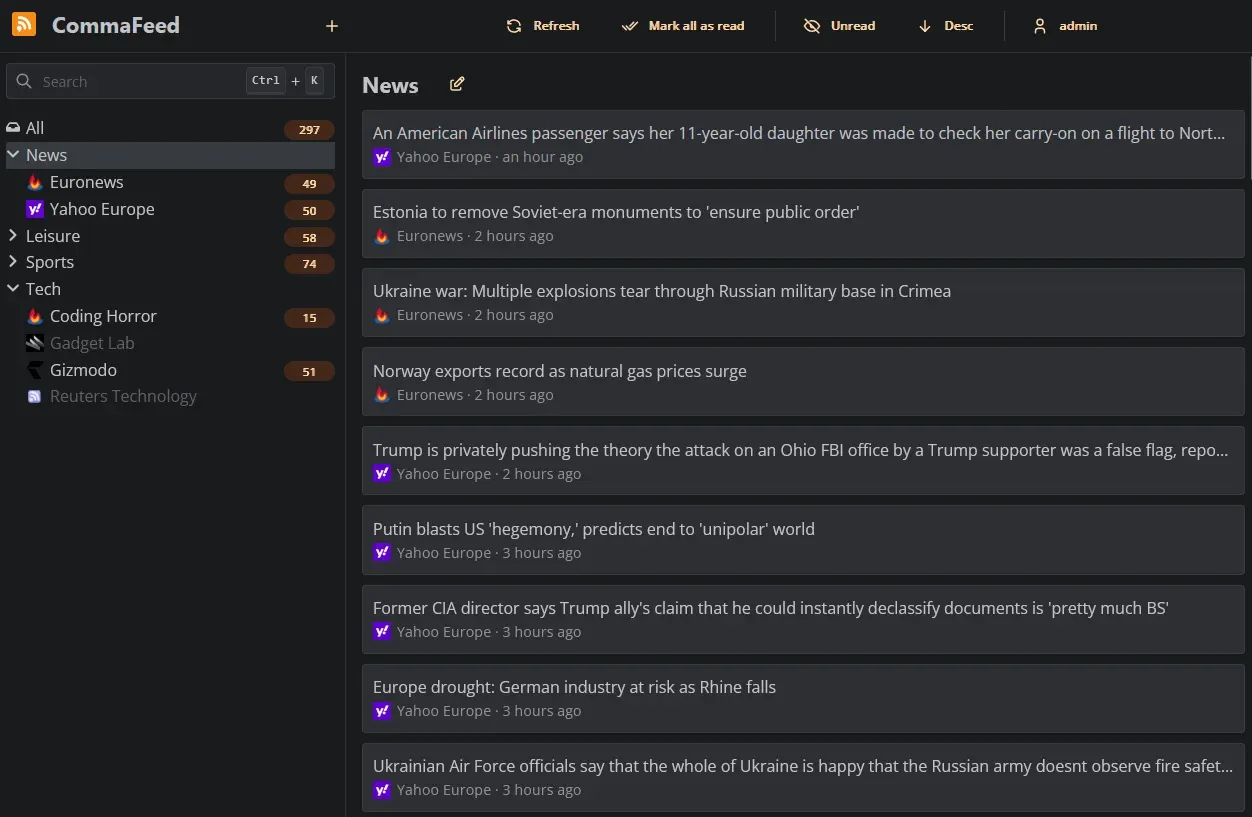
CommaFeed is a web-based RSS and Atom reader. You subscribe to feeds, CommaFeed fetches them in the background on your server, and you read everything in one clean interface in the browser or in a mobile app. The backend is built on Quarkus (Java), the frontend on React and TypeScript.
What makes it interesting for self-hosters is that it scales down really well. According to the project, it compiles to native code for fast startup and low memory usage, and the official Docker quickstart limits the container to just 256 MB of RAM. At the same time, the README says it supports thousands of users and millions of feeds, so it also works for a family or a small team.
Key features
Straight from the project's feature list and changelog:
- Four layouts, light and dark theme, and a fully responsive UI for mobile and desktop.
- Keyboard shortcuts for almost everything, which is great if you read a lot of feeds.
- OPML import and export, so you can move your subscriptions in and out easily.
- Fever API and Google Reader API, so native mobile apps can sync with your instance (Google Reader API support was added in 7.3.0).
- REST API and an official browser extension.
- Automatic "mark as read" rules built with a visual query builder (since 7.0.0).
- Push notifications per feed to ntfy, Gotify or Pushover when new entries show up (since 7.0.0).
- Custom CSS and JavaScript if you want to tweak the look.
- 25+ languages, including right-to-left feeds.
- Four databases: H2 (embedded), PostgreSQL, MySQL and MariaDB.
Why self-host a feed reader?
A few honest reasons:
- You decide what you see. No ranking algorithm, no "recommended for you", just the feeds you subscribed to in chronological order.
- Privacy. Your reading history stays on your server.
- One place for homelab news. Most projects publish a releases feed. CommaFeed's own README even suggests subscribing to its GitHub releases Atom feed to be notified of updates. Do the same for every app you run and you'll never miss a security release again.
If you don't want to run it yourself, there is also a free public instance at commafeed.com, funded by donations, with a few limitations compared to self-hosted setups.
Installing CommaFeed with Docker Compose
The official images are on Docker Hub as athou/commafeed. The important detail is that the database is part of the image tag. Current tags include:
latest-h2/7.4.1-h2for the embedded H2 databaselatest-postgresql/7.4.1-postgresqllatest-mysql/7.4.1-mysqllatest-mariadb/7.4.1-mariadb
Each of them also exists as a -jvm variant (for example 7.4.1-h2-jvm) that runs on a regular Java runtime instead of the native build. The container listens on port 8082 and keeps its data in /commafeed/data.
Option 1: The simple setup with H2
For a personal instance, the embedded H2 database is perfectly fine, and you don't need a separate database container. Create a folder:
mkdir -p ~/commafeed && cd ~/commafeed
Then create a compose.yaml:
services:
  commafeed:
    image: athou/commafeed:7.4.1-h2
    container_name: commafeed
    restart: unless-stopped
    environment:
      # keeps you logged in across restarts (min. 16 characters)
      - QUARKUS_HTTP_AUTH_SESSION_ENCRYPTION_KEY=${SESSION_KEY}
    volumes:
      - ./data:/commafeed/data
    deploy:
      resources:
        limits:
          memory: 256M
    ports:
      - 8082:8082
I pinned the version instead of using latest-h2, so updates only happen when you change the tag on purpose.
Why the session key? CommaFeed stores your login in an encrypted cookie, and by default the encryption key is randomly generated at startup. That means you'd be logged out after every container restart. Setting a fixed key fixes that. Generate one and put it in a .env file next to the compose file:
echo "SESSION_KEY=$(openssl rand -hex 32)" > .env
chmod 600 .env
Start it:
docker compose up -d
docker compose logs -f commafeed
Option 2: CommaFeed with PostgreSQL
If you want more control over the database, or already back up PostgreSQL everywhere else, switch to the -postgresql image and add a database container. This is based on the example from the official Docker Hub page, with the passwords moved into .env:
services:
  commafeed:
    image: athou/commafeed:7.4.1-postgresql
    container_name: commafeed
    restart: unless-stopped
    environment:
      - QUARKUS_DATASOURCE_JDBC_URL=jdbc:postgresql://postgresql:5432/commafeed
      - QUARKUS_DATASOURCE_USERNAME=commafeed
      - QUARKUS_DATASOURCE_PASSWORD=${DB_PASSWORD}
      - QUARKUS_HTTP_AUTH_SESSION_ENCRYPTION_KEY=${SESSION_KEY}
    depends_on:
      - postgresql
    deploy:
      resources:
        limits:
          memory: 256M
    ports:
      - 8082:8082

  postgresql:
    image: postgres:18
    container_name: commafeed-db
    restart: unless-stopped
    environment:
      POSTGRES_USER: commafeed
      POSTGRES_PASSWORD: ${DB_PASSWORD}
      POSTGRES_DB: commafeed
    volumes:
      - ./postgres:/var/lib/postgresql
And the matching .env:
cat > .env <<EOT
DB_PASSWORD=$(openssl rand -hex 24)
SESSION_KEY=$(openssl rand -hex 32)
EOT
chmod 600 .env
The official example uses postgres:latest. I'd pin a major version so a future PostgreSQL major upgrade doesn't surprise you, since those need a dump and restore.
First start: the setup wizard
Open http://your-server:8082 in the browser. Since version 6.0.0, CommaFeed no longer creates a default admin account. Instead, a setup wizard asks you to create the admin account on the first visit. Do this right away, before anyone else on your network finds the page.
After that you can add feeds by URL or import an OPML file from your old reader, organise them into categories, and pick one of the four layouts.
Configuration tips
Every setting in the configuration documentation can be set as an environment variable, by writing the key in upper case with underscores. A few worth knowing:
| Setting | Environment variable | Default | What it does |
|---|---|---|---|
commafeed.feed-refresh.interval |
COMMAFEED_FEED_REFRESH_INTERVAL |
5M |
Default time between feed refreshes |
commafeed.feed-refresh.max-interval |
COMMAFEED_FEED_REFRESH_MAX_INTERVAL |
4H |
Upper bound, e.g. when a feed keeps failing |
commafeed.users.allow-registrations |
COMMAFEED_USERS_ALLOW_REGISTRATIONS |
false |
Let people create their own accounts |
commafeed.http-client.block-local-addresses |
COMMAFEED_HTTP_CLIENT_BLOCK_LOCAL_ADDRESSES |
true |
Blocks feeds on local/private addresses (SSRF protection) |
commafeed.database.cleanup.max-feed-capacity |
COMMAFEED_DATABASE_CLEANUP_MAX_FEED_CAPACITY |
500 |
Max entries kept per feed |
commafeed.database.cleanup.entries-max-age |
COMMAFEED_DATABASE_CLEANUP_ENTRIES_MAX_AGE |
365D |
Older entries get deleted |
By default the refresh is "empirical": CommaFeed looks at how often a feed actually publishes and refreshes it somewhere between those two intervals, which is polite to the sites you follow.
Feeds from your own network
One thing that trips people up: if you subscribe to a feed that only exists on your LAN (for example a release feed of a self-hosted Git server), you'll get an "Access to local address blocked" error. That's intentional. Since 7.3.0, local addresses are blocked by default to prevent server-side request forgery. If you're the only user, or you trust everyone with an account, you can turn it off:
    environment:
      - COMMAFEED_HTTP_CLIENT_BLOCK_LOCAL_ADDRESSES=false
Leave it on if you run a public instance with registrations open.
Behind a reverse proxy
CommaFeed works fine behind Traefik, Caddy or Nginx Proxy Manager. Point the proxy to port 8082 and drop the ports: section if the proxy runs in the same Docker network. The README notes one gotcha: if you bind CommaFeed to 127.0.0.1 with quarkus.http.host, host validation is enabled automatically and you have to add your public hostname (e.g. commafeed.example.com) to the allowed hosts, together with the proxy forwarding settings. With the default Docker setup that listens on all interfaces, you don't need this.
Updating and backups
Updating is just a matter of changing the tag and pulling:
docker compose pull && docker compose up -d
Read the release notes first. Several recent releases were security fixes (for example 7.3.1 and 7.3.2 fixed published GitHub security advisories), so it's worth staying current.
For backups, stop the container and copy the data folder (H2) or dump the database (PostgreSQL). Your subscriptions alone can also be exported as OPML from the settings, which is a nice lightweight extra backup. If you already use Healthchecks to monitor cron jobs, add your backup job there too.
Limitations to be aware of
- The database is baked into the image tag. Switching from H2 to PostgreSQL later means a new image and a migration, so choose before you import hundreds of feeds.
- Java memory behaviour. The README is upfront that the JVM likes to hold on to memory. The native images and the 256 MB limit help, but if you use a
-jvmtag, read the memory section of the README. - No built-in full-text scraping or AI features. CommaFeed shows what the feed contains. If a site only publishes short summaries, that's what you get.
- Password recovery needs a mail server. It's disabled by default and requires configuring the Quarkus mailer.
CommaFeed vs. FreshRSS vs. Miniflux
The three most common self-hosted feed readers, very briefly:
- CommaFeed (Java/Quarkus, Apache-2.0): Google Reader style UI, four database options including embedded H2, Fever and Google Reader API.
- FreshRSS (PHP, AGPL-3.0): very popular, with an extension system and many themes.
- Miniflux (Go, Apache-2.0): "minimalist and opinionated", deliberately simple, and requires PostgreSQL.
If you want a single container with no database to manage and a classic three-pane reader, CommaFeed is a very easy place to start.
Conclusion
CommaFeed is one of those apps that just keeps working. It has been around since the Google Reader shutdown, it's still getting frequent releases with real security hardening, and the Docker setup is about as simple as it gets: one container, one volume, 256 MB of RAM. Add a fixed session key, create your admin account in the setup wizard, import your OPML file, and you've got your own news feed back.
Pair it with a dashboard like Homepage and subscribe to the release feeds of everything else you self-host, and you'll always know when it's time to update.
Sources
- CommaFeed on GitHub (README, features, configuration)
- CommaFeed changelog and releases
- CommaFeed configuration documentation
- Official Docker image athou/commafeed
- FreshRSS and Miniflux repositories