FreshRSS 1.30: Self-Host a Feature-Packed RSS Aggregator with Docker Compose
FreshRSS is a lightweight, AGPL-3.0 licensed RSS aggregator with multi-user support, Google Reader and Fever APIs for mobile apps, XPath web scraping, WebSub push and OpenID Connect. Here's what's new in 1.30 and how to run it with Docker Compose.
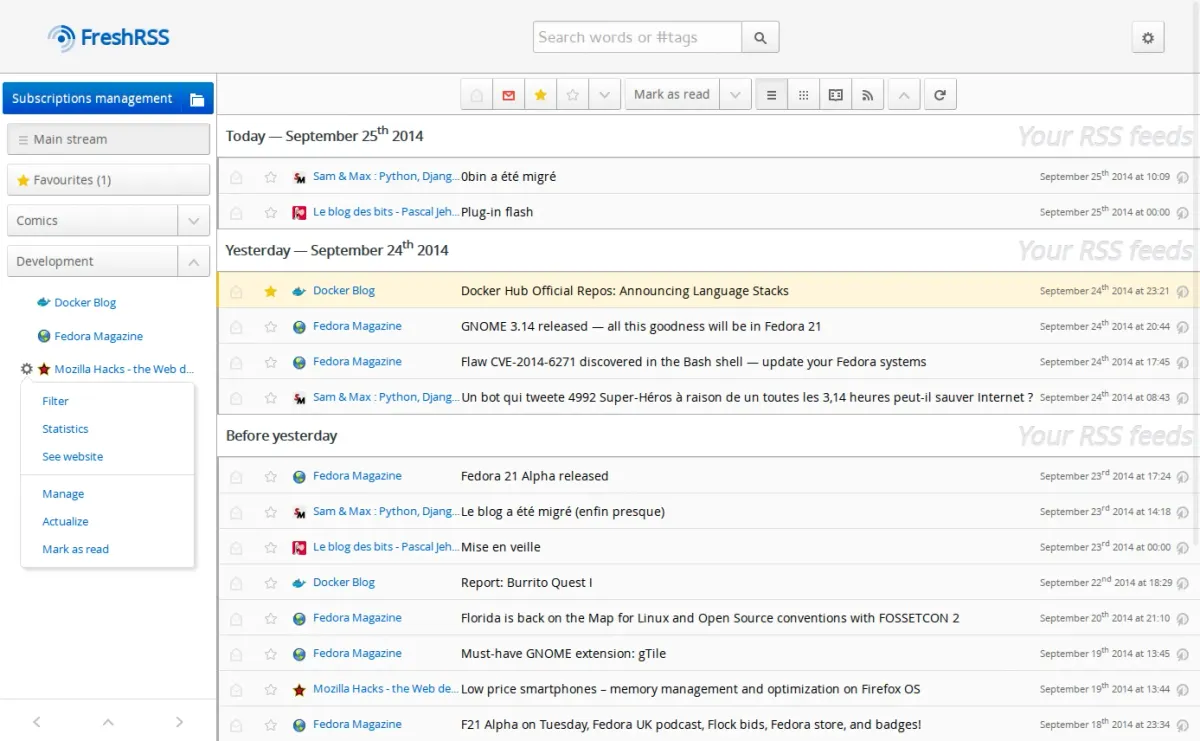
If you follow more than a handful of blogs, release feeds and news sites, a self-hosted feed reader quickly becomes one of the most-used apps in your homelab. We've already looked at Miniflux, CommaFeed and DanB/RSS – but no RSS series would be complete without the veteran of the bunch: FreshRSS.
FreshRSS has more than 16,000 GitHub stars, its edge branch is under active development, and the 1.30 series (1.30.0 on 9 September 2026, followed by four security releases up to 1.30.4 on 21 October 2026) brought a big round of security hardening plus a handful of quality-of-life features. Let's look at what it does and how to get it running with Docker Compose.
What is FreshRSS?
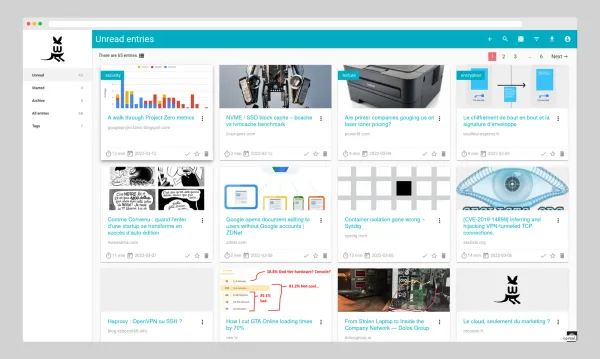
FreshRSS is a self-hosted RSS and Atom feed aggregator written in PHP and licensed under the GNU AGPL-3.0. The project describes itself as lightweight, easy to work with, powerful and customizable – and it has been translated into more than 20 languages.
It's a multi-user application, so one instance can serve your whole household, and it also offers an optional anonymous reading mode. According to the README it even runs on a Raspberry Pi 1 with sub-second response times (tested with 150 feeds and 22,000 articles).
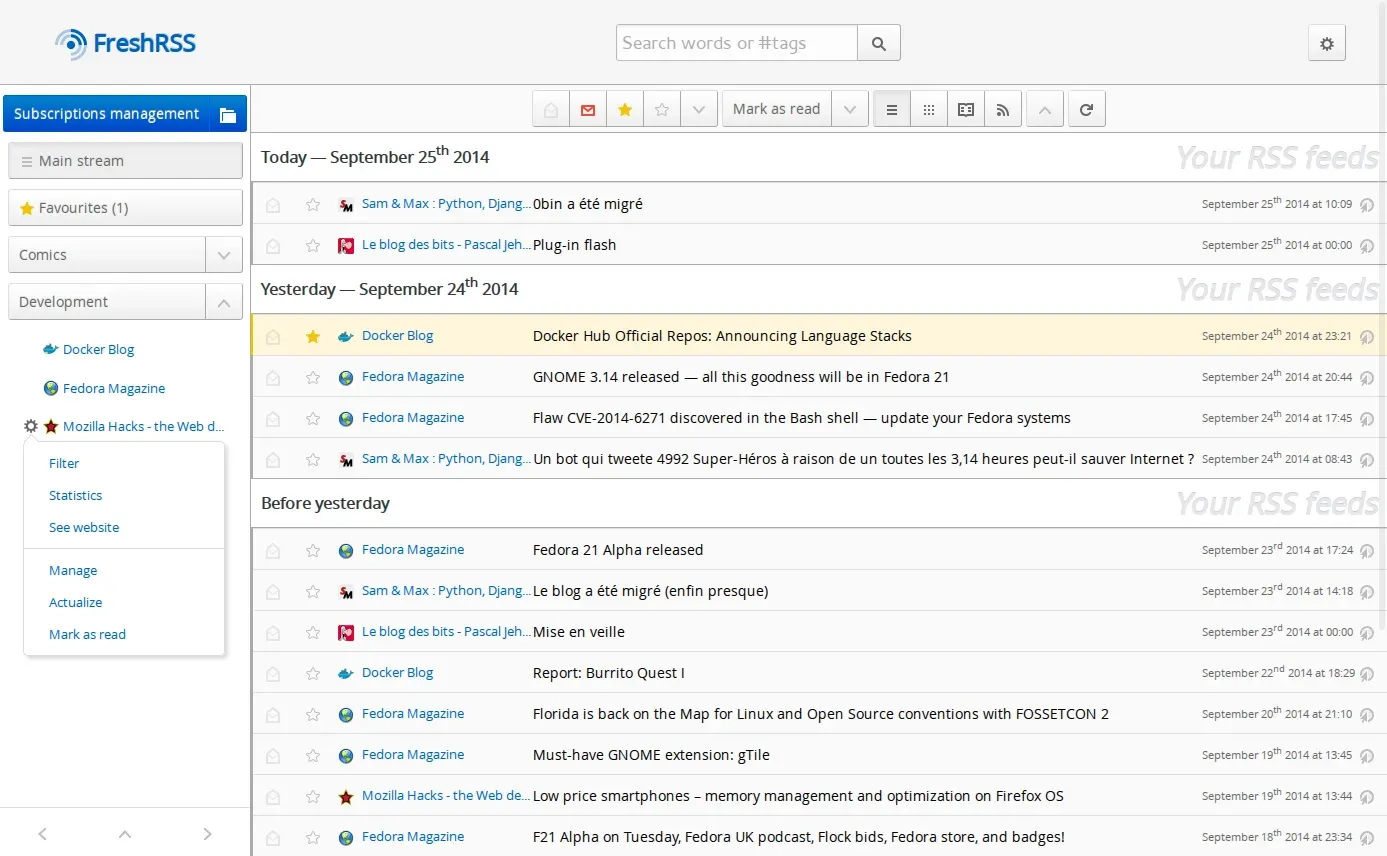
Key features
- Multi-user with custom tags – every user gets their own subscriptions, labels and settings; an anonymous read-only mode is available too.
- APIs for native apps – FreshRSS implements the Google Reader API (recommended by the project) and the Fever API (limited, less efficient and less safe according to the docs). The README lists many compatible clients, including Capy Reader, Readrops and Read You on Android, FeedFlow and Fluent Reader Lite on mobile, plus NewsFlash, RSS Guard and Newsboat on the desktop.
- Web scraping for sites without feeds – XPath-based scraping turns plain web pages (and JSON documents) into feeds.
- Instant updates via WebSub – compatible sources (for example WordPress with the PubSubHubbub plugin, Friendica, Blogger or Medium) can push new articles to FreshRSS instead of waiting for the next poll.
- Reshare your reading – saved searches ("user queries") can be shared as HTML, RSS or OPML.
- Flexible login – web form, HTTP authentication (works with a trusted reverse proxy) or OpenID Connect in the official Debian-based Docker image.
- Extensions – a separate extensions repository adds further features on top of the core.
- Command-line interface – create users, install, refresh and maintain the instance from the CLI.
- Your choice of database – SQLite (zero setup), PostgreSQL 10+, MariaDB 10.6+ or MySQL 8.0+.
What's new in the 1.30 series
The 1.30.0 changelog is dominated by security work. The most important change for self-hosters is a breaking one:
- SSRF mitigation: FreshRSS now blocks requests to local networks such as
127.0.0.1by default. If you subscribe to feeds from services running in your own network – say an RSS-Bridge or RSSHub container – you have to allow them explicitly under System configuration or with theINTERNAL_HOST_ALLOWLISTenvironment variable.
Beyond that, 1.30.0 fixed CSRF issues in the login and registration actions, switched to timing-safe token comparisons, added limits for regex and search complexity and hardened cache deserialization. On the feature side you get things like filtering the global view by state and search, an option to hide unread badges, refreshing only the feeds in the current view, a log search, a per-feed option to show or hide enclosures, and new sharing services for LinkAce and Nextcloud Bookmarks.
The follow-up releases continued in the same direction: 1.30.1 made the login challenge nonce one-time and rotates session IDs on authenticated transitions, 1.30.2 blocks the data: URI scheme (except for images) and fixes a local DNS leak when fetching feeds through a proxy, and 1.30.3/1.30.4 shipped updated Docker images (Debian 13 "Trixie" by default, Alpine as an alternative) to address PHP vulnerabilities.
Why use FreshRSS?
- It's mature. FreshRSS has been around for years, the documentation covers users, admins and developers, and the community is active.
- It's great for households and small groups. Real multi-user support, per-user settings and an anonymous mode set it apart from single-user readers.
- It works with the apps you already use. Thanks to the Google Reader API, you can read on your phone with a native client and keep everything in sync.
- It handles the messy web. XPath scraping and JSON feed support help with sites that never bothered to publish a proper feed.
- It's light. SQLite plus the official image is enough for most personal setups.
Installing FreshRSS with Docker Compose
The official image is freshrss/freshrss on Docker Hub. It's multi-arch (linux/amd64, linux/arm64, linux/arm/v7) and comes in a few flavours:
latest– the latest versioned release (currently 1.30.4)edge– the rolling release, matching theedgegit branchx.y.z(for example1.30.4) – a specific release*-alpine– the same on Alpine Linux instead of Debian (note: OIDC is only available in the Debian image)
Which channel? The FreshRSS team explicitly recommendsedgefor faster security patches, because fixes are not backported to older versions.latestor a pinned version gives you fewer, more predictable updates. Pick one consciously – and if you pin a version, keep an eye on the releases page.
Step 1: Create a project folder
mkdir -p ~/freshrss && cd ~/freshrss
Step 2: Write the compose file (SQLite)
This is the simplest setup, based on the official examples. FreshRSS stores its configuration and the SQLite database in the data volume:
services:
  freshrss:
    image: freshrss/freshrss:1.30.4
    container_name: freshrss
    restart: unless-stopped
    logging:
      options:
        max-size: 10m
    ports:
      - "8080:80"
    volumes:
      - data:/var/www/FreshRSS/data
      - extensions:/var/www/FreshRSS/extensions
    environment:
      TZ: Europe/Berlin
      # Built-in cron: refresh feeds at minute 13 and 43 of every hour
      CRON_MIN: "13,43"
    healthcheck:
      test: ["CMD", "cli/health.php"]
      timeout: 10s
      start_period: 60s
      interval: 75s
      retries: 3

volumes:
  data:
  extensions:
A few notes on the environment variables, all documented in the official Docker README:
TZsets the server timezone (default:UTC).CRON_MINenables the built-in cron job that refreshes feeds. If you leave it out, feeds will not refresh automatically – the project recommends about two refreshes per hour.- The container's Apache listens on port 80; we publish it on host port 8080.
Step 3: Start it
docker compose up -d
docker compose logs -f
Then open http://<your-server>:8080 in your browser. The web installer guides you through the remaining setup, including the database (keep SQLite for this setup) and your first user account. That's it – add your first feed or import an OPML file from your old reader.
Optional: use PostgreSQL instead
For many users or a very large number of feeds, a real database server makes sense. The official repository ships a docker-compose-db.yml using PostgreSQL 18; a combined version looks like this:
services:
  freshrss:
    image: freshrss/freshrss:1.30.4
    container_name: freshrss
    restart: unless-stopped
    depends_on:
      - freshrss-db
    ports:
      - "8080:80"
    volumes:
      - data:/var/www/FreshRSS/data
      - extensions:/var/www/FreshRSS/extensions
    environment:
      TZ: Europe/Berlin
      CRON_MIN: "13,43"

  freshrss-db:
    image: postgres:18
    container_name: freshrss-db
    restart: unless-stopped
    volumes:
      - db:/var/lib/postgresql
    environment:
      POSTGRES_DB: freshrss
      POSTGRES_USER: freshrss
      POSTGRES_PASSWORD: change-me-to-a-long-random-password

volumes:
  data:
  extensions:
  db:
In the web installer, choose PostgreSQL and enter freshrss-db as the host plus the database name, user and password from above.
Optional: unattended install
If you prefer infrastructure-as-code, the image supports FRESHRSS_INSTALL and FRESHRSS_USER, which pass arguments to the CLI scripts cli/do-install.php and cli/create-user.php. The official example sets options such as --base-url, --db-type pgsql, --default-user admin, --api-enabled and the user's --password and --api-password. Be aware that these variables are only evaluated on the very first run: to change them later, you have to remove the container and the data volume and start over. For most homelabs, the web installer is the easier choice.
Configuration tips
- Put it behind a reverse proxy with HTTPS. The docs include examples for Traefik, Apache and nginx. Set
TRUSTED_PROXYto your proxy's IP range (CIDR notation) so FreshRSS logs the real client IP – this also matters if you use HTTP authentication through the proxy. - Allow your internal feed sources. Since 1.30.0, local addresses are blocked. Add exceptions such as
INTERNAL_HOST_ALLOWLIST: "rss-bridge:80 rsshub:1200". Avoid*, which disables the check completely and is flagged as unsafe by the project. - Use OpenID Connect for single sign-on. Set
OIDC_ENABLED: 1plus the provider variables described in the OIDC documentation; the callback URL ishttps://freshrss.example.com/i/oidc/. During the first setup, the default username must match your OIDC identity exactly, otherwise you may lock yourself out of admin access. A lightweight provider like Pocket ID works well for this kind of setup. - Enable the API for mobile apps. Under Authentication, allow API access; then set an API password in your Profile (every user needs their own). The profile page links to an API test page that checks your server configuration. Prefer the Google Reader API over the Fever API.
- Back up the data volume. With SQLite, everything that matters lives in
/var/www/FreshRSS/data. With PostgreSQL, add regularpg_dumpbackups – and monitor your backup job with Healthchecks. - Watch the instance. The image ships
cli/health.phpfor Docker health checks; for an external check, add an HTTP monitor in Uptime Kuma. - Save articles for later. FreshRSS supports sharing services, so you can push interesting posts to a bookmark manager – for a self-hosted option, see our Linkwarden guide.
Limitations
- Security patches move fast. Four releases within six weeks show an active team, but also that you need to update regularly. Fixes are not backported, so running an old pinned version means missing patches.
- The SSRF change can break existing setups. After upgrading from 1.29 or older, feeds from local services stop working until you add them to the allowlist.
- Auto-install is a one-shot.
FRESHRSS_INSTALL/FRESHRSS_USERdon't reconfigure an existing instance. - OIDC needs the Debian image and some careful first-time setup.
- No built-in cron by default – forget
CRON_MIN(or a host cron job) and nothing refreshes. - The UI is functional rather than flashy. If you want a minimalist, keyboard-first reader, Miniflux may suit you better.
FreshRSS vs. other self-hosted readers
Compared with the readers we've covered: Miniflux (Apache-2.0, written in Go) is deliberately minimalist and requires PostgreSQL, while FreshRSS offers more features out of the box – multi-user households, XPath scraping, WebSub, extensions and SQLite as a zero-setup option. CommaFeed is the pick if you miss the classic Google Reader look. And if you just want headlines on a start page, Glance is a dashboard rather than a reader.
Conclusion
FreshRSS is the "Swiss army knife" among self-hosted feed readers: light enough for a Raspberry Pi, flexible enough for a whole family, and compatible with plenty of native apps. The 1.30 series makes it noticeably more secure – just remember the new internal-host allowlist and choose your update channel deliberately. Start with SQLite and the compose file above, import your OPML, and you'll be reading in minutes. More feed tools are collected under our RSS tag.
Sources
- FreshRSS on GitHub (README, license, screenshot)
- FreshRSS releases and CHANGELOG
- Deploy FreshRSS with Docker (official Docker README)
- FreshRSS documentation, including OpenID Connect
- freshrss/freshrss on Docker Hub
- FreshRSS website and demo